
Resident portal
A resident portal that operates for everyone in the building
Most resident portals leave 15% of residents behind — the ones who don't check email, don't install apps, or don't have a smartphone. BuildingHQ's resident portal was designed around a different constraint: everyone gets in with a unit code printed on a card. No email, no app install, no lockout.
Unit-code login, printed on a card
Every resident gets a card with their unit's login code on it. The card is generated from the building's unit register, printed by the board, and handed to the resident at move-in (or mailed, or slipped under the door).
The resident visits the portal URL, enters the code, and they're in. No email verification, no password reset flow, no forgotten- password call to the board on a Sunday.
What residents can do
See announcements
Every board announcement is a persistent page — searchable six months later, not lost in an inbox.
Check current status
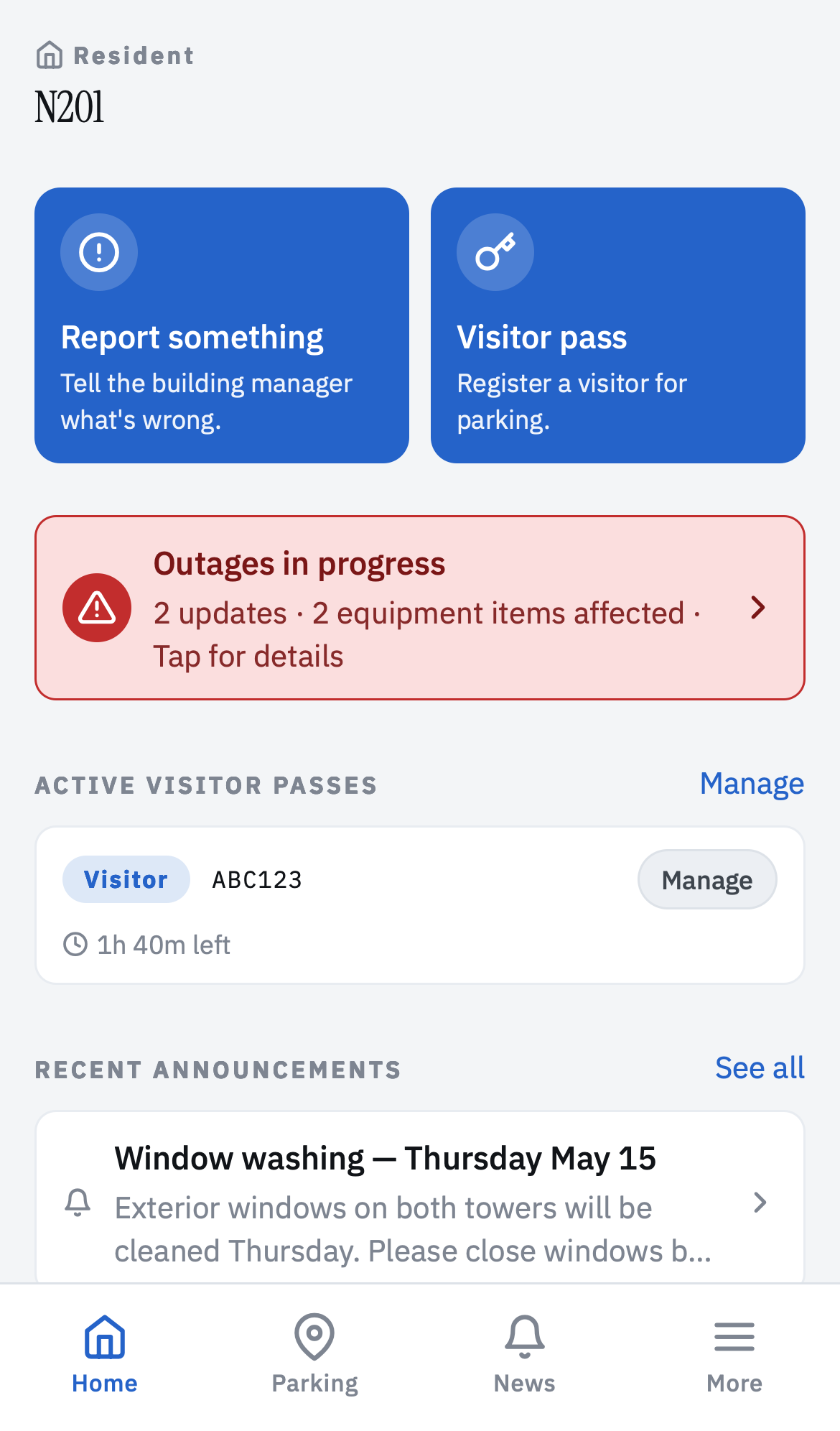
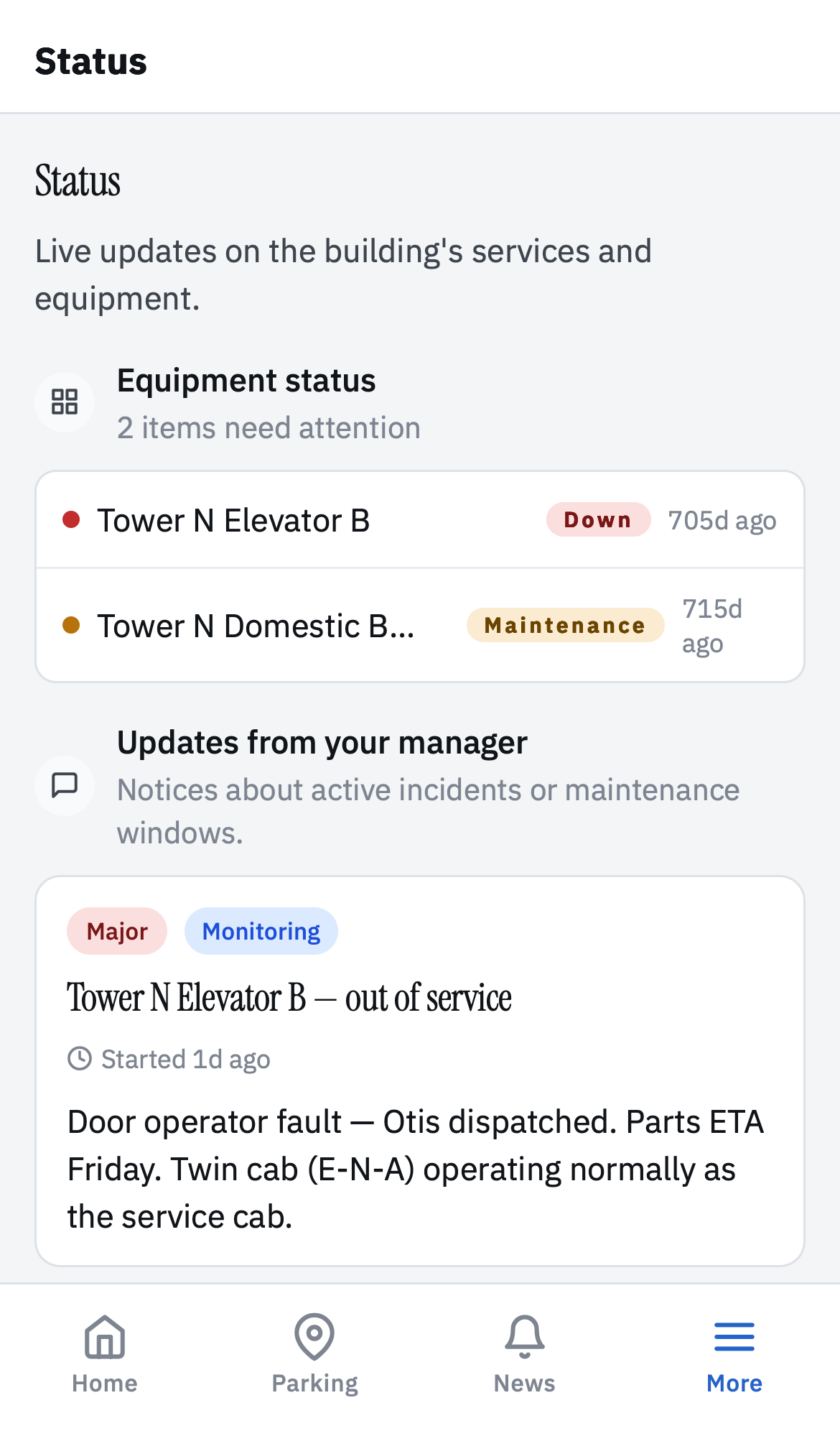
Elevator 2 out of service, water shutoff 10 to 2, pool closed for maintenance — visible without asking anyone.
File a report
Leak, hallway light, noise, appliance. Photo, description, submit. The resident tracks the status without a follow-up email.
Register a visitor pass
Guest plate + duration = pass. The resident sees their remaining monthly quota. Patrol looks up the plate in five seconds.
Look up rules
Bylaws, rules, parking policy, recycling schedule — findable by search, deep-linkable, versioned.
See their reports' status
Every report the resident filed with its current status — open, in progress, done. "What's happening with the leak I reported?" becomes a self-serve answer.
Privacy by default
Residents are not required to share personal information to use the portal:
- Unit code = identity. Not name, not email, not phone.
- Optional metadata. A resident can add their name and email if they want email notifications; if they don't want to, they still use everything else.
- Per-building isolation. No cross-building reporting, no shared inference, no analytics that touch resident content.
- Boards control what residents see. Sections marked board-only stay board-only. Boards can preview the portal as if they were a resident before publishing changes.
Board-side controls
From the board side, every resident-facing surface is configurable:
- Which sections are visible to residents.
- Which report categories residents can file.
- Which pass types residents can register.
- Whether announcements require acknowledgement.
- Whether the status page is public (no login) or portal-only.
A "view as resident" mode mirrors the exact predicates the resident sees — so what the board previews is what residents see, down to the query.
Pricing
The resident portal is part of the Standard and Pro tiers. Standard is $39/month base plus $0.50 per resident account, covering up to 250 accounts. Pro is $99/month + $0.60 per account with unlimited residents. Free for 30 days (Standard) or 14 days (Pro), no credit card.
Frequently asked questions
Do residents need email accounts?
No. Residents log in with a unit code from a printed card the board mails or hands them at move-in. Email, phone, and name are optional metadata the board controls, not requirements to use the portal.
Do residents need to install an app?
No. The resident portal runs in any browser on any device. Boards that want to publish native apps can — but no resident is forced through an app store to see an announcement.
What can residents do from the portal?
See building announcements. Check the current status of the elevator, pool, water. File a report (leak, hallway light, noise complaint). Register a visitor parking pass. Look up bylaws, rules, and parking policy. See their own report status.
Can residents see everything?
No. Residents see resident-facing content — announcements, status, reference documents, their own reports. Board-only areas (financial notes, board minutes, internal issues) stay board-only. The resident portal shows what the board publishes to it, nothing else.
How does the invite process work?
The board generates unit-code cards (printable PDF), one per unit. The card has the building name, the resident's unit, and a login code. Hand them to residents at move-in, mail them, or slip them under the door. The resident visits the portal URL, enters the code, and they're in.
What about tenants versus owners?
Both can have portal accounts. The board configures per unit whether the tenant, the owner, or both get access, and to which sections. Common setup: tenants see announcements and status; owners also see bylaws, rules, and financial documents.
Does the portal work in low-connectivity areas?
The core read-only surfaces (announcements, status, documents) work offline once cached. Reports and pass registration require connectivity to submit but the resident can compose them offline and queue them.
Read more
- How to talk to residents without inviting an email storm
- Why the shared inbox drops complaints — and what to do instead
Give every resident portal access — with unit-code logins on printed cards. 30-day free trial, no credit card.
Start free