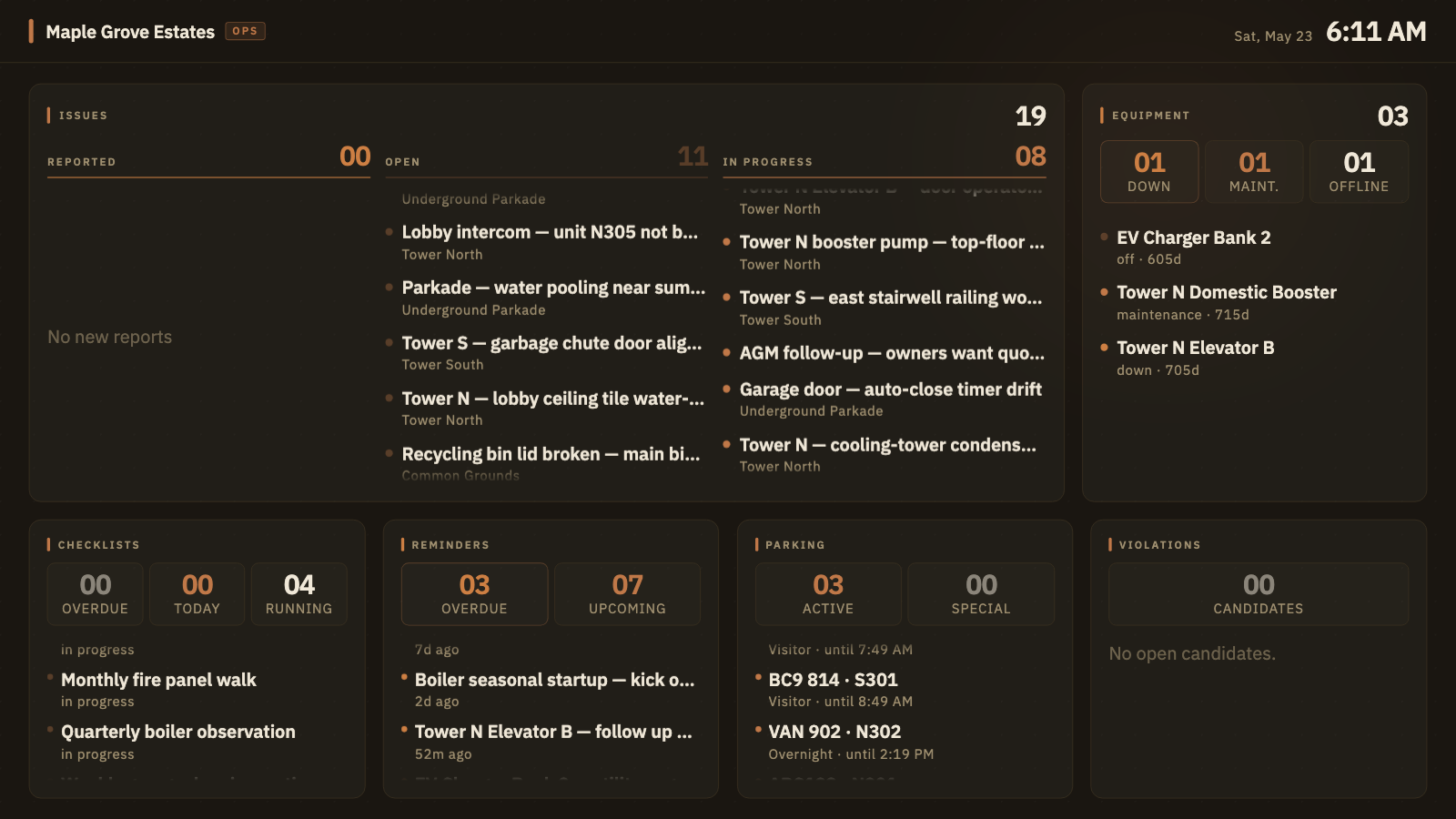
For self-managed HOAs and stratas

The complete operations platform for your building.

Issues, equipment, vendors, announcements, parking, residents, the lobby TV. Everything a self-managed strata or HOA needs to run — in one app, on every device. And a shared memory underneath so nothing the building learns ever walks out the door with the outgoing board.

  • Basic tier is free forever — any building, any size, no card.
  • Bring your existing spreadsheets in — the smart importer maps your columns for you.
  • No resident personal info required to operate.
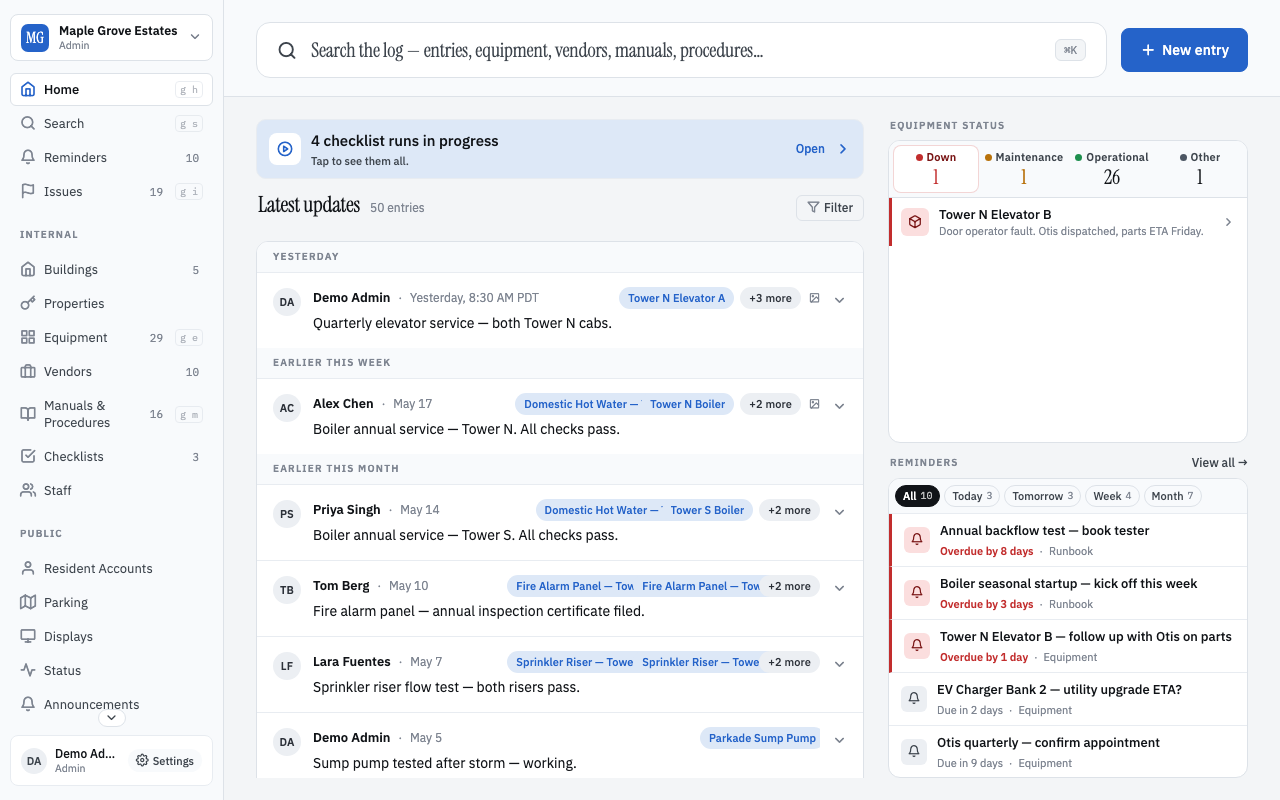
BuildingHQ home screen — the recent log entries for Maple Grove Estates, with a search bar, the five core surfaces in the sidebar, and a list of recent updates from the board.
The home screen of a real building running on BuildingHQ.

The status quo

The building's history is stuck in people's heads.

Self-managed buildings run on emails, group chats, and the memory of whoever's been on the board the longest. When that person rolls off, the institutional knowledge rolls off too.

  • "Did we already deal with this?"

    A resident reports a leak. Someone faintly remembers it happened in 2022 — but the photos are in an old gmail thread nobody can find.

  • "Who's the plumber we like?"

    Three plumbers have been in the building this year. Only one knew where the shutoffs are. Nobody on the new board can remember which one.

  • "The manuals are in the closet."

    Twenty years of equipment manuals in a binder behind the boiler room door. Half the boiler's previous service notes are in a 2014 email from a board member who has since moved.

Everywhere your board lives

The same app, in everyone's pocket.

Board members reach for it during the garage walk. Residents pull it up on their phone. One product, two perspectives — on every native platform, no install required.

For the board

Admin shell on a phone — every screen you used at the desk, in one hand.

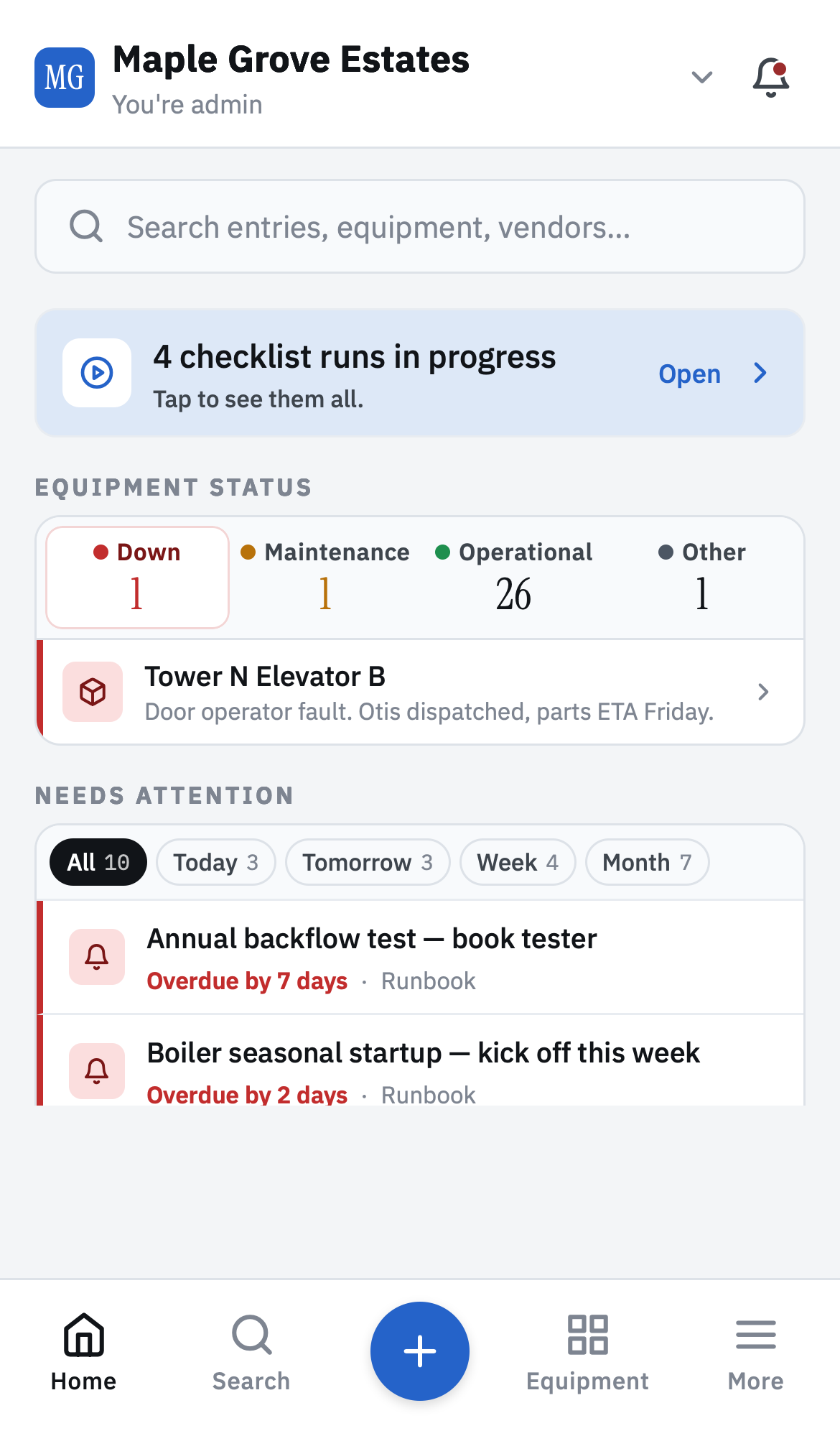
BM admin home — equipment status, reminders attention, recent feed
Home
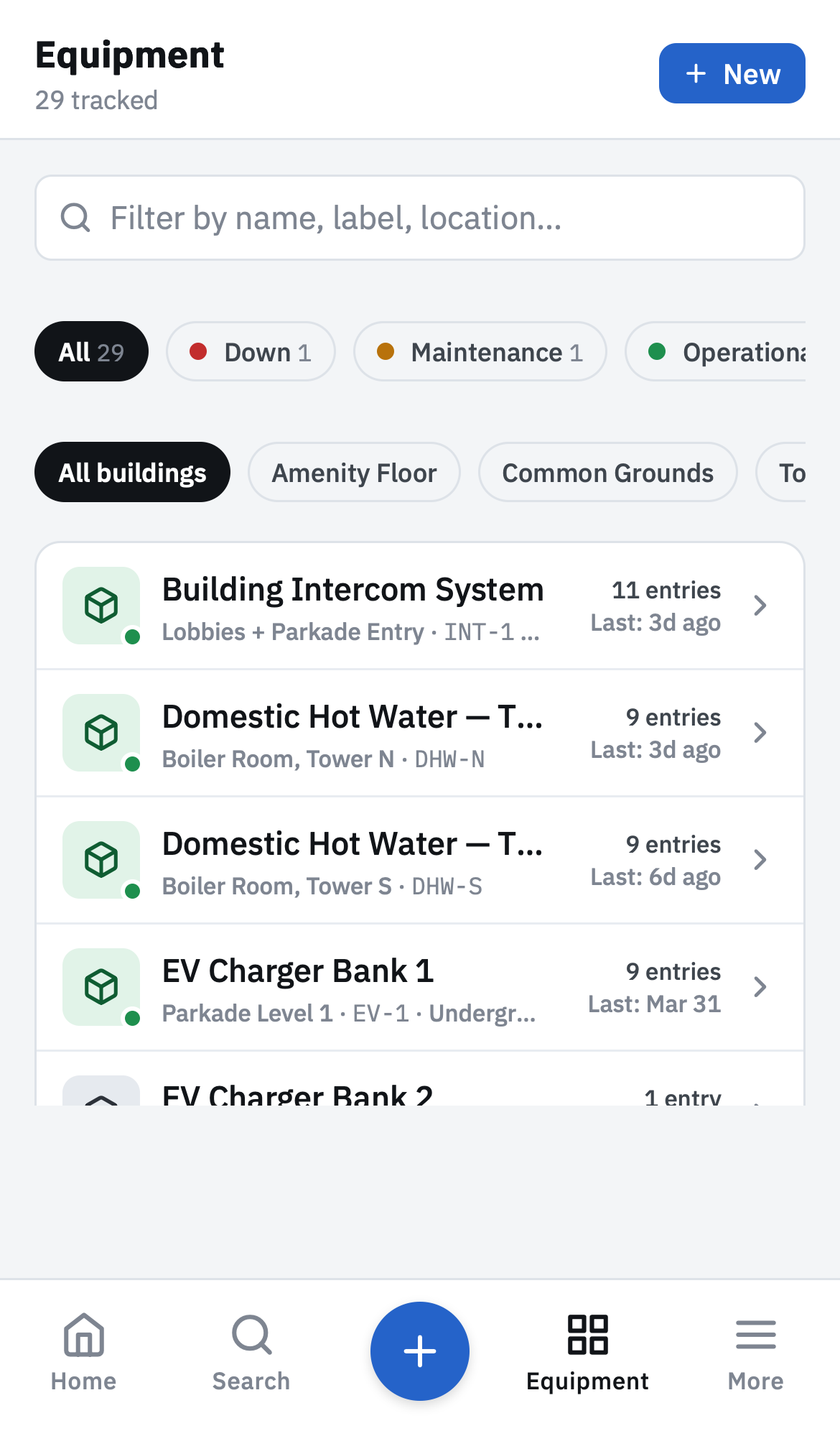
Equipment list with status chips
Equipment
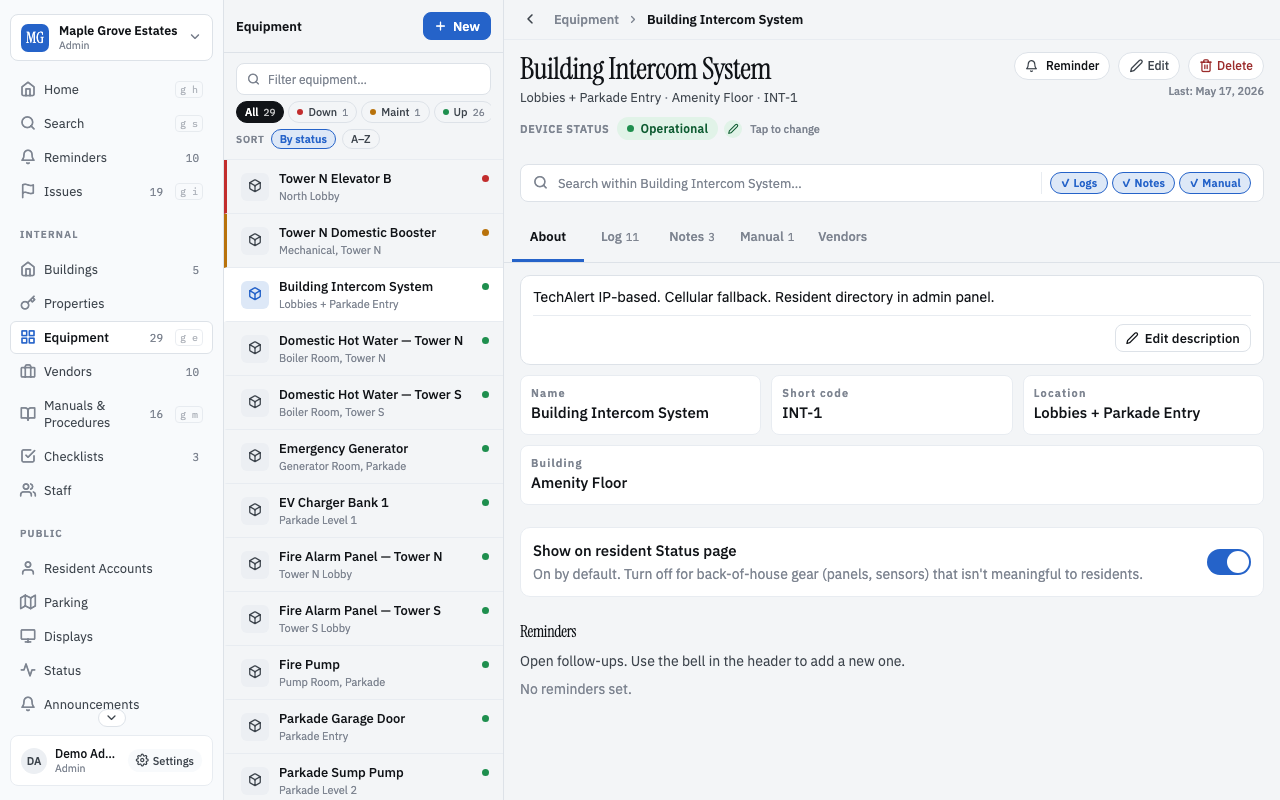
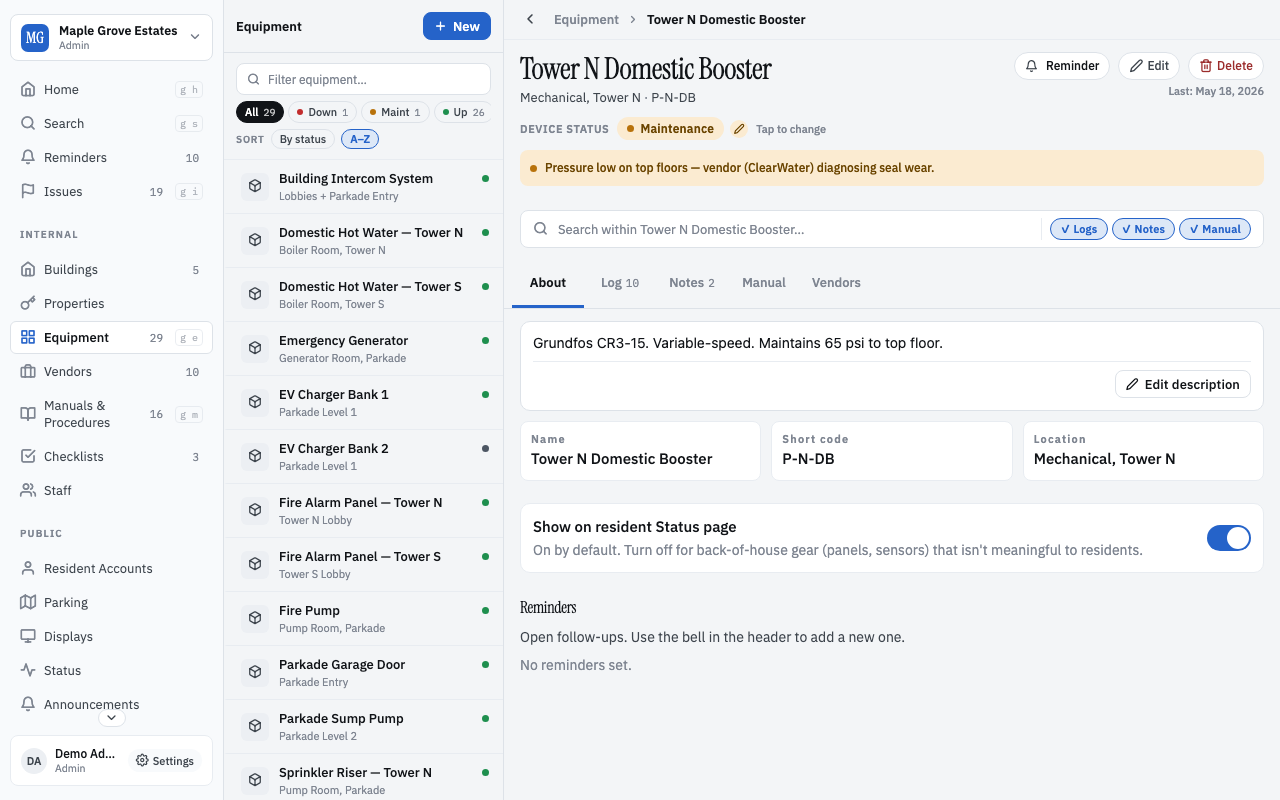
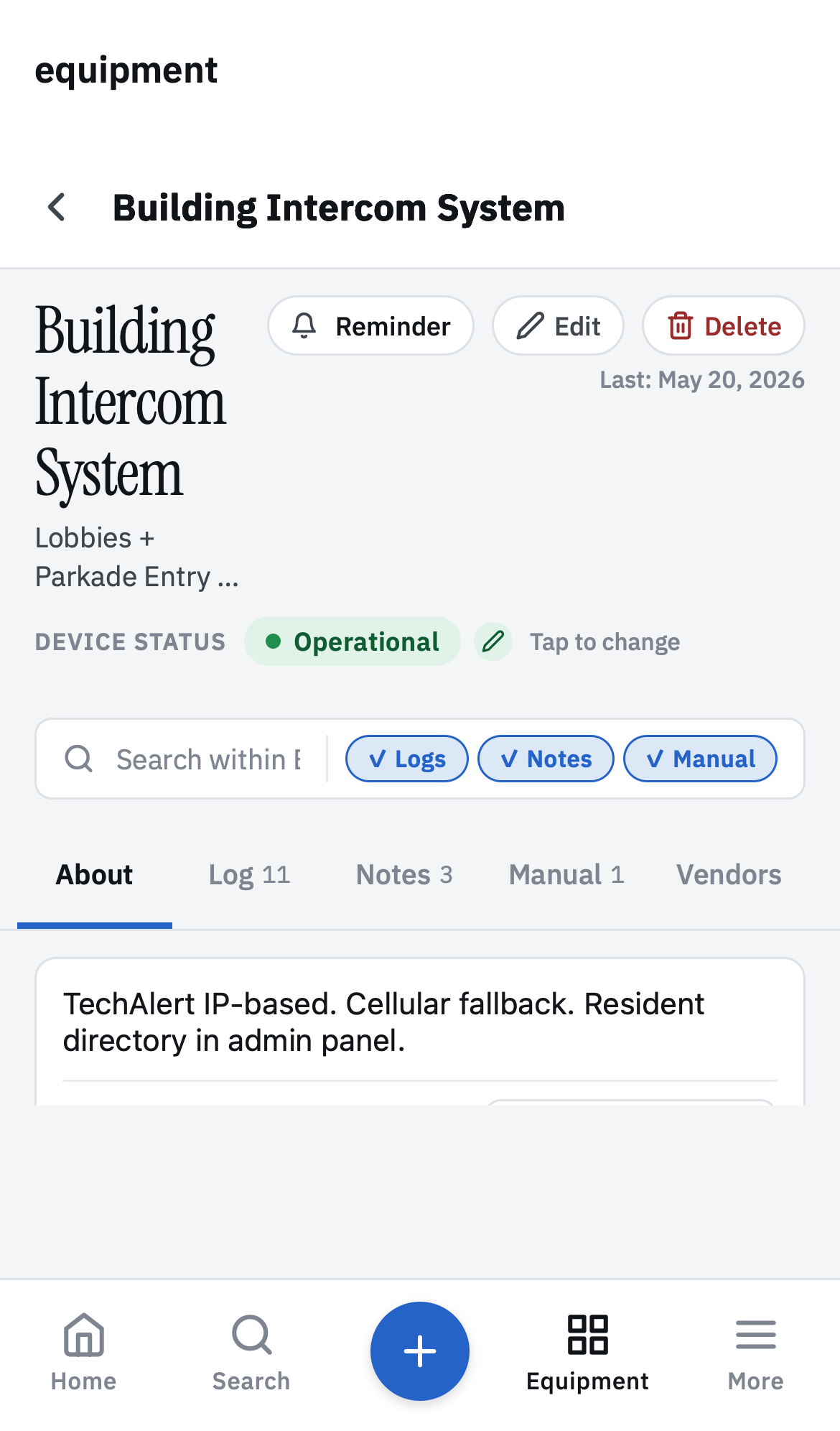
Equipment detail — logs, notes, manuals, vendors
Equipment detail
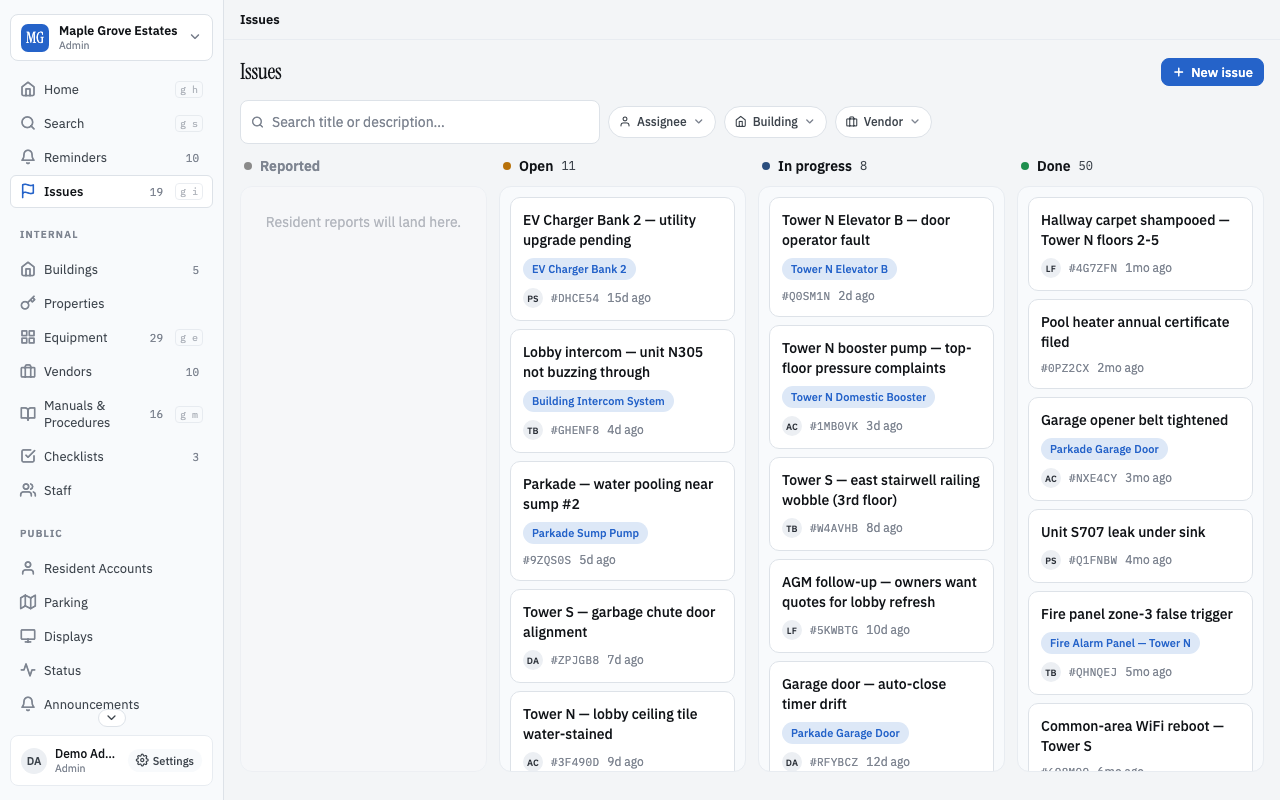
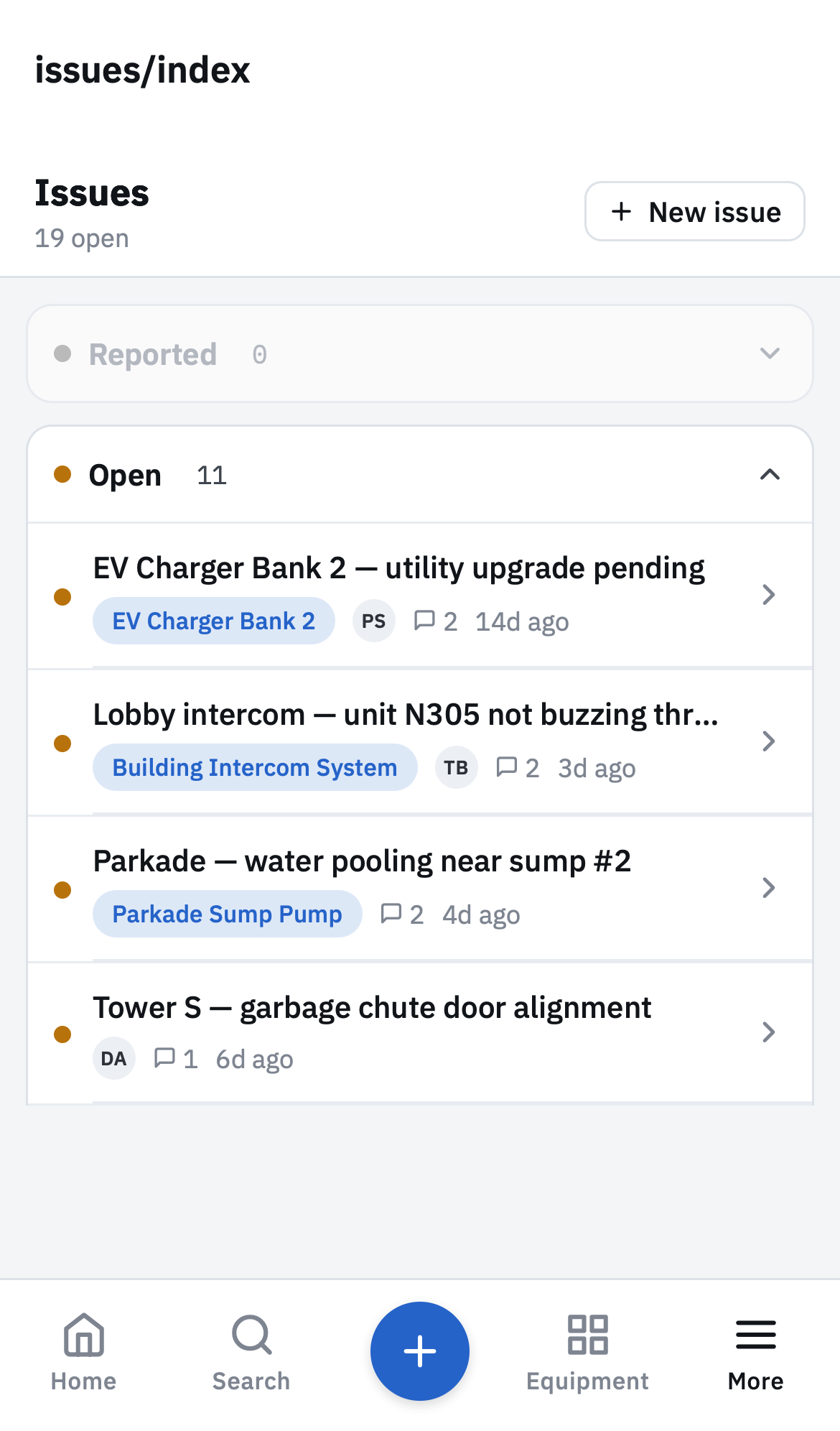
Issues kanban board
Issues
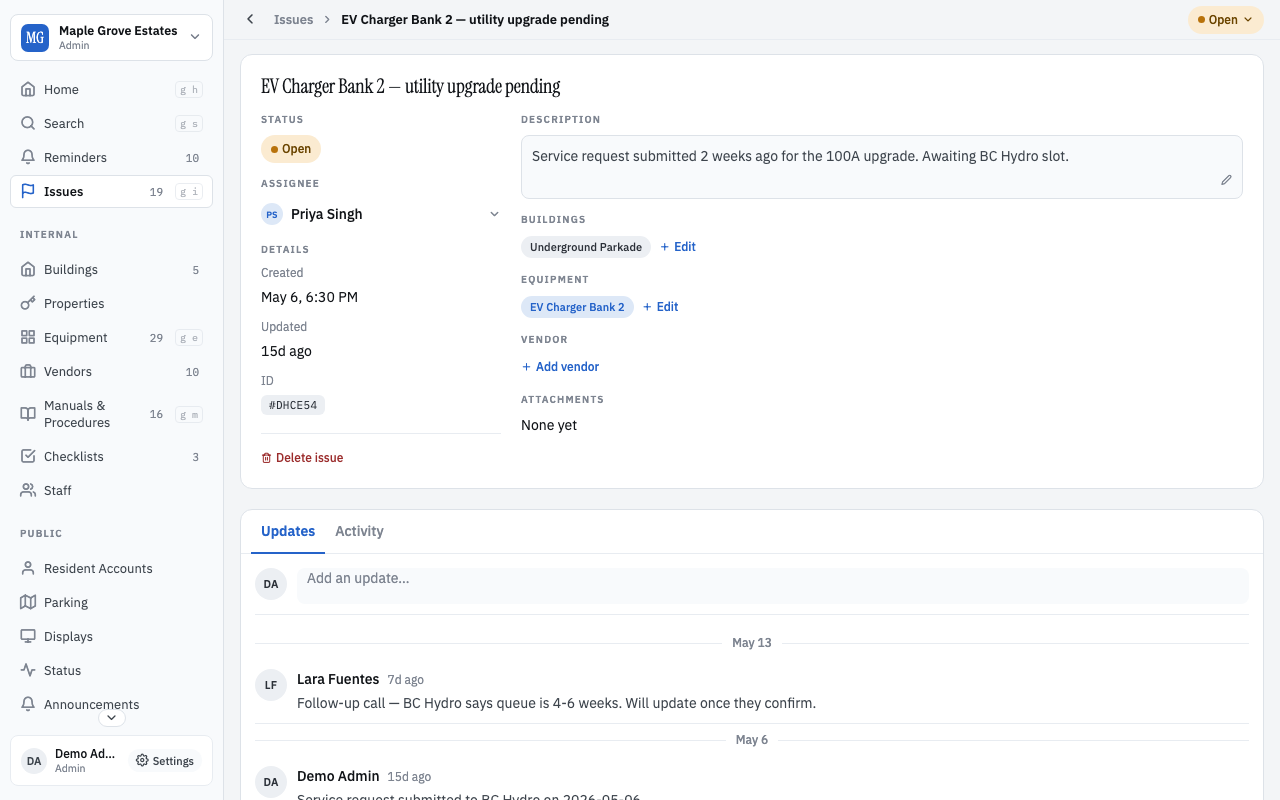
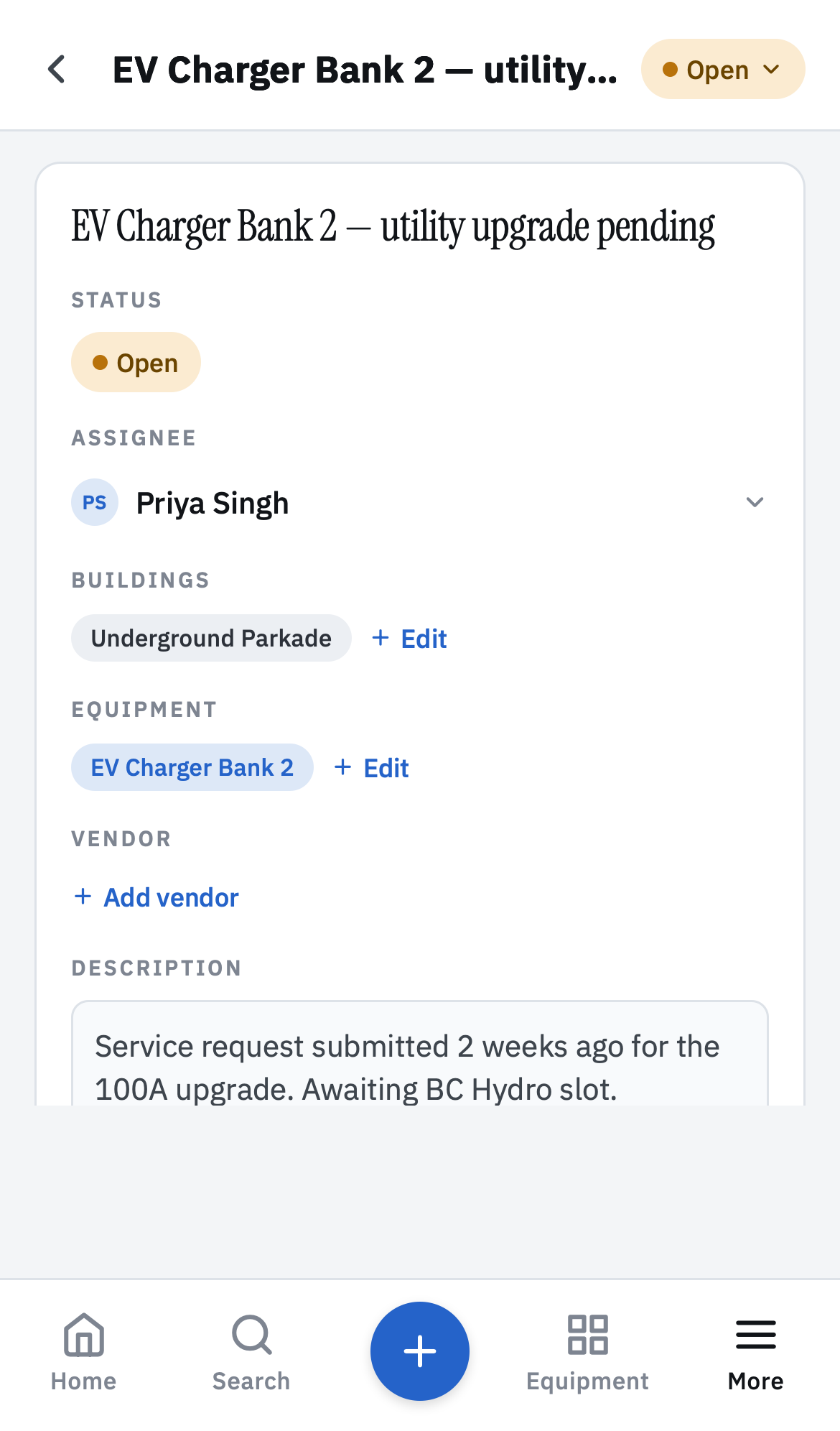
Issue detail with conversation thread
Issue thread
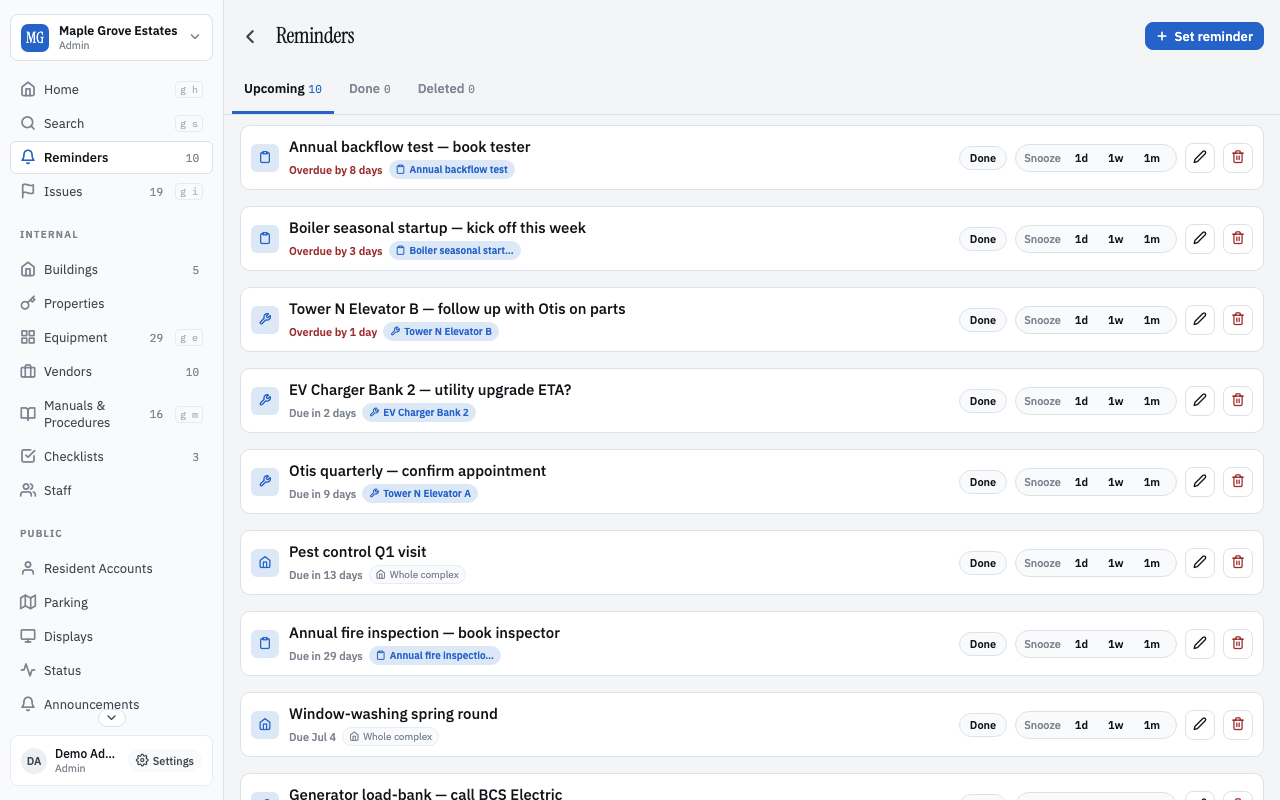
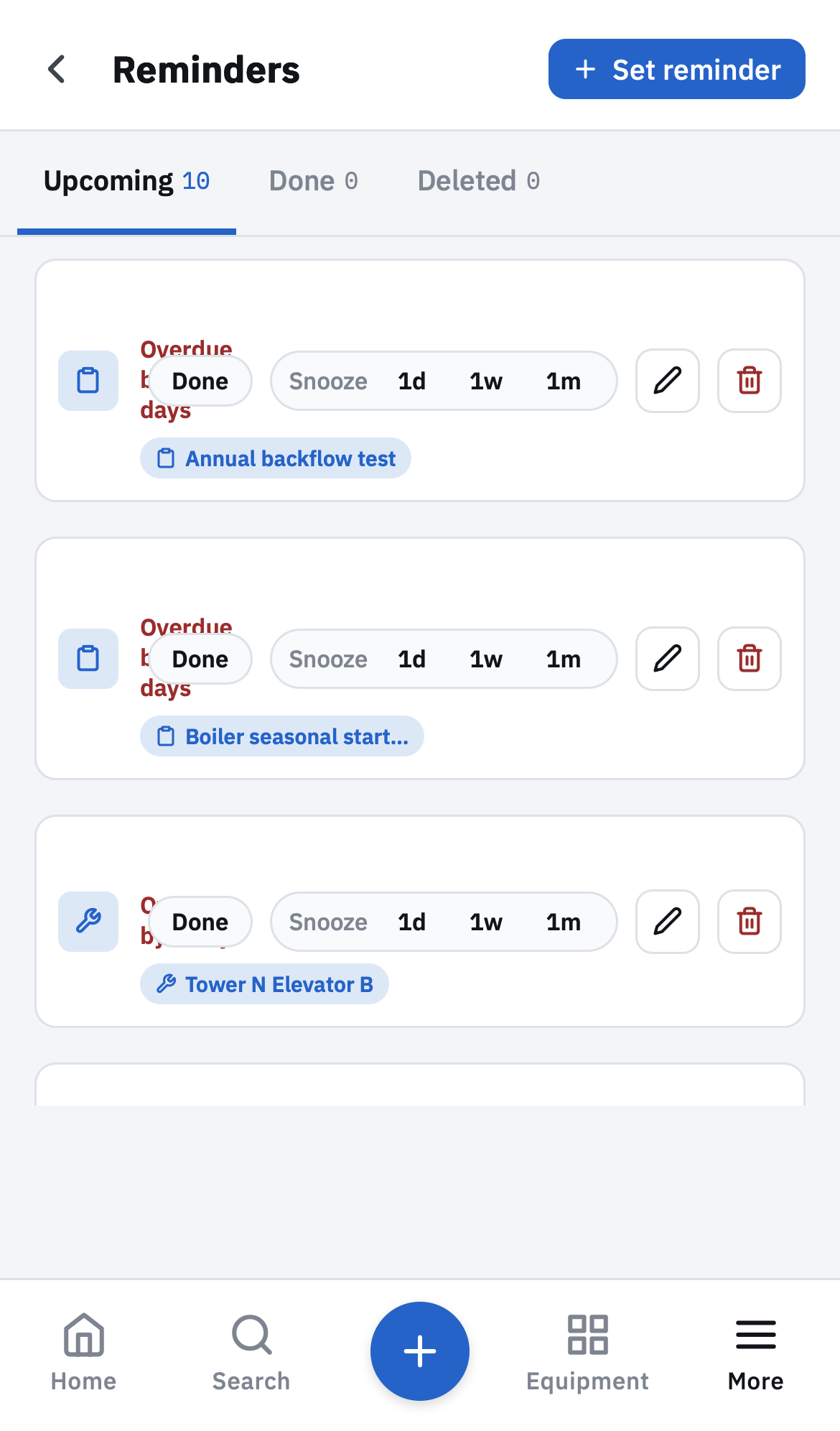
Reminders — Upcoming / Due / Overdue
Reminders
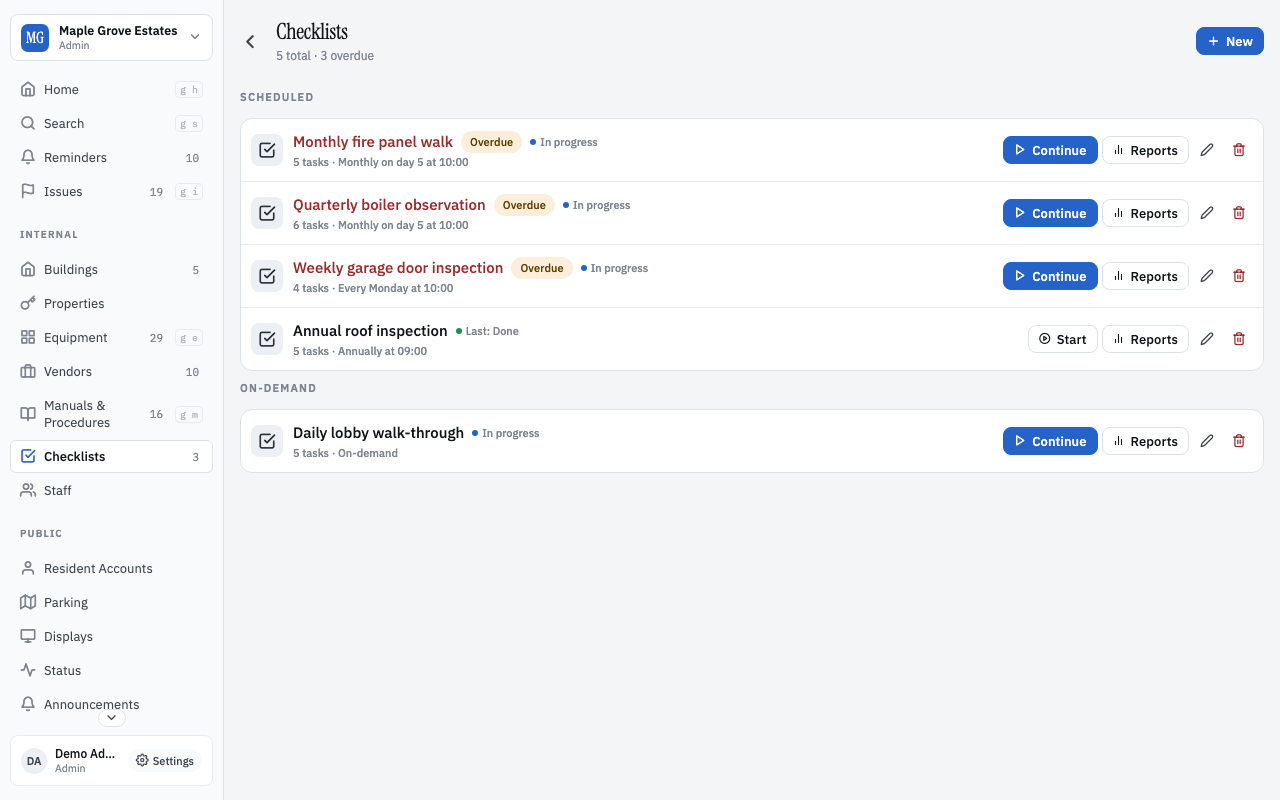
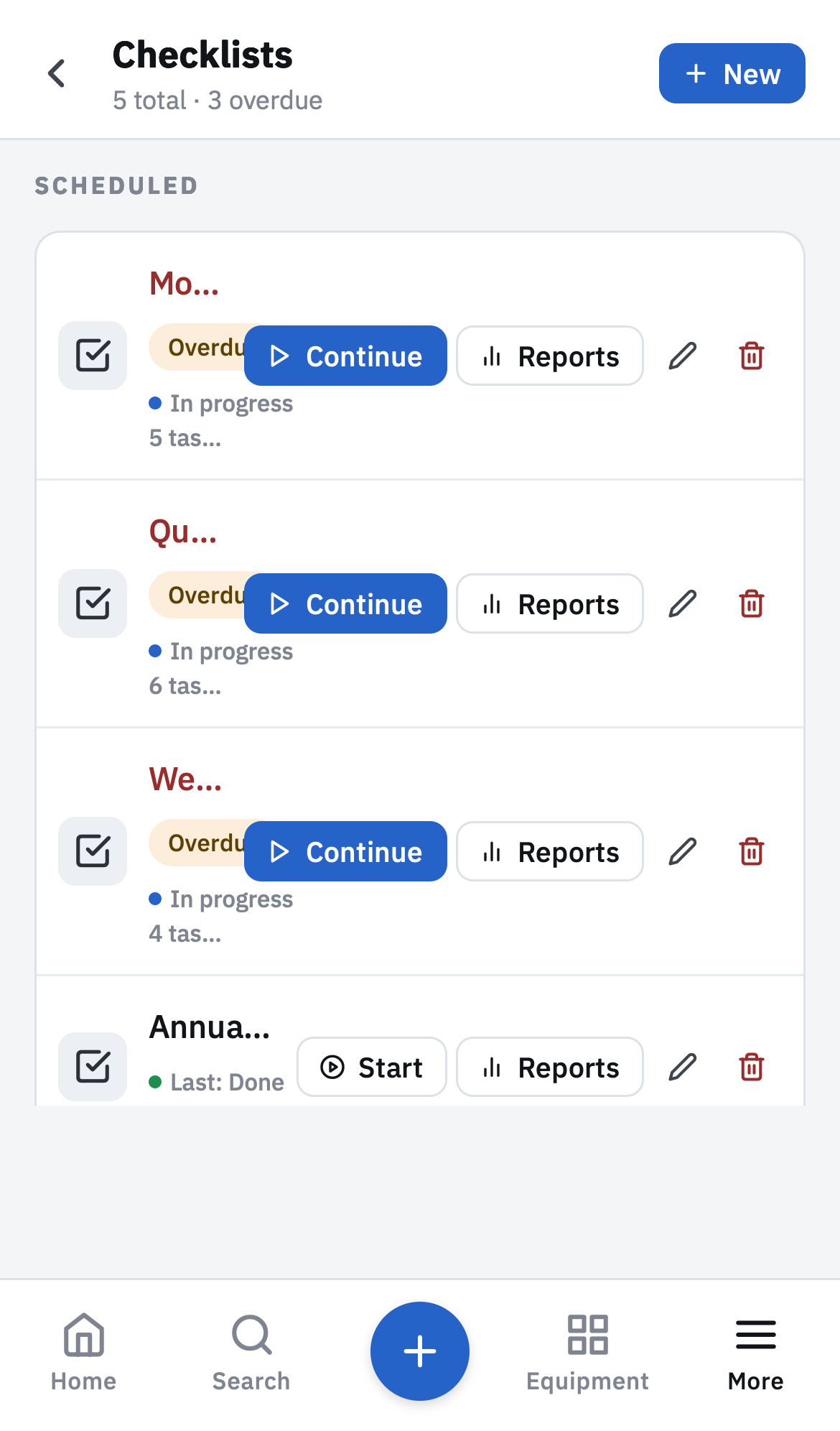
Checklists overview
Checklists
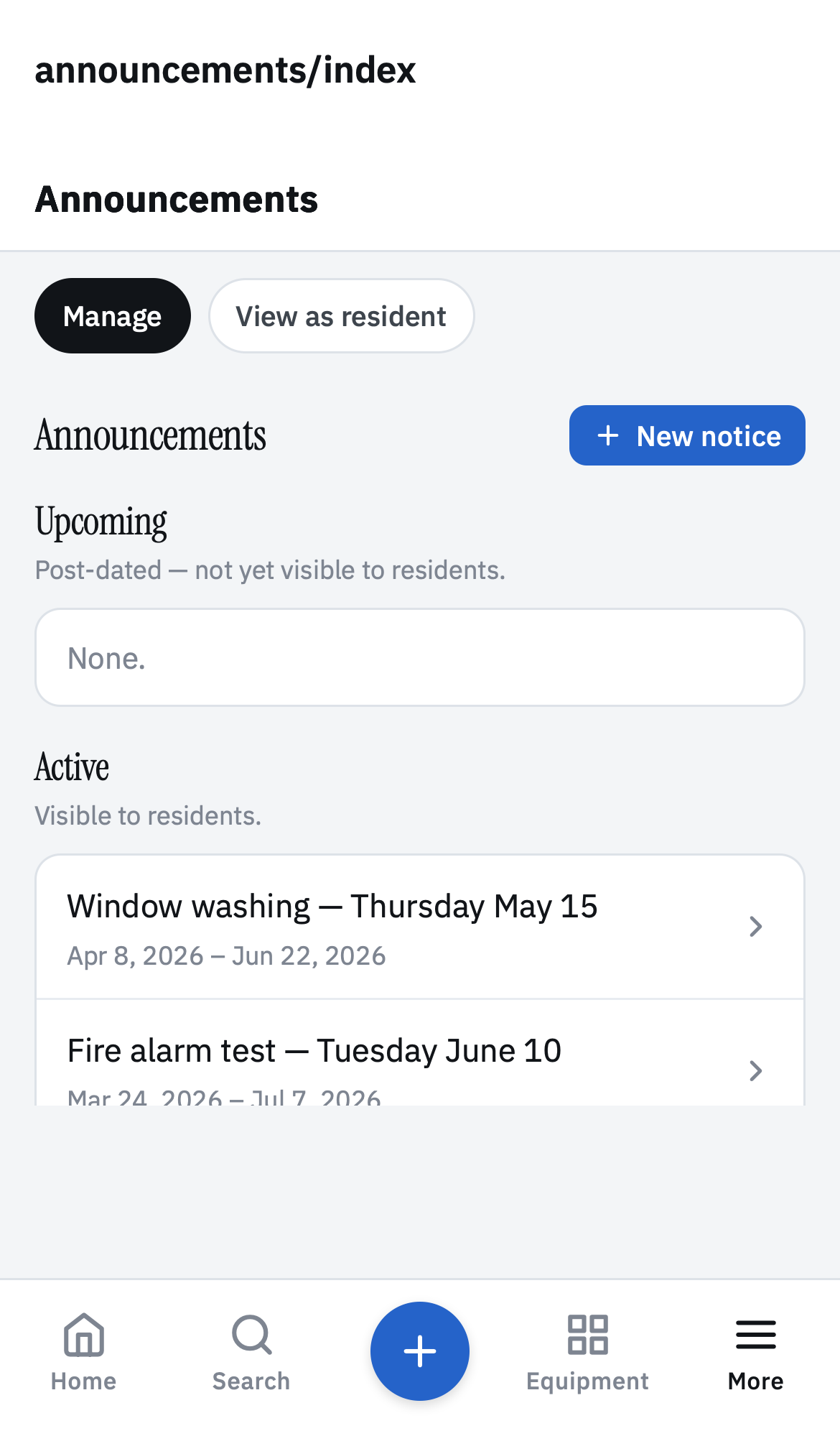
Announcements composer + active/scheduled lists
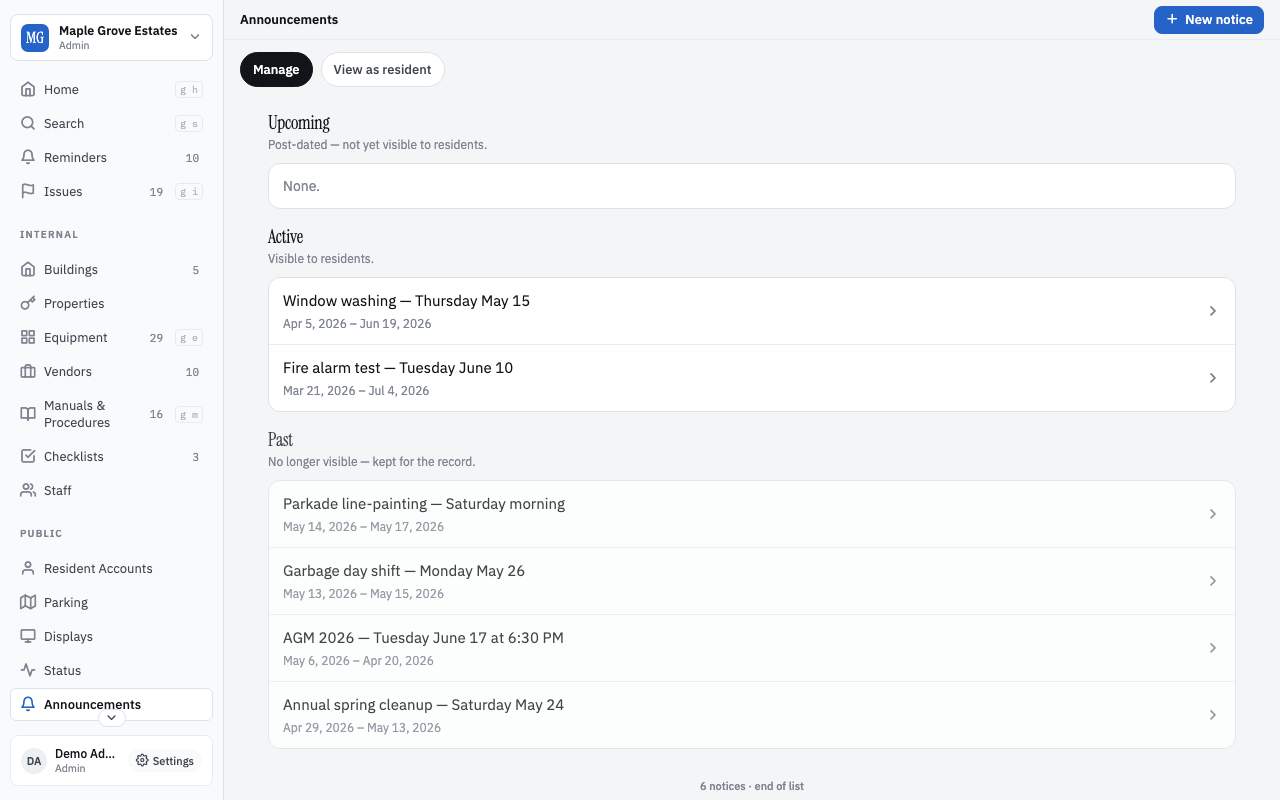
Announcements
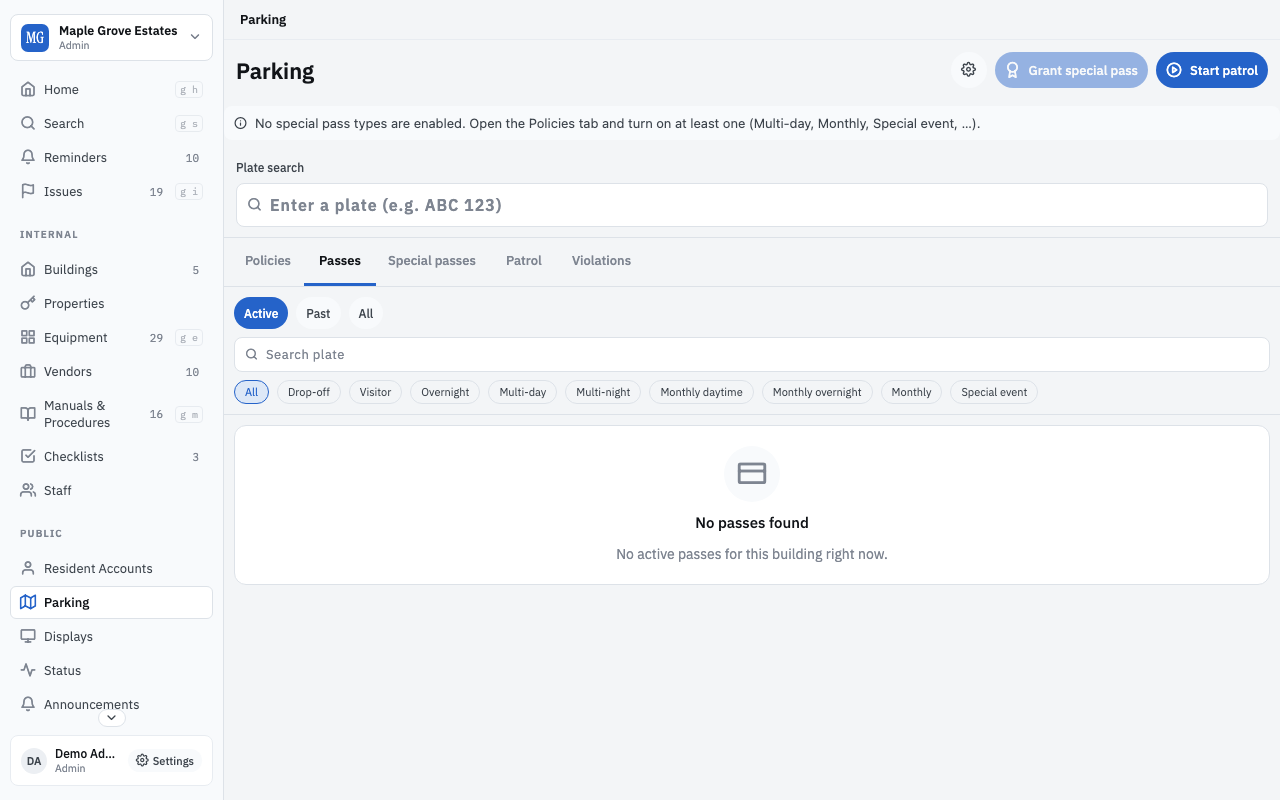
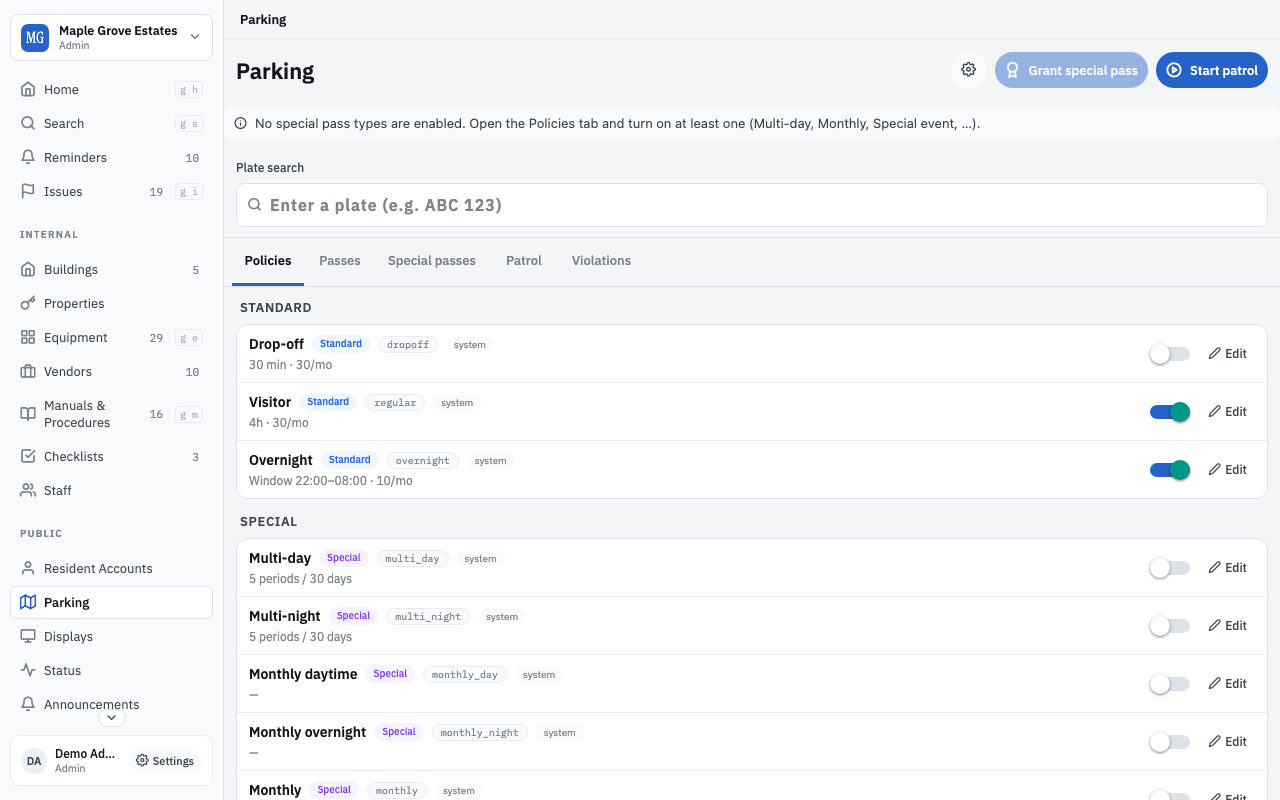
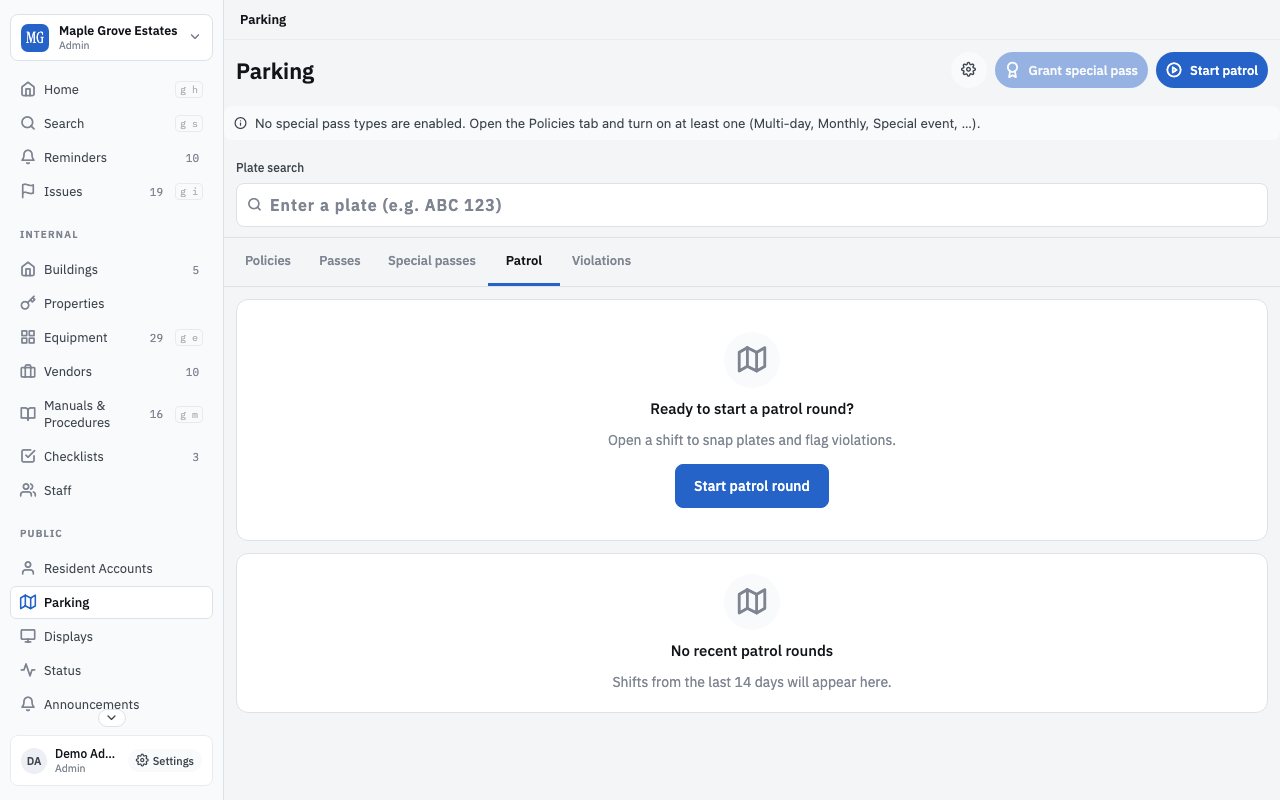
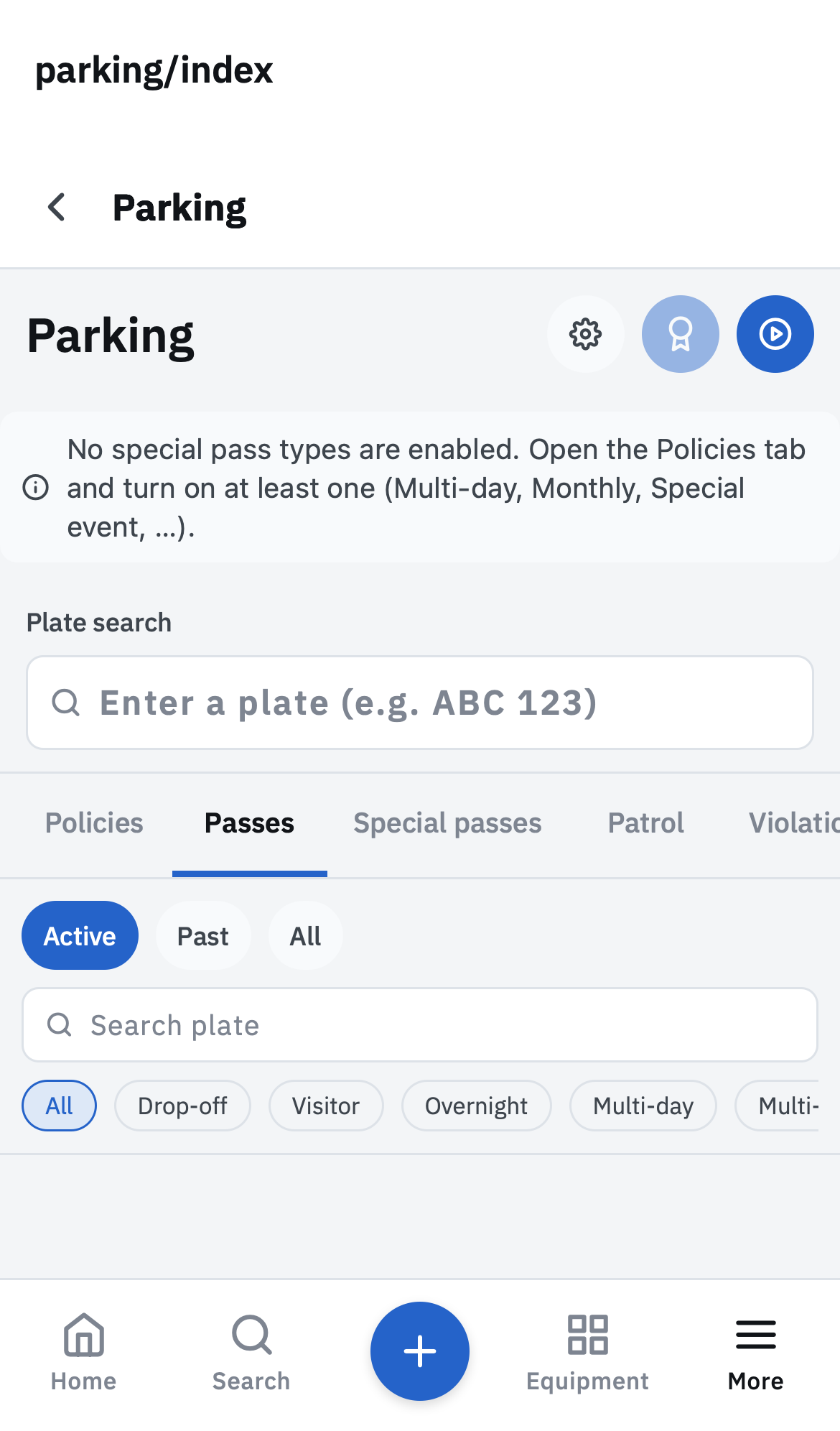
Parking — passes, patrol, plates, violations
Parking
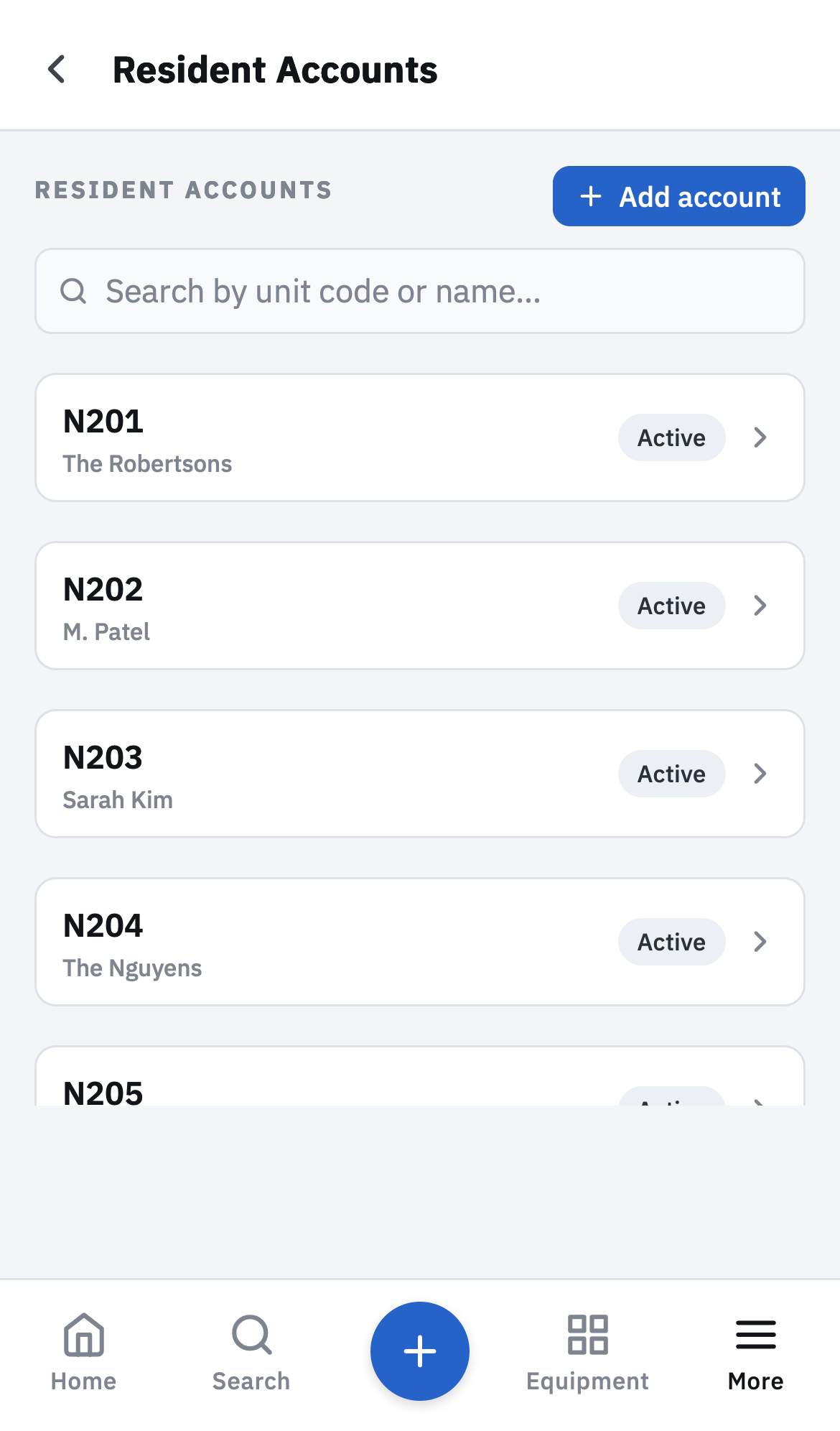
Residents page with unit codes
Residents
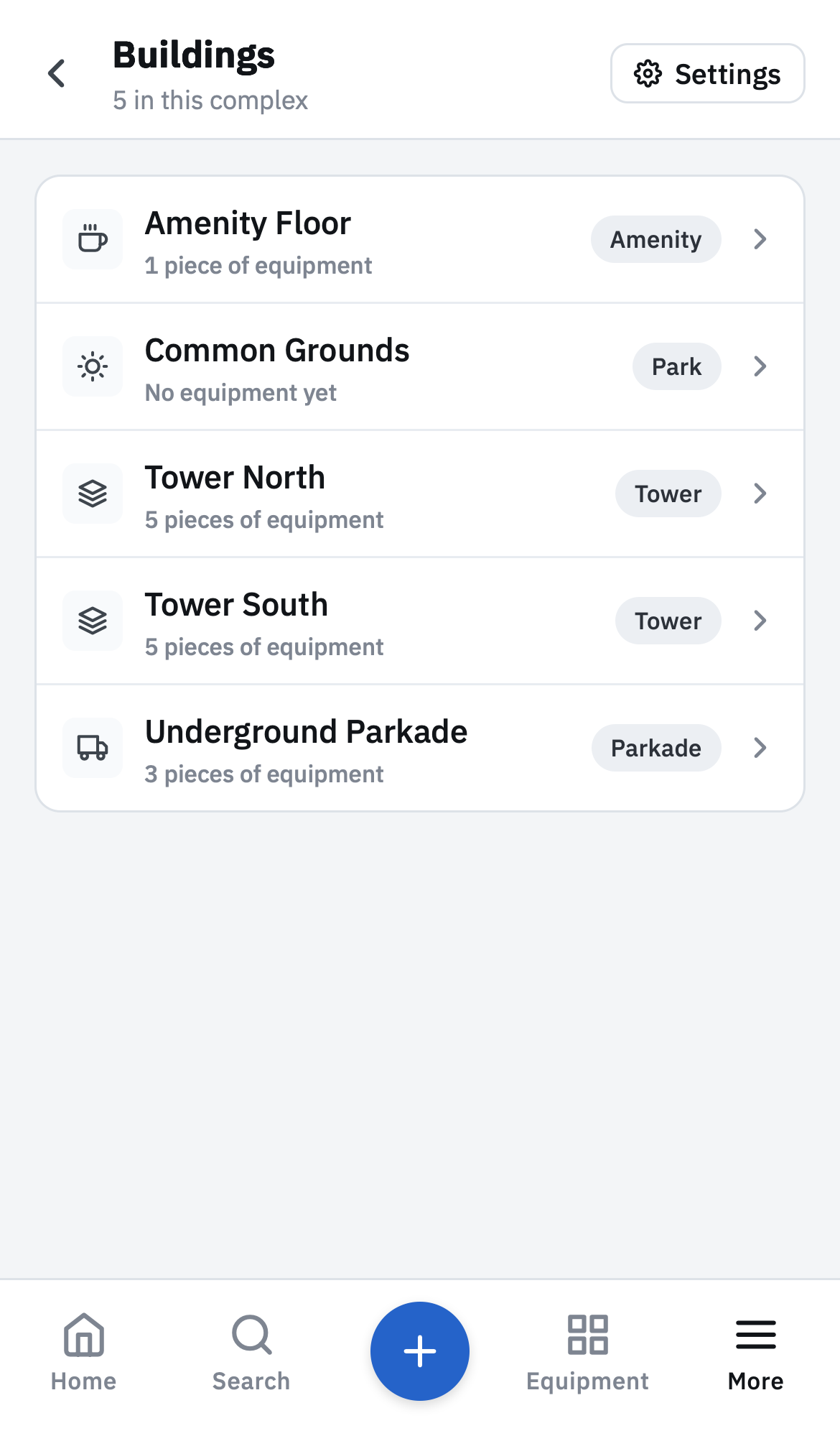
Areas — towers, floors, parkade, lockers
Areas
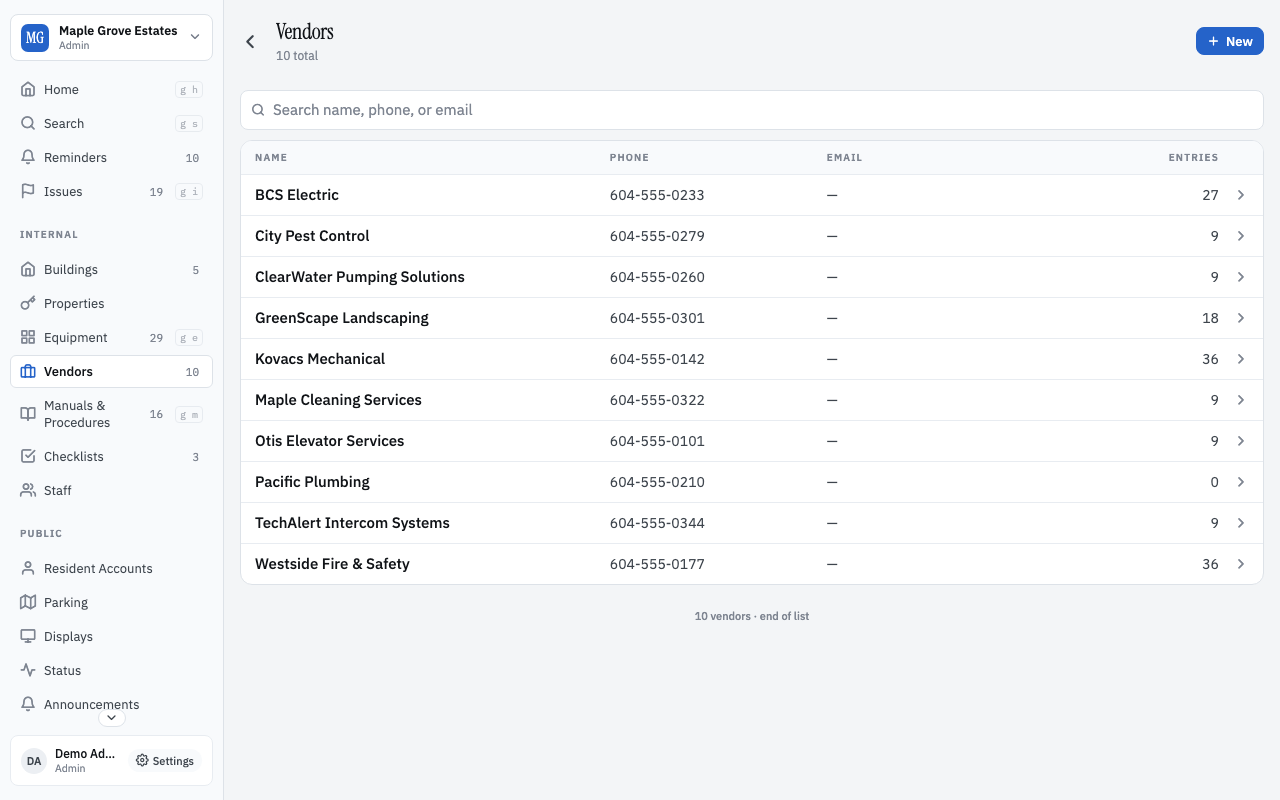
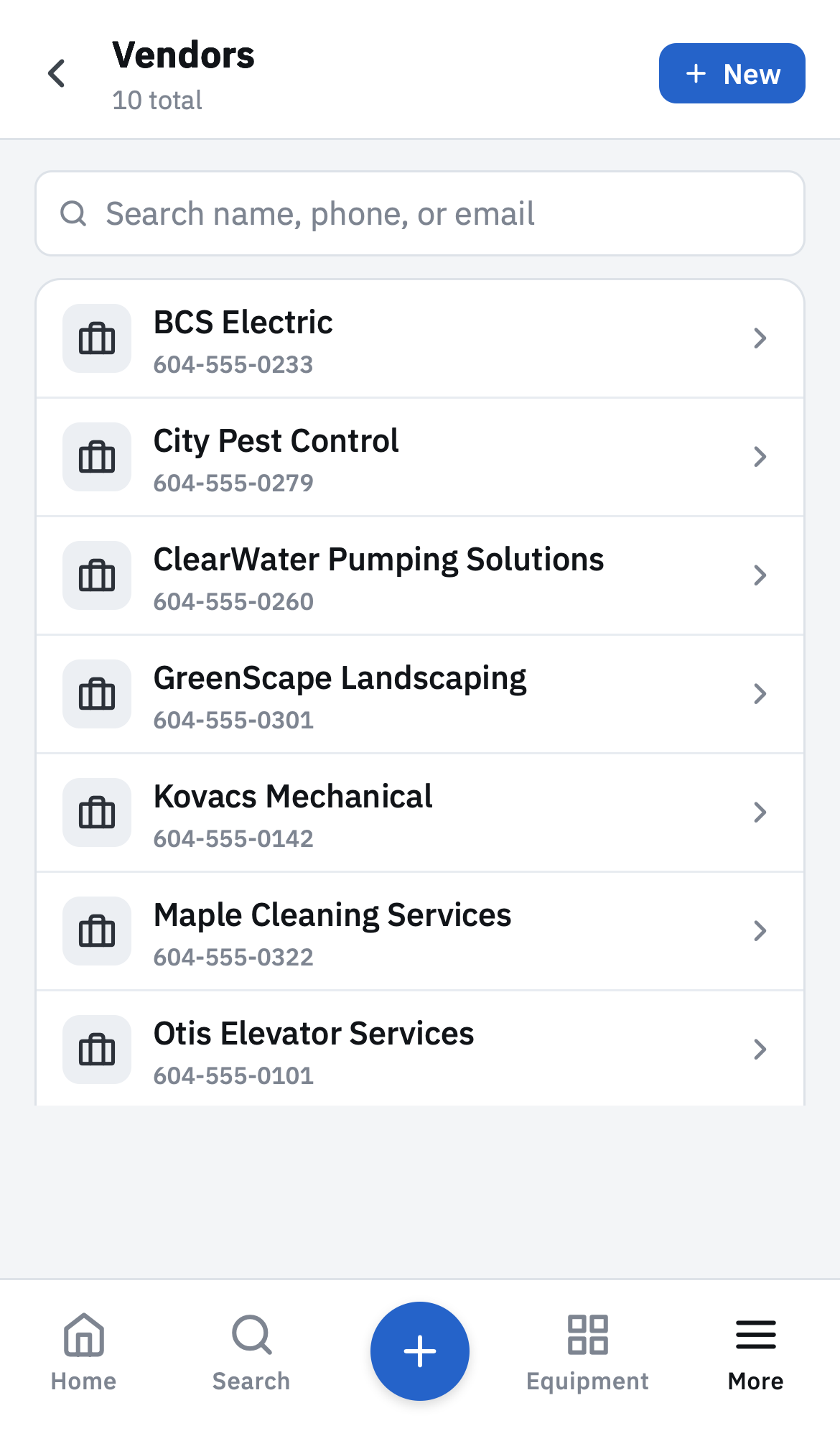
Vendor directory
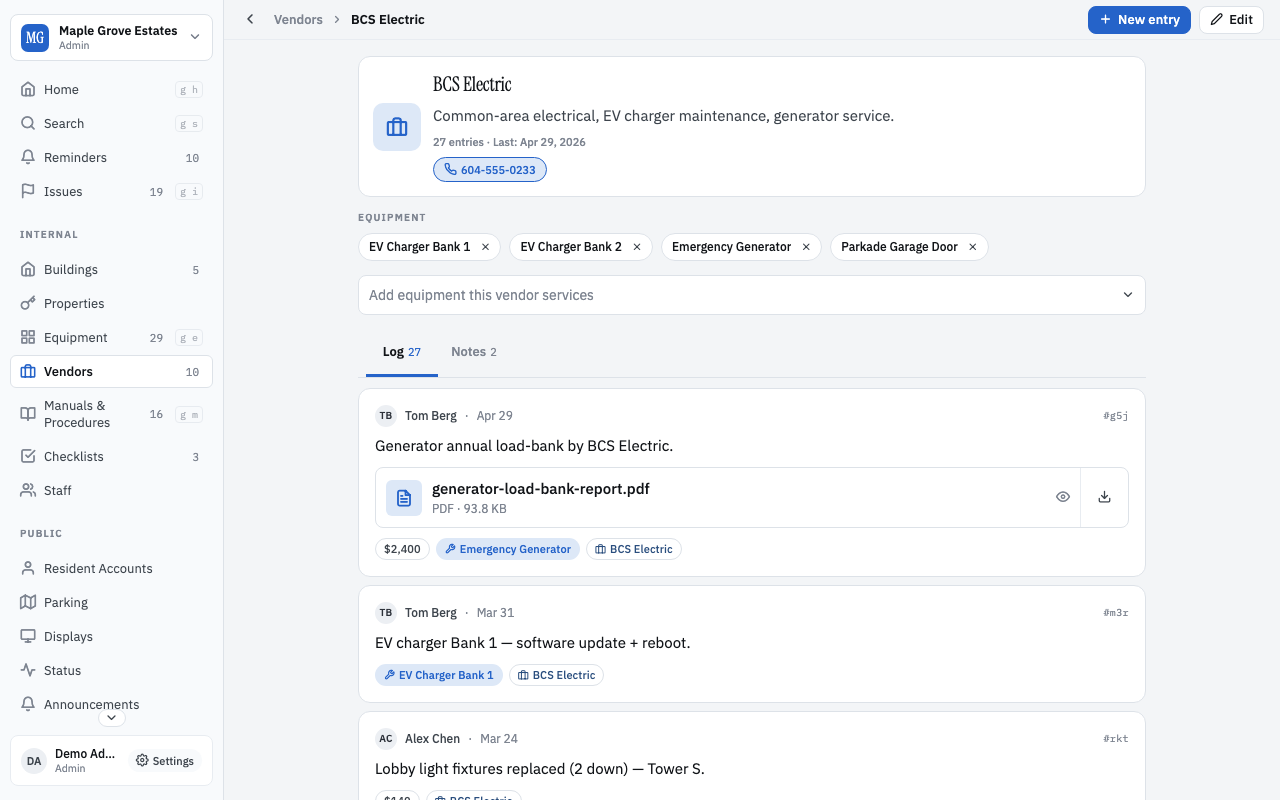
Vendors
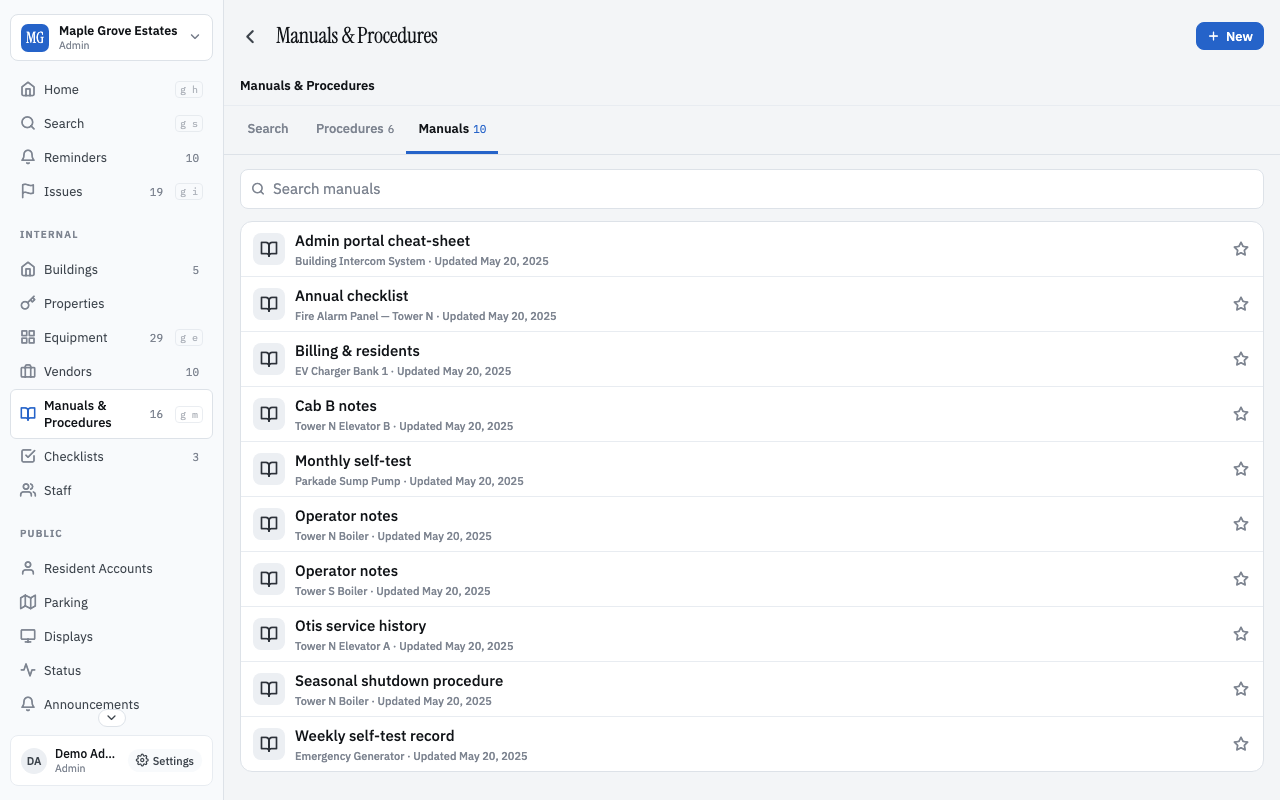
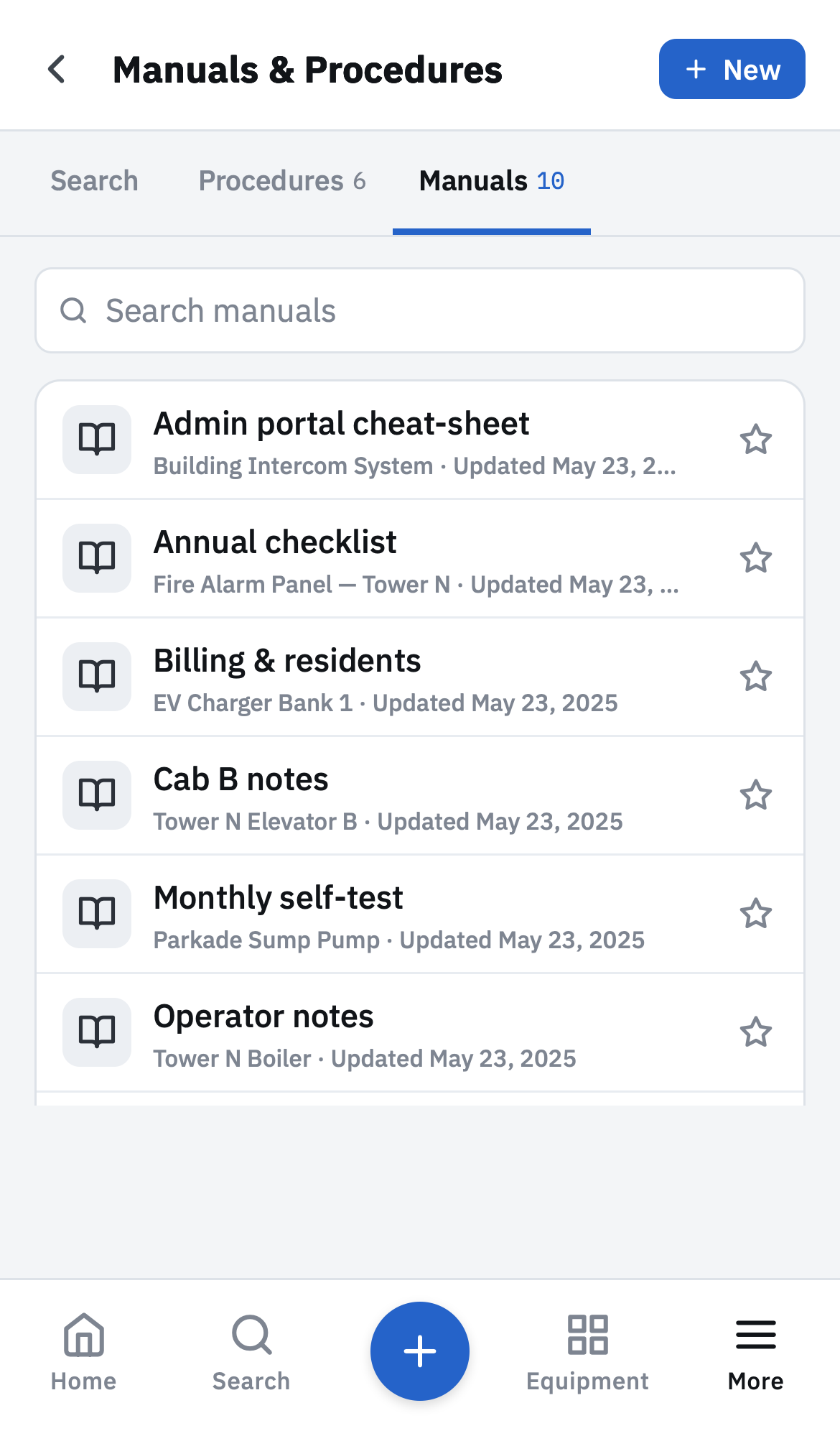
Manuals tab
Manuals
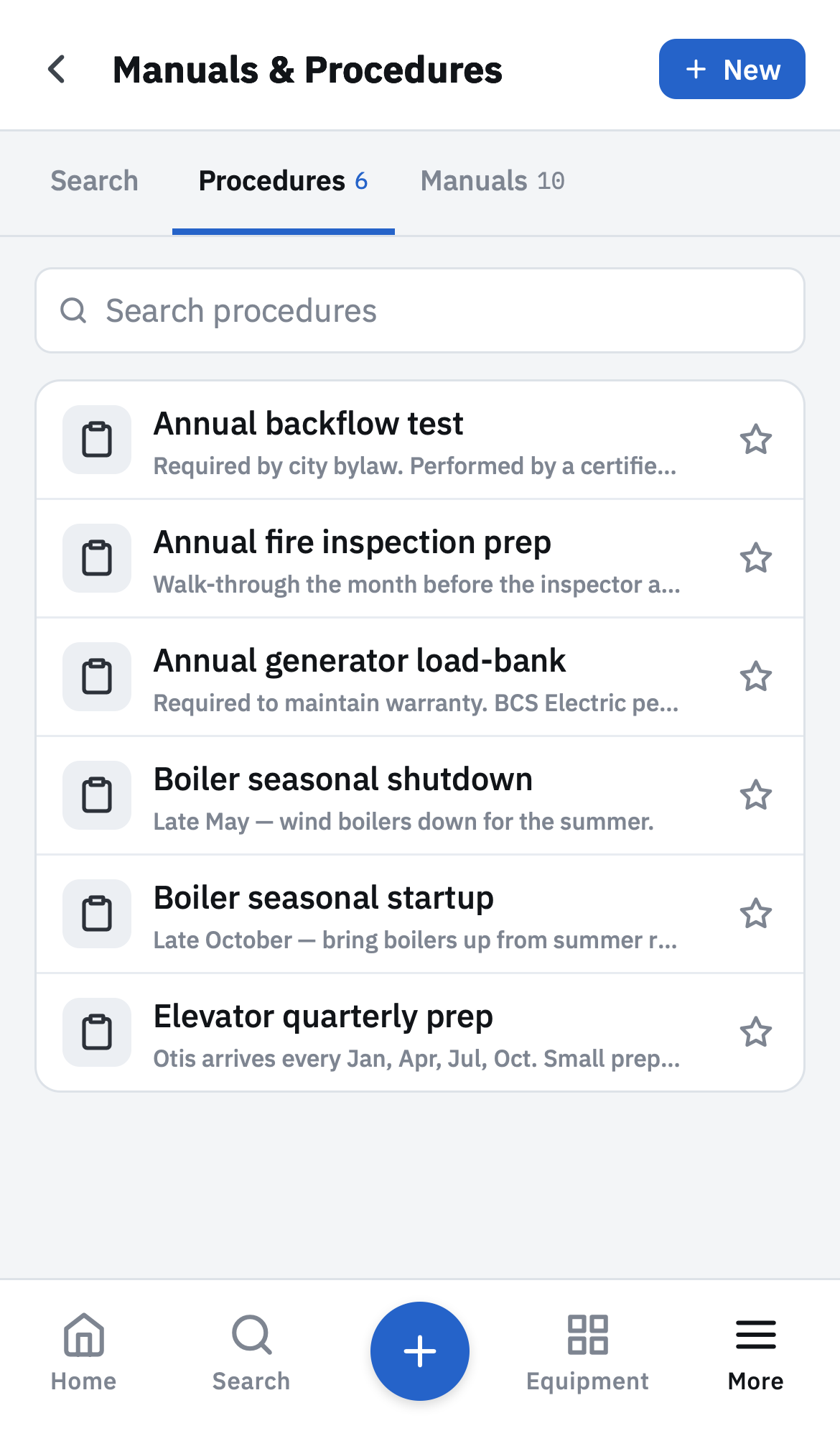
Procedures tab
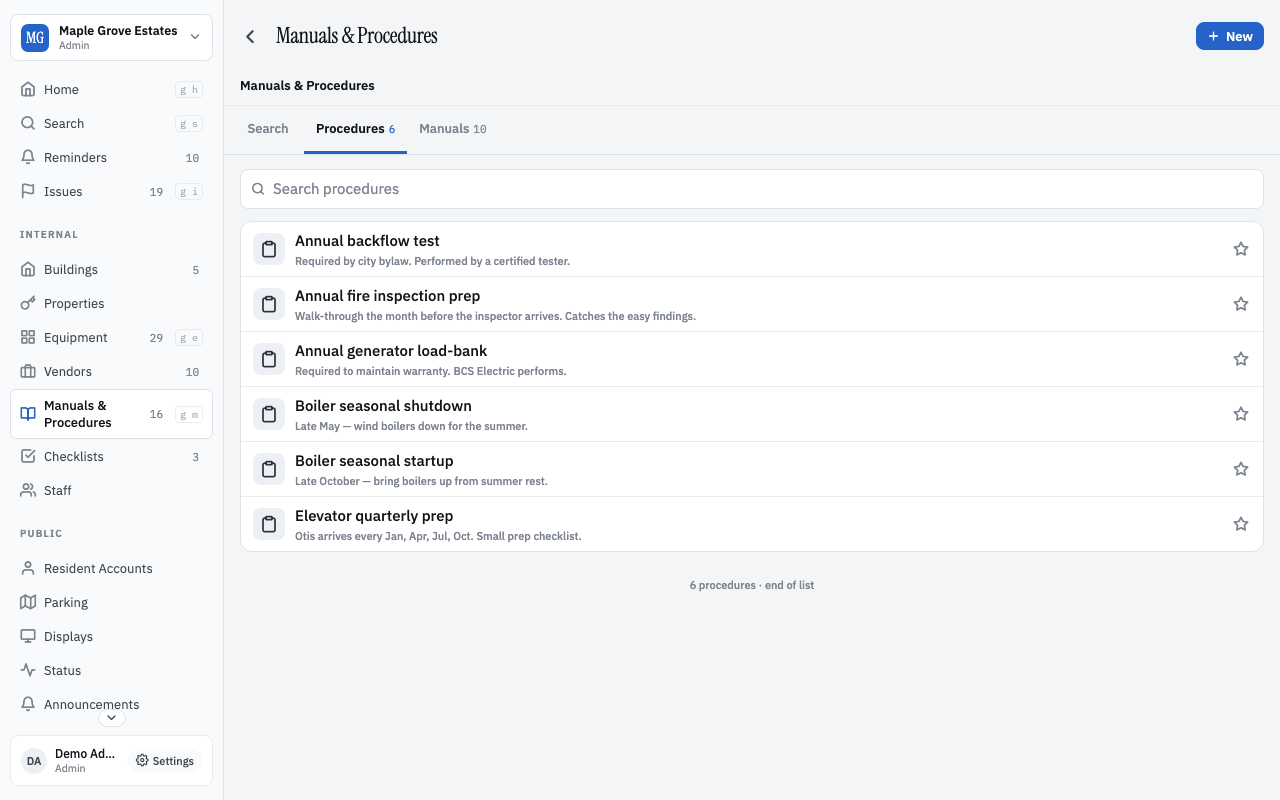
Procedures

For residents

No app install. Browser-based portal accessed via a QR or printed unit code.

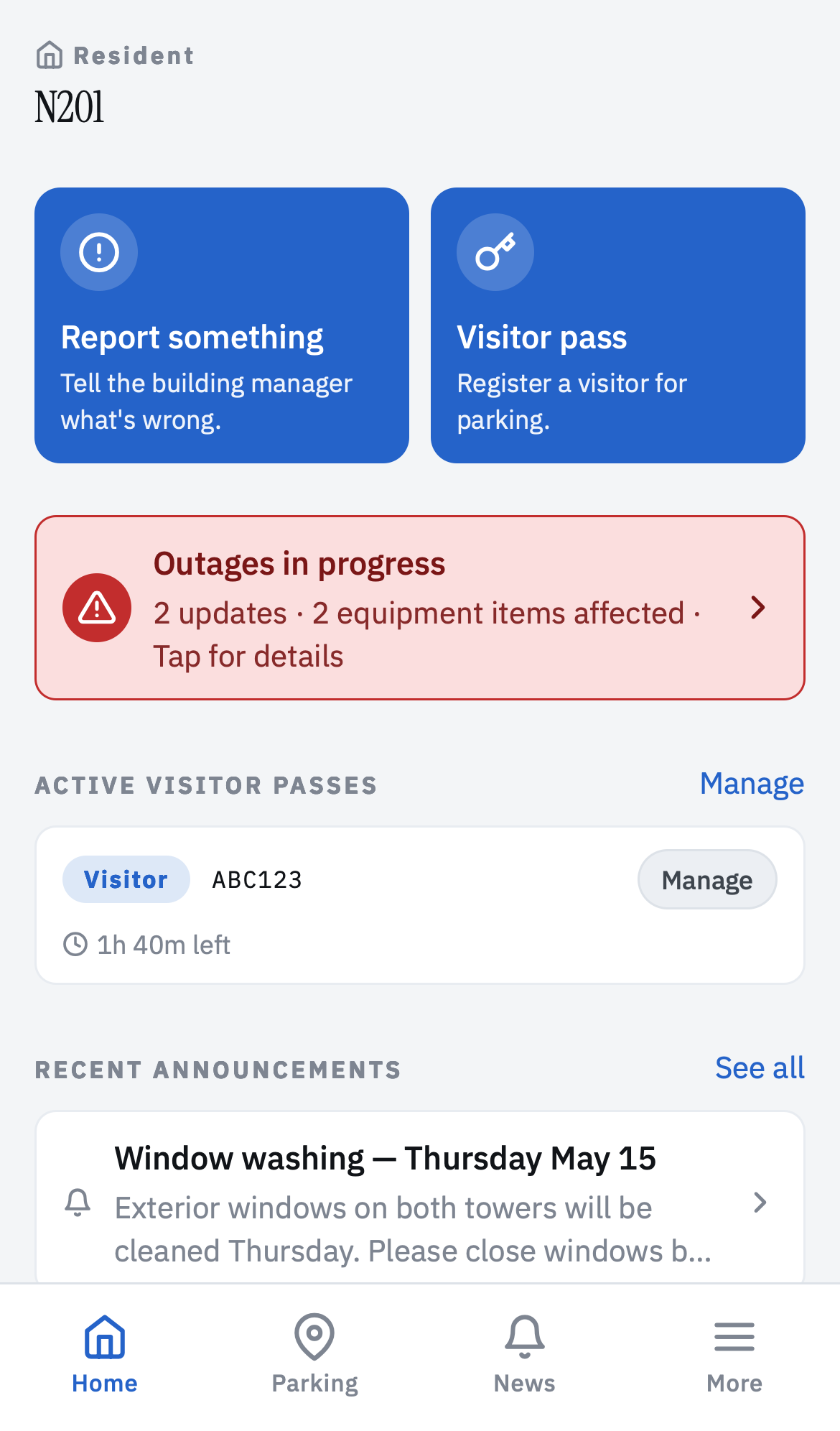
Resident home — outages, announcements, report and visitor pass CTAs
Home
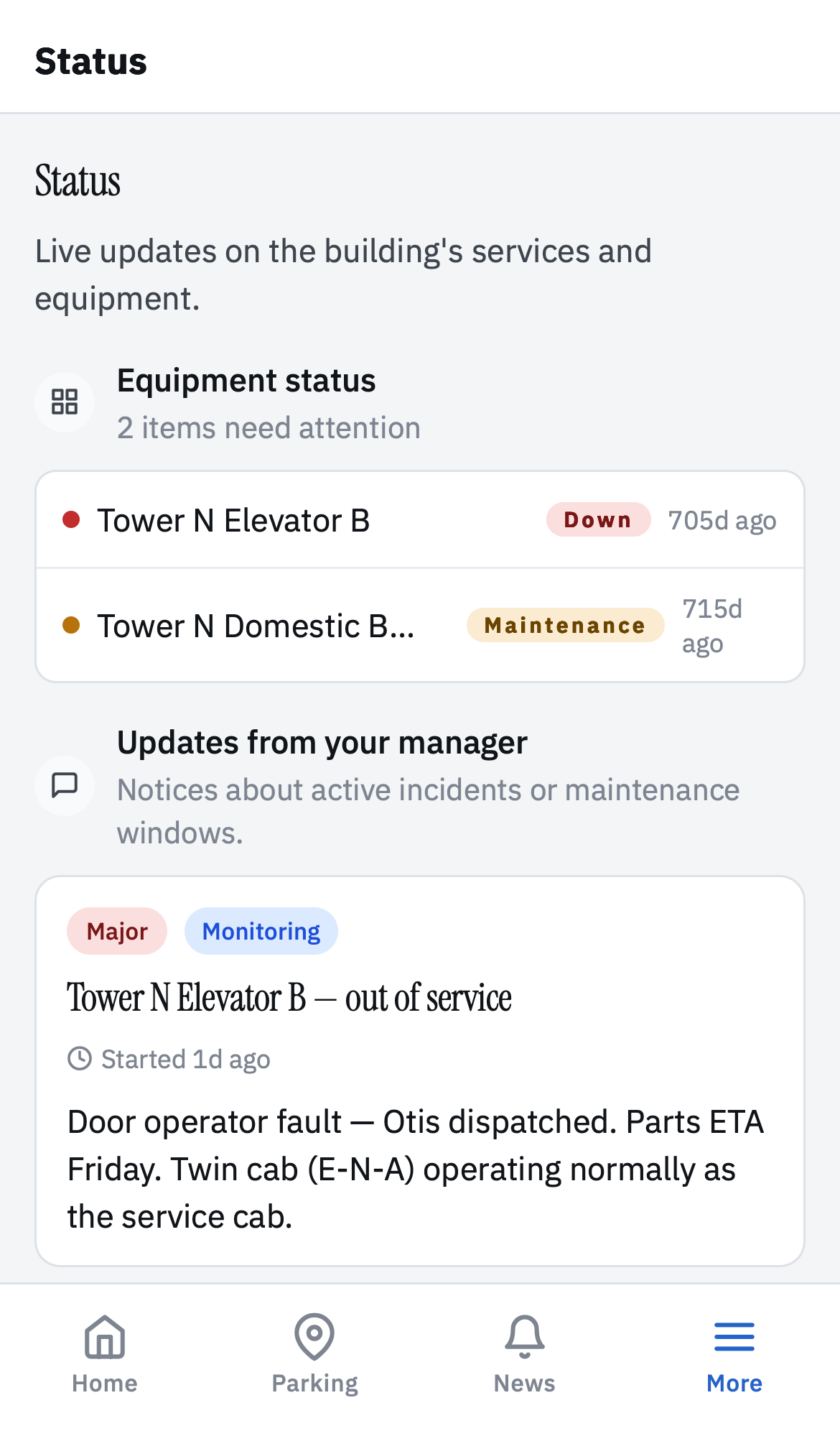
Resident status — equipment + manager updates
Status
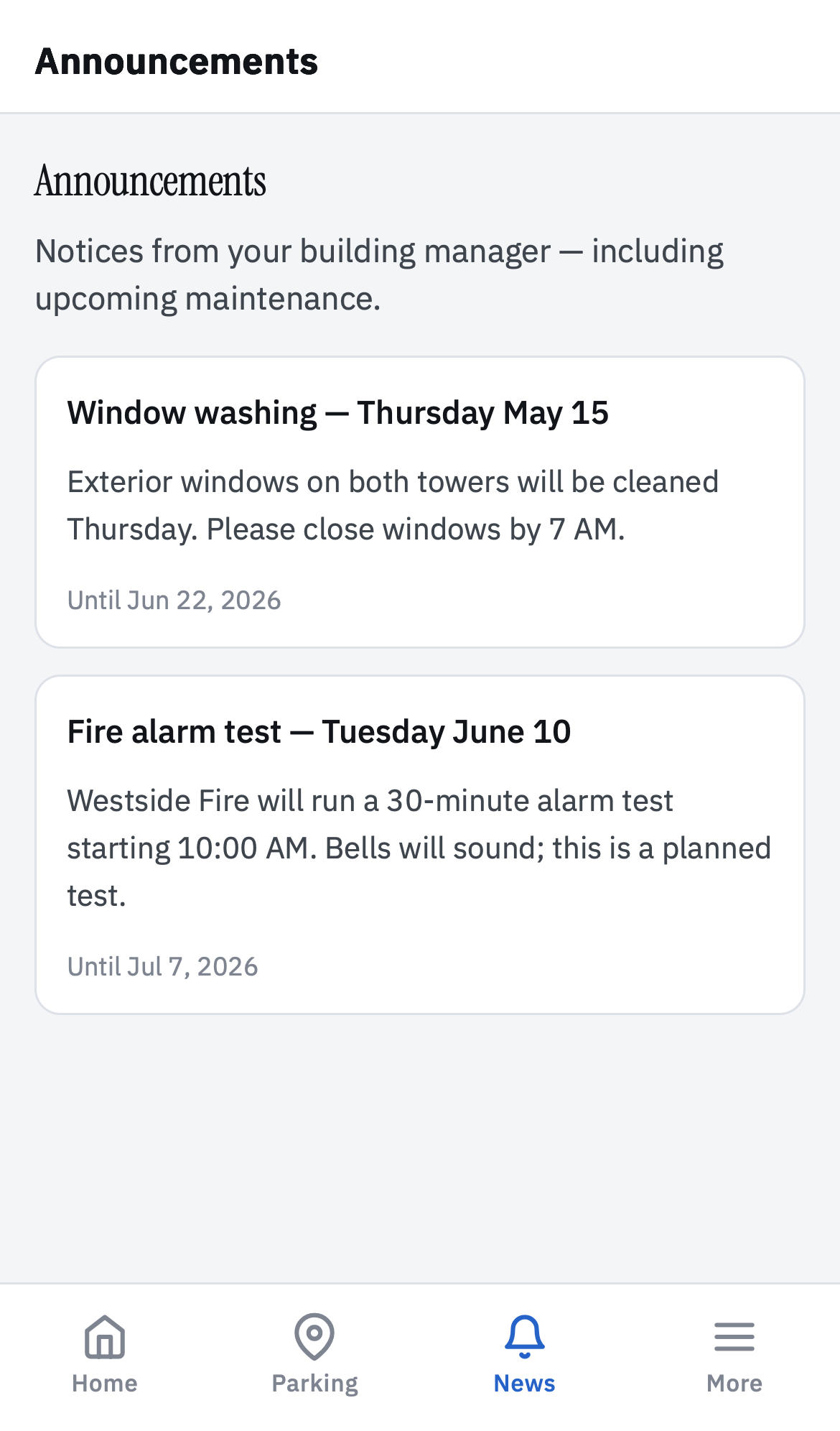
Resident announcements list
Announcements
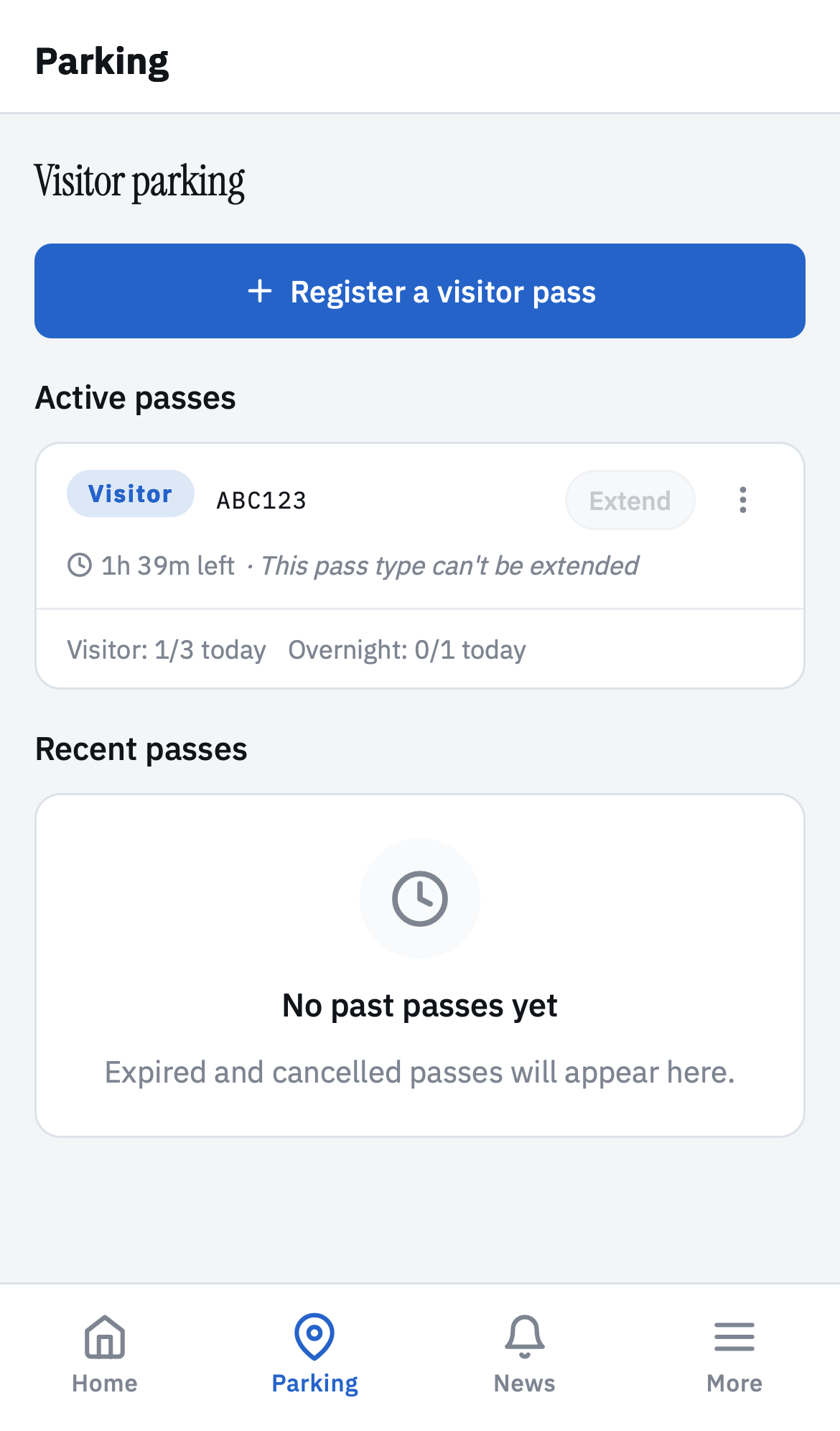
Resident visitor parking — active passes + register CTA
Visitor parking
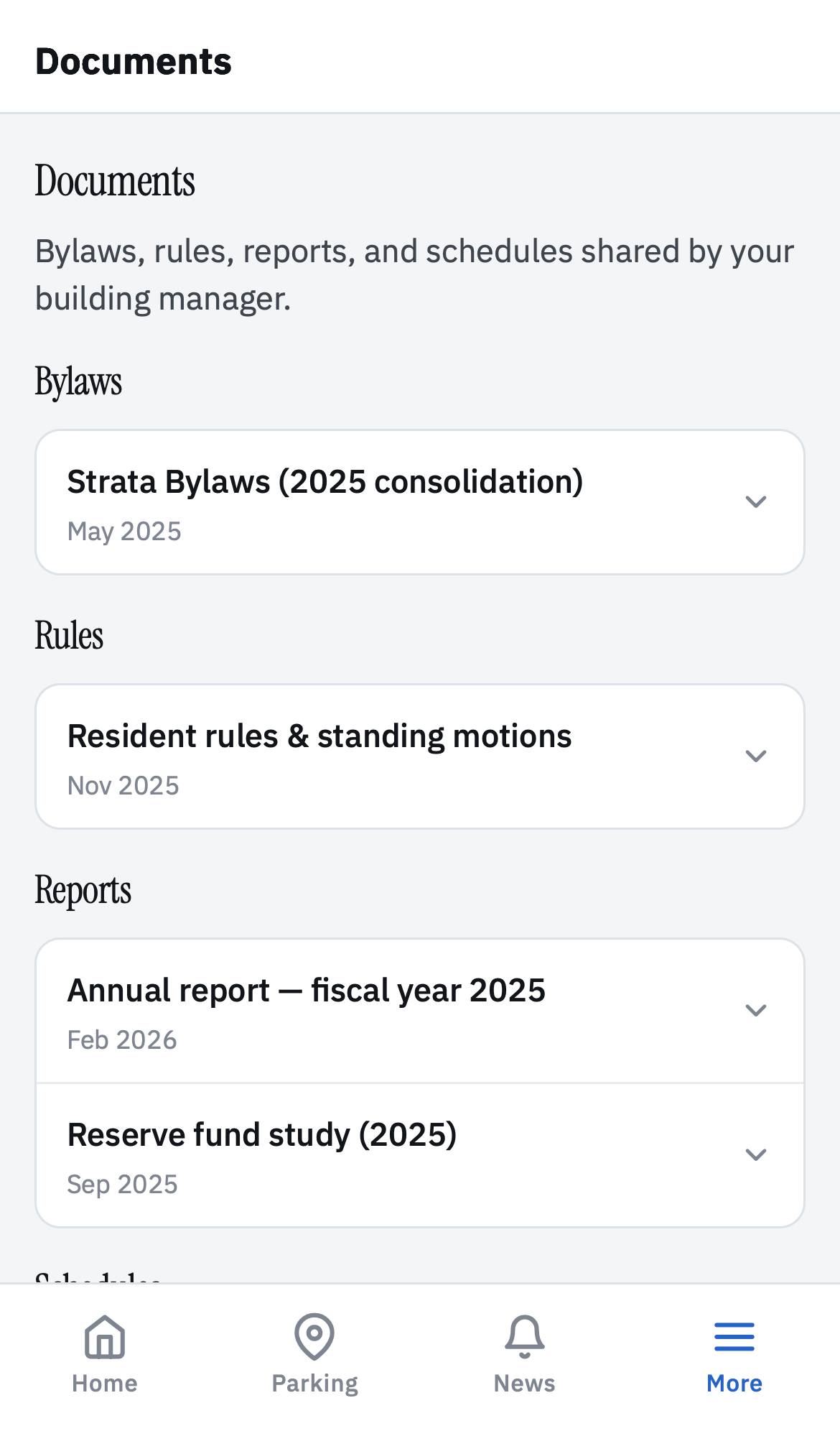
Resident documents — bylaws, rules, reports
Documents
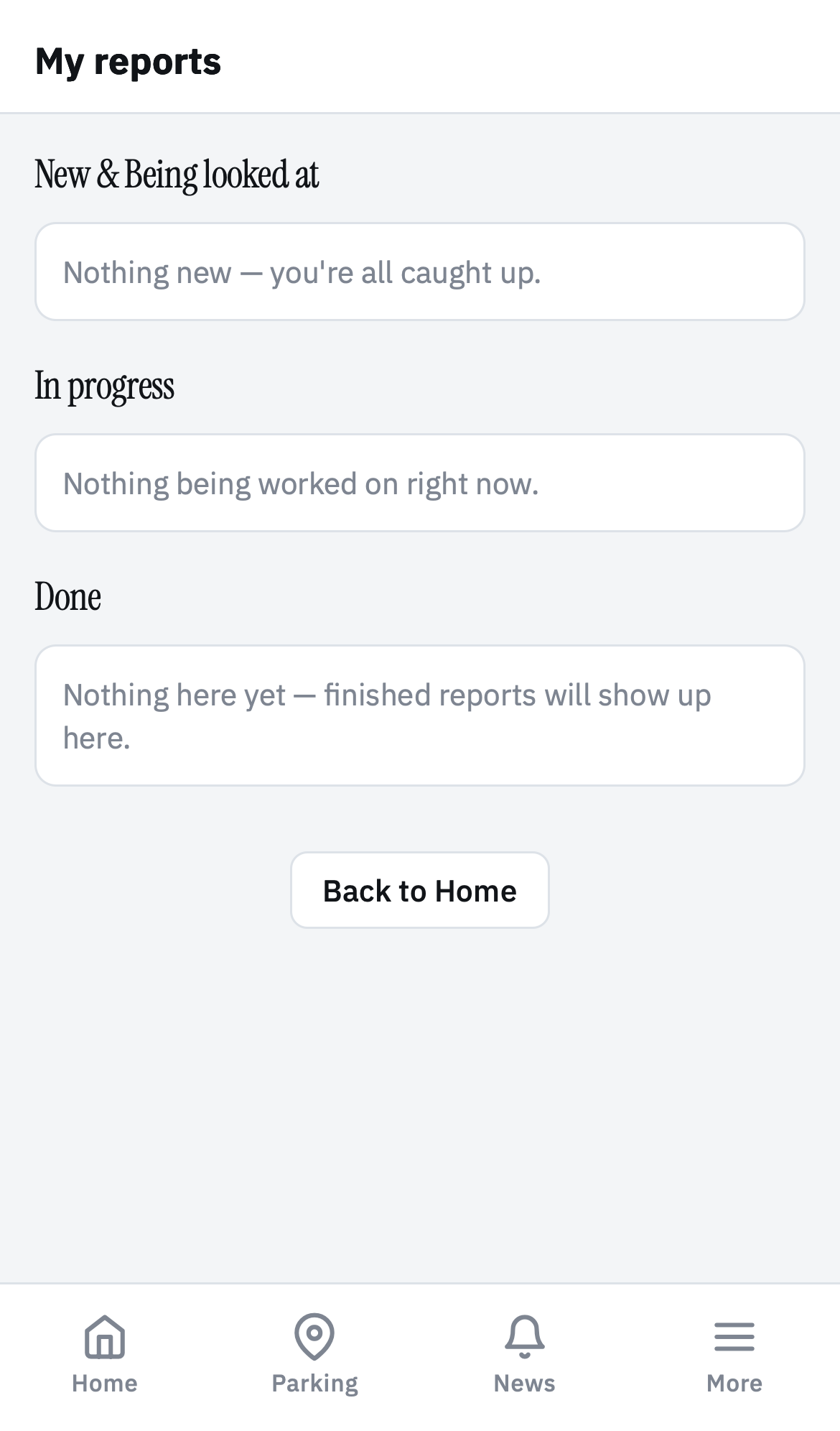
Resident my-reports tabbed list
My reports

Privacy posture

Residents don't owe you their personal information.

BuildingHQ does not require residents' full names, phone numbers, or email addresses to operate. The system works fine when "the resident in N201" is the most we know about them.

  • Printed login codes, not email logins.

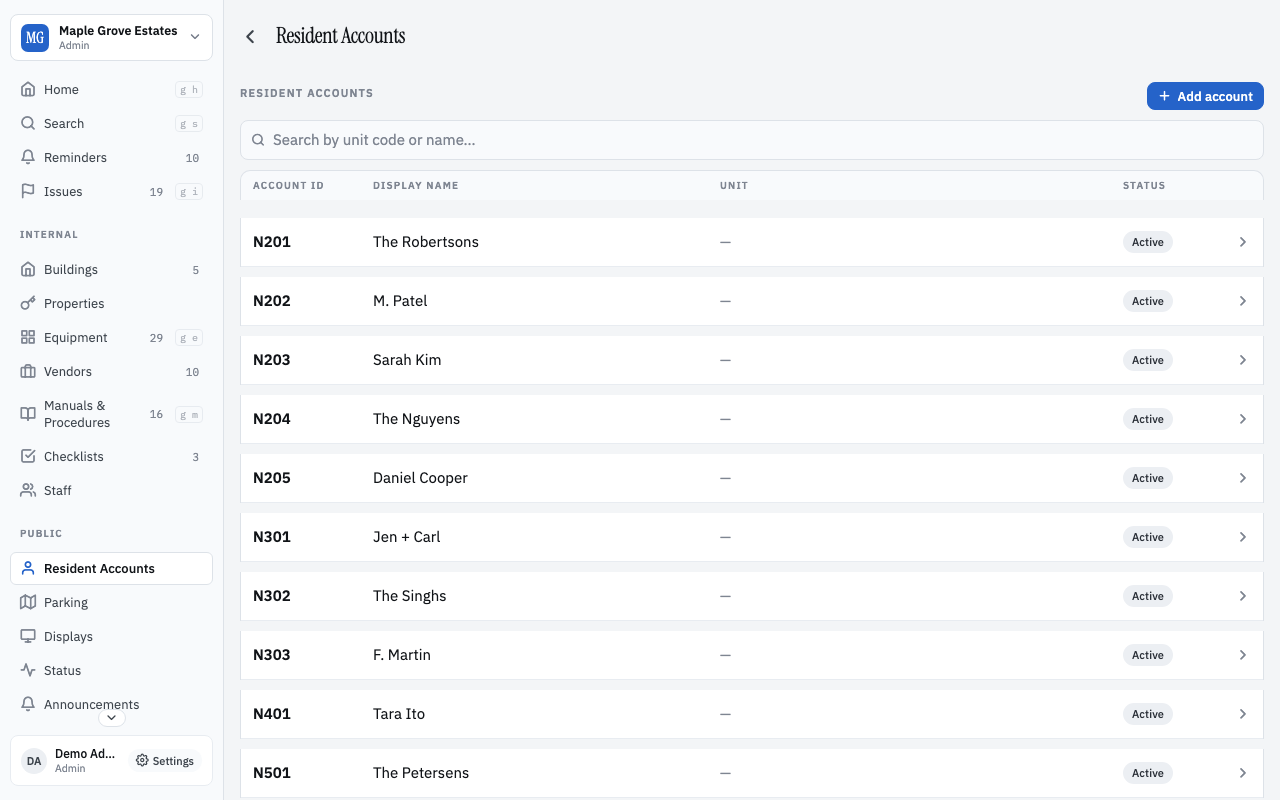
    Residents log in with a unit code on a printed credentials card. No email signup, no app store, no profile creation. Useful for elderly residents, multi-language buildings, and anyone allergic to "another account".

  • Anonymised by default.

    The board can leave names blank. Identity is the unit code; identifying details are optional metadata the board controls. Residents can be sent announcements without you ever collecting an email address.

  • Every building is isolated at the query layer.

    Every tenant's data lives behind an enforced boundary — no cross-building inference, no shared reporting, no accidental leaks in search results.

  • You own your building's data.

    Export everything as a single zip archive at any time. Cancel and your data comes with you. No lock-in, no data hostage.

What you get, by role

Built for the people who actually run buildings.

  • For the board

    Hand off the building, not the binder.

    • Every decision and incident has a permanent home a new member can read in an afternoon.
    • AGM packets that draft themselves from the year's log.
    • Email-to-import so invoices and quotes land in the right equipment record without anyone filing them.
  • For managers and staff

    A 30-second log entry beats a 20-minute meeting.

    • Add an entry on a phone, in a mechanical room, with bad signal. It queues offline and syncs when you have bars.
    • Vendor history at a glance — who's been here, what they charged, what they noticed.
    • Checklists for weekly walkthroughs that remember which boxes you skipped and why.
  • For residents

    Nothing to install. Nothing to remember.

    • Log in with the unit code on a printed card. Works on any phone or computer; no app store.
    • See the announcements that actually affect your unit — outages, scheduled work, AGM notices.
    • Report an issue with a photo. Watch it move from open to done. No email chain.

Getting set up

We'll move your building in.

Most buildings don't start from zero. They start from a binder, a Dropbox, and ten years of emails. The product knows that.

  • From spreadsheets

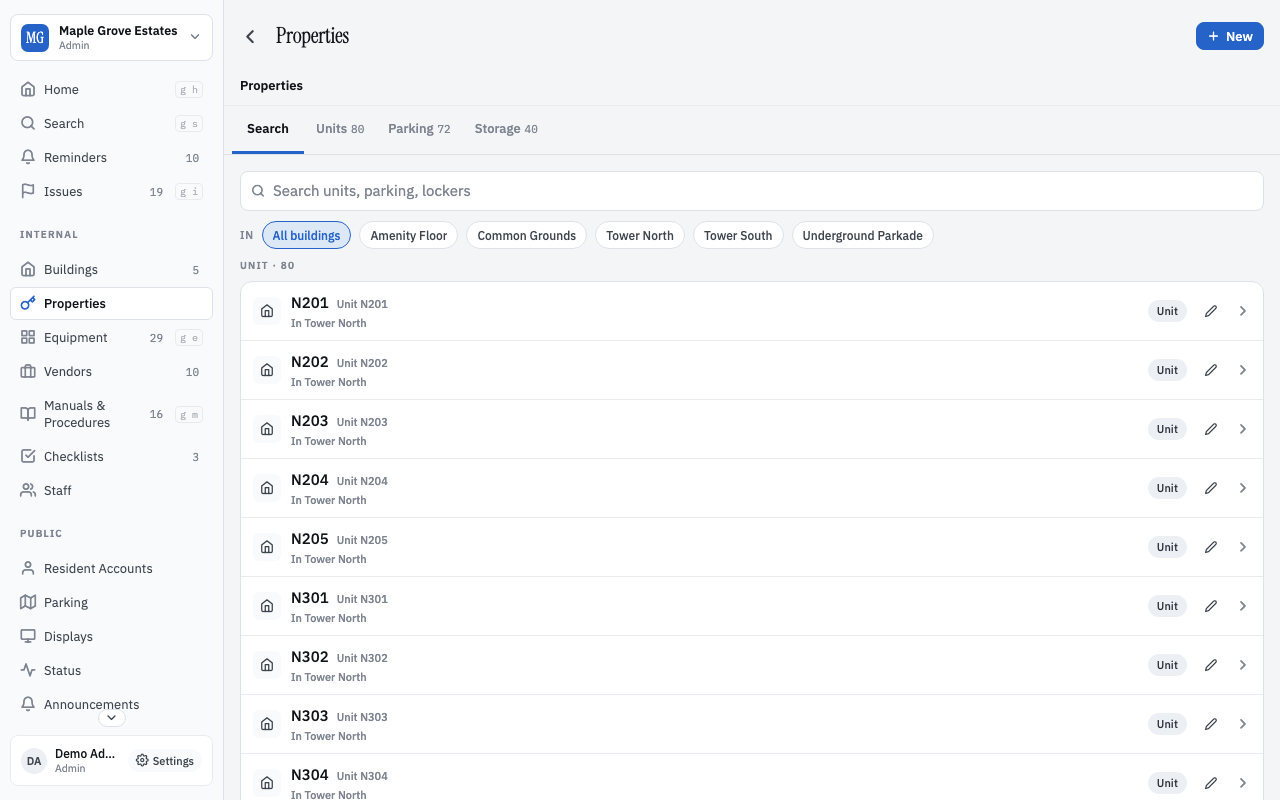
    Upload a CSV or Excel of units, equipment, vendors, parking, or storage — the smart importer figures out your columns without a template. It flags anything ambiguous before it commits, and you can roll back a bad import in one click. See our data-prep guide for the best results.

  • From binders and PDFs

    Upload manuals, procedures, bylaws, past inspection reports — anything with a page number. Deep-linkable and searchable from every device the next day.

  • From PayHOA, Buildium, BuildingLink

    We do the export for you on a short call. Most of what matters — equipment, vendors, history, documents — comes across cleanly. We don't try to import accounting; that's deliberately out of scope.

Onboarding help is included free for every paid plan, and available as a fixed-price service to free-tier buildings.

One product, every device

The same building, in your pocket and on your desk.

Web app for the laptop. Real native apps on iOS and Android for the boiler room. Desktop apps on Mac and Windows for the manager who wants their building open all day. Same data, same login, same product — no "lite" tier dressed up as a mobile experience.

  • Web

    Any browser, any computer. Nothing to install. Shareable links.

  • Coming soon iOS

    App Store, real native build. Camera, voice notes, offline queue.

  • Coming soon Android

    Play Store. Back gesture, share sheet, the system you already know.

  • macOS

    Standalone .app for managers who want the building open all day.

  • Windows

    Standalone .exe with the same DOM as the web app — same product, no surprises.

Offline-first on every platform: log entries you write without signal save locally and sync when you reconnect.

Download the desktop app

macOS (Apple Silicon & Intel), Windows, and Linux. iOS and Android apps coming next.

Pricing

One free tier. Two paid tiers. No surprises.

Basic is free forever. Standard is free for 30 days. Pro is free for 14 days. No credit card to start. Switch tiers (up or down) any time.

Basic

Free forever

For boards that want the operational platform without resident-facing features yet. Any building, any size, no card.

  • Unlimited log entries
  • Equipment, vendors, manuals, procedures
  • Issues kanban + reminders + checklists
  • Smart import — bring in your existing equipment, units, parking, and lockers from a spreadsheet; the importer figures out your columns for you
  • 10 GB attachment storage
  • Web, iOS, Android, Mac, and Windows apps
Start free
Most popular

Standard

$39 / month + $0.50 / resident account

For boards ready to bring residents on. Free for 30 days at signup, no card.

  • Everything in Basic
  • Resident accounts with printed login codes (up to 250)
  • Announcements + resident-facing status page
  • Visitor parking passes (visitor, overnight, monthly, special) + patrol
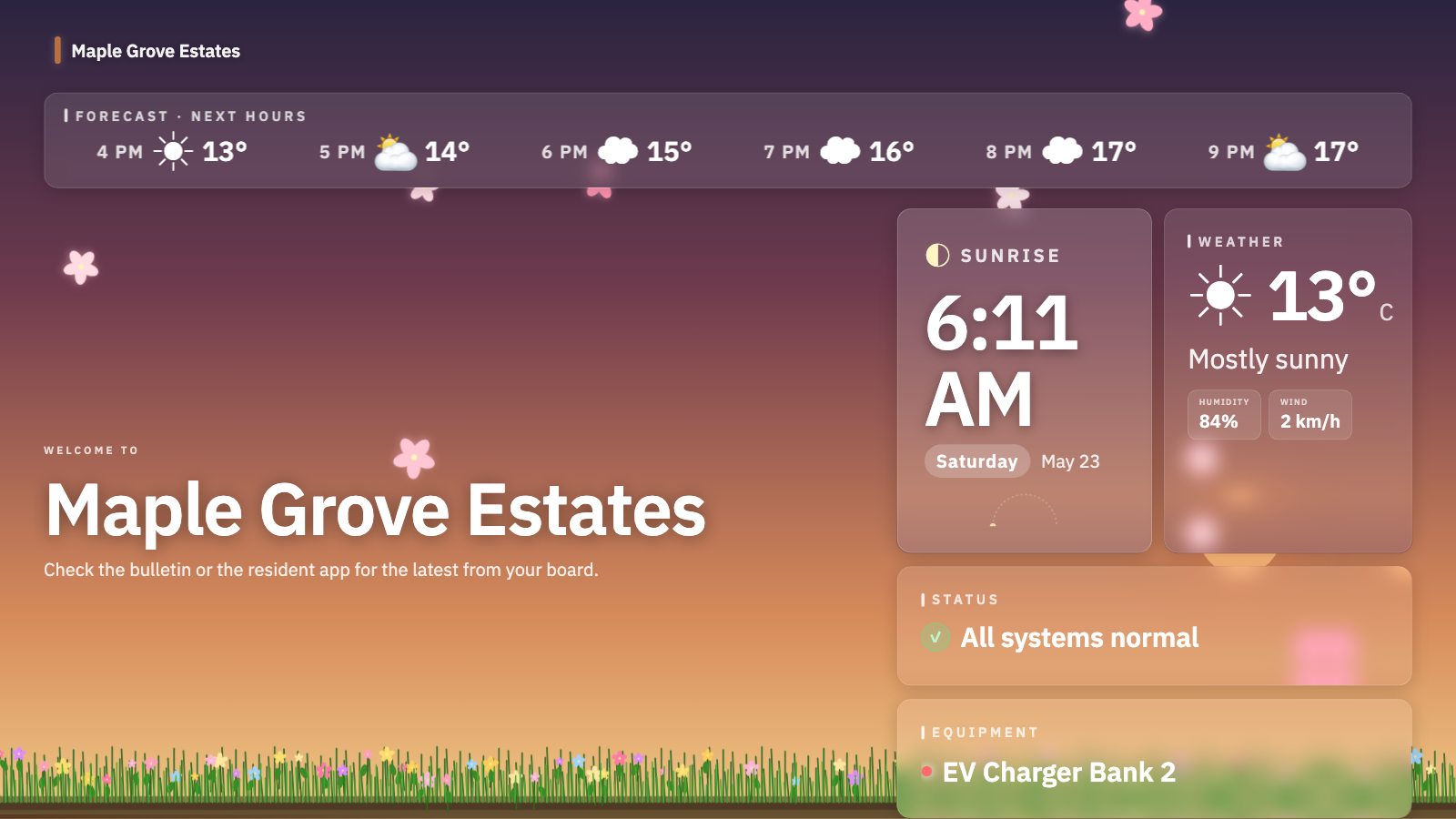
  • Lobby TV displays (up to 20)
  • Email notifications
  • 100 GB attachment storage
  • Smart import — more attempts per month, up to 10 running in parallel
Start 30-day free trial

Pro

$99 / month + $0.60 / resident account

For buildings that outgrow Standard's limits — bigger complexes, more residents, more storage. Free for 14 days at signup, no card.

  • Everything in Standard
  • Unlimited resident accounts — no per-cap ceiling
  • 500 GB attachment storage
  • Up to 50 lobby displays
  • Higher upload rate limits + 50 files per entry
  • Smart import — no monthly cap, up to 50 running in parallel
  • Priority support
Start 14-day free trial

Common questions

The things every board asks first.

Is the free tier really free?

Yes. The Basic tier is free forever and has unlimited entries, equipment, vendors, manuals, procedures, issues, reminders, and checklists. It's a complete operations platform for boards that don't yet want to give residents accounts.

What's the catch with the trial?

There isn't one. New signups get Standard free for 30 days, or Pro free for 14 days — no credit card either way. At the end, you stay on Basic (the free tier) unless you opt in. We don't auto-charge anyone.

Do residents need an account?

Only if you want them to log in. Many buildings run BuildingHQ purely as a board-and-staff tool and never give residents accounts. When you do, residents log in with a printed unit code — no email, no app install.

How is this different from PayHOA / Buildium / BuildingLink?

Those products are accounting suites with a building log bolted on. BuildingHQ is a building log with everything else stripped out. We deliberately don't do accounting, dues collection, or vendor marketplaces — there are good tools for those.

Can I bring in the data we already have?

Yes. The smart importer accepts CSV or Excel — equipment, units, parking stalls, storage lockers, vendors — and figures out your columns for you, so you don't have to reshape your spreadsheet to match a template. It flags anything ambiguous before it commits, and you can roll back a bad import in one click. See our data-prep guide for the best results.

What happens if I stop paying?

You drop back to Basic (the free tier). The operations features keep working; resident accounts, announcements, and displays turn off but no data is deleted. Export to a single zip anytime.

Can we migrate from our current system?

Yes. The smart importer handles CSV and Excel exports from PayHOA, Buildium, BuildingLink, and similar tools. Onboarding help is free with the paid plans.

Start with your building, today.

Sign up free. If you're a board member of a small self-managed strata or HOA, we'll have you logging entries in under five minutes.

Basic tier is free forever. Paid tiers start with a free trial. No credit card. No sales call.