Features walkthrough

Every surface, in depth.

The home-page tour is for browsing in 30 seconds. This page is for evaluating BuildingHQ end-to-end. Each section dives into one operational surface — what it does, why it's shaped that way, and what it looks like on screen.

01 · The foundation

The log — every event, observation, and decision, in one stream

Everything that happens in the building lands as a one-line log entry. Photos, voice notes, invoices, emails — attached in place, searchable in plain language.

The log is the spine. Equipment pages, vendor histories, issue threads, and reports are all views of the same underlying timeline. When the boiler is serviced, the entry attaches to the boiler page automatically; when a resident reports a leak, the entry attaches to the unit; when an invoice arrives by email, the entry attaches to the vendor.

Search works the way text messages search — type whatever you remember. Plain words, no syntax to learn. The board member who joined yesterday finds the 2021 boiler incident in three keystrokes.

Offline-first on every platform. An entry written from a phone in a mechanical room with no signal saves locally and syncs when bars return. The user taps submit, sees 'queued', and moves on.
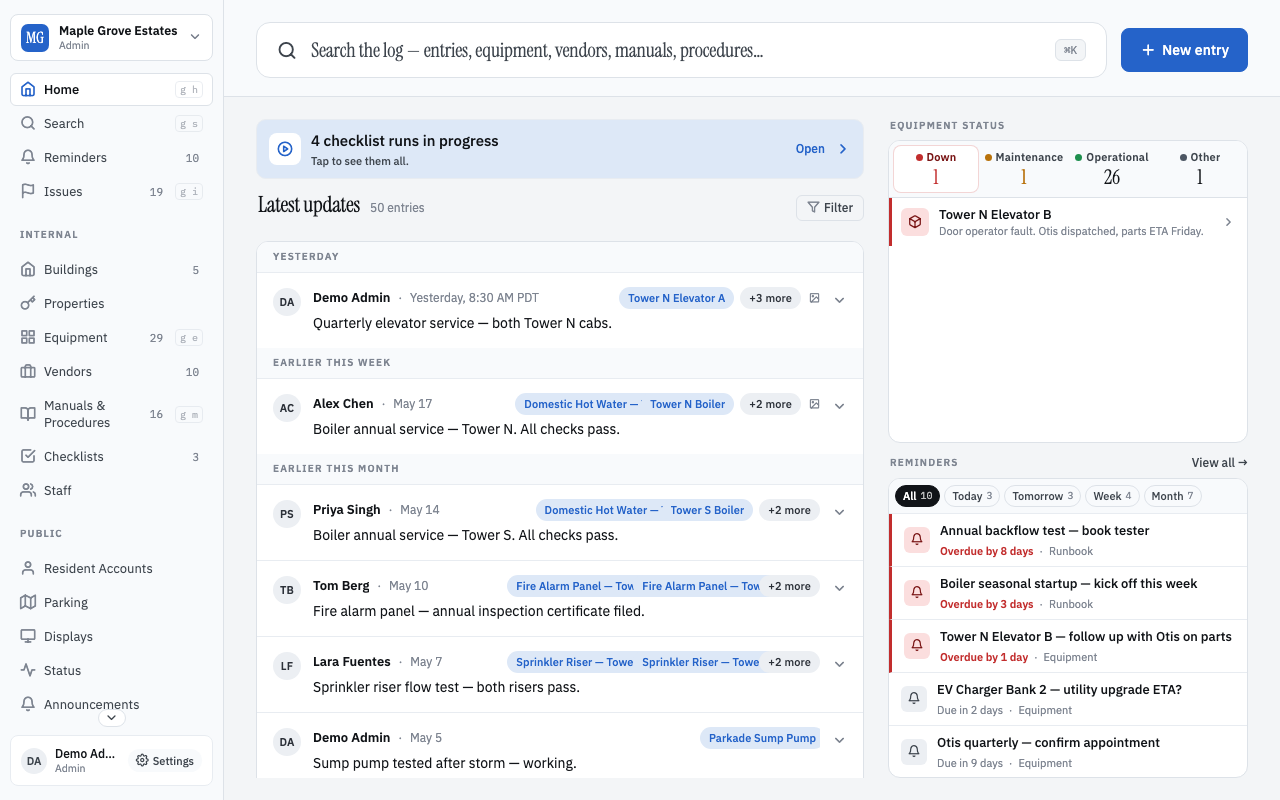
Home — the log timeline with recent entries from Maple Grove Estates
The home screen — every recent event in one stream.

02 · Operations

Equipment — every boiler, elevator, and pump with its full history

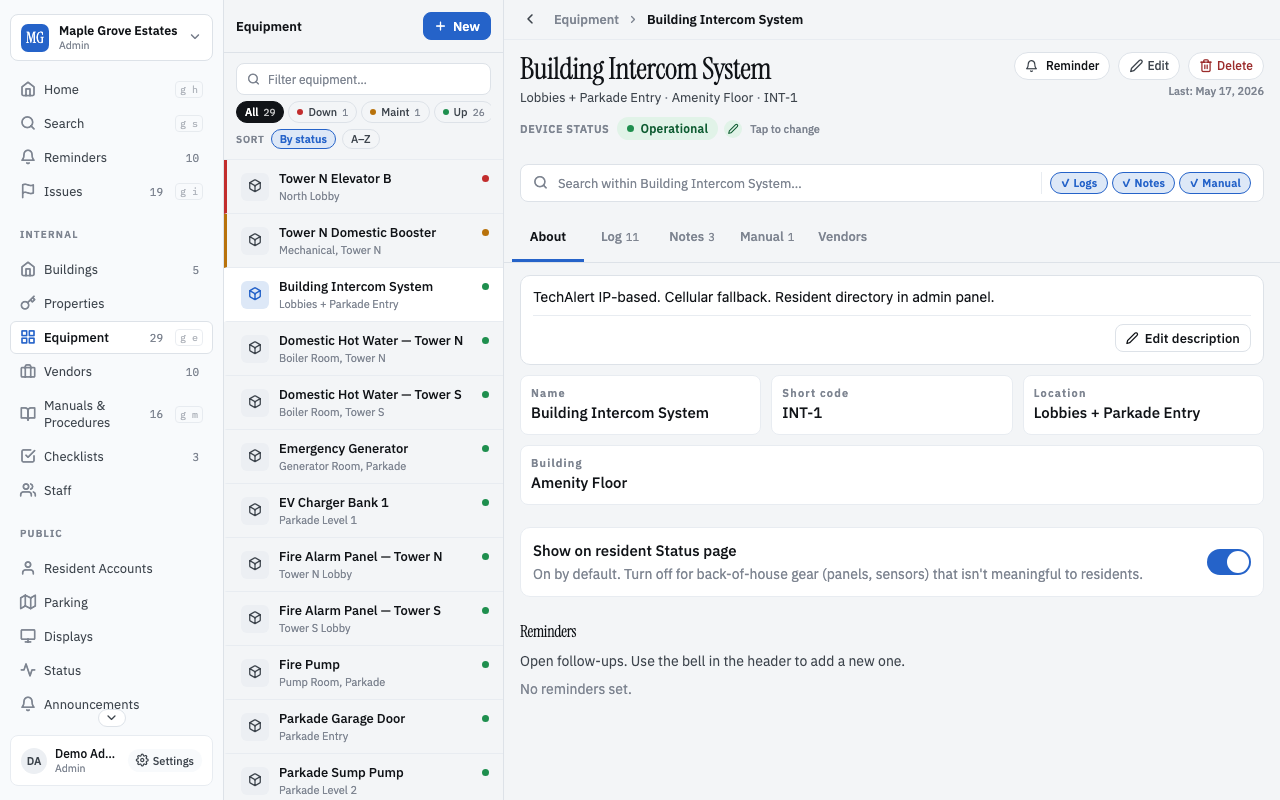
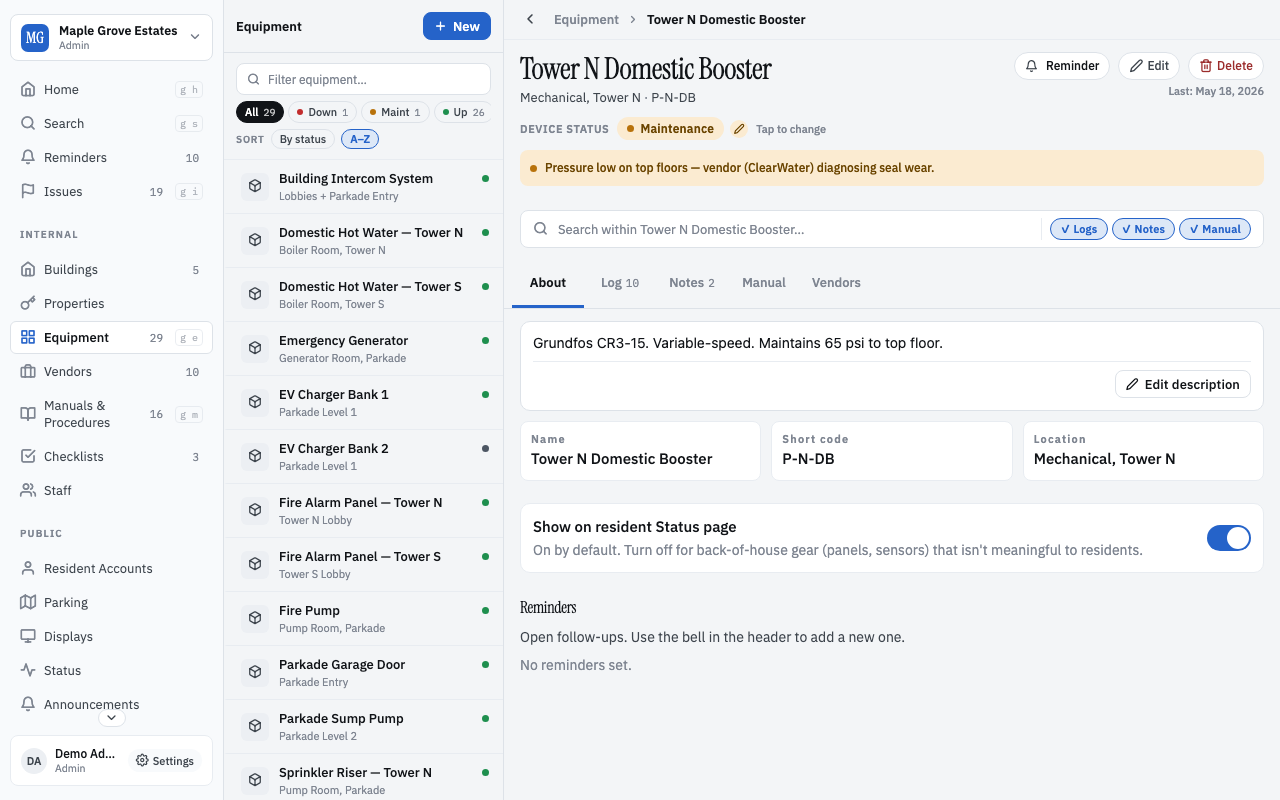
Each piece of equipment has a page with its serial, install date, location, attached manuals, vendor contacts, and every entry that ever touched it.

A vendor opens the elevator page from a link the board sent them. They see the last three service visits, the model and serial, who installed it, the parts already on order, and the photo from last week's call-out. They don't need to ask twenty questions.

Status chips signal at a glance: in service, needs attention, out for parts, decommissioned. The board sees the building's health in one sweep.

Equipment carries vendor relationships. The vendor card lists 'last engaged: 3 months ago', 'after-hours rate: 1.5×', and the operator's notes ('Tony is the one who actually knows the controller').

Equipment list with status chips and last-serviced dates
Equipment overview — health at a glance.
Equipment detail page for a boiler — serial, install date, service history
A single equipment page — history, vendors, manuals, all attached.

03 · The work in flight

Issues — a kanban that doesn't pretend the work is more complicated than it is

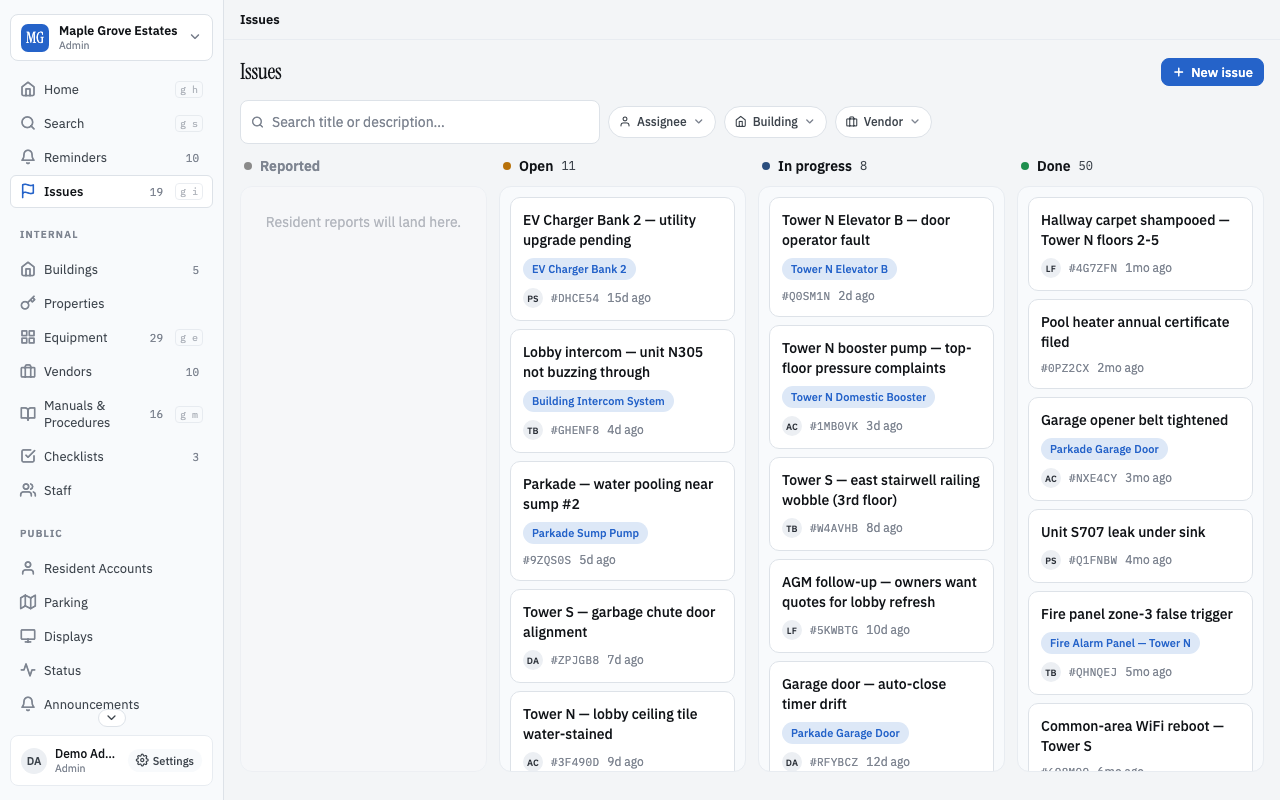
Open, In progress, Done. Resident complaints, board to-dos, vendor follow-ups — everything that needs doing this week, on one board.

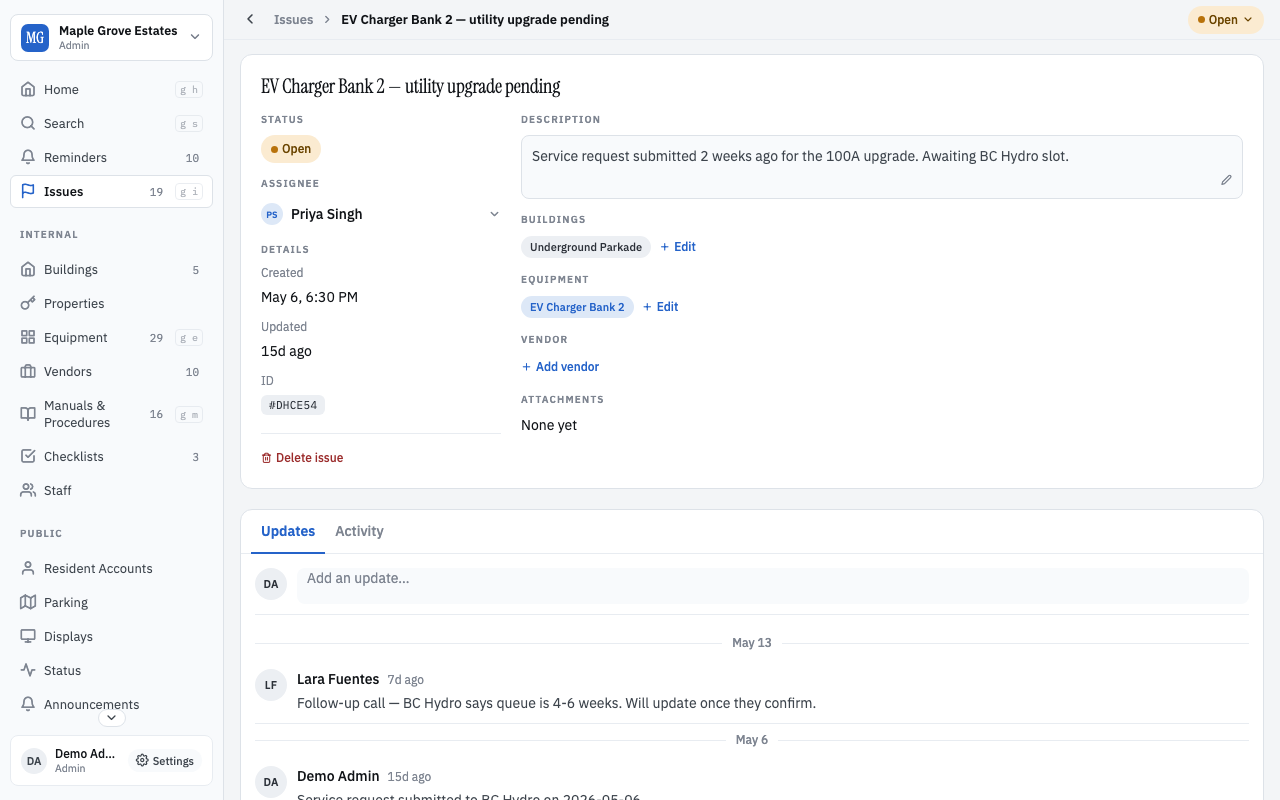
Each card carries the conversation. Photos uploaded by the resident who reported it, replies from the board, the vendor's quote, the invoice when it's paid. New board members read the whole story in a minute.

Issues live in the same log as everything else. A 'leak in N301' is an entry tagged as an issue. Searching for the unit code returns the issue, the entry that reported it, and the equipment that was serviced because of it.

No statuses to maintain. No SLA fields. No priority matrix. Move the card or don't — the building doesn't need a project manager.

Issues kanban with Open / In progress / Done columns
The kanban — what's in flight, by status.
Issue detail page with conversation thread and attached photos
Issue detail — the full thread on one screen.

04 · Talking to residents

Announcements, status pages, and lobby TVs

Reach residents the way they want to be reached — without their personal information, without their email address, without an app install.

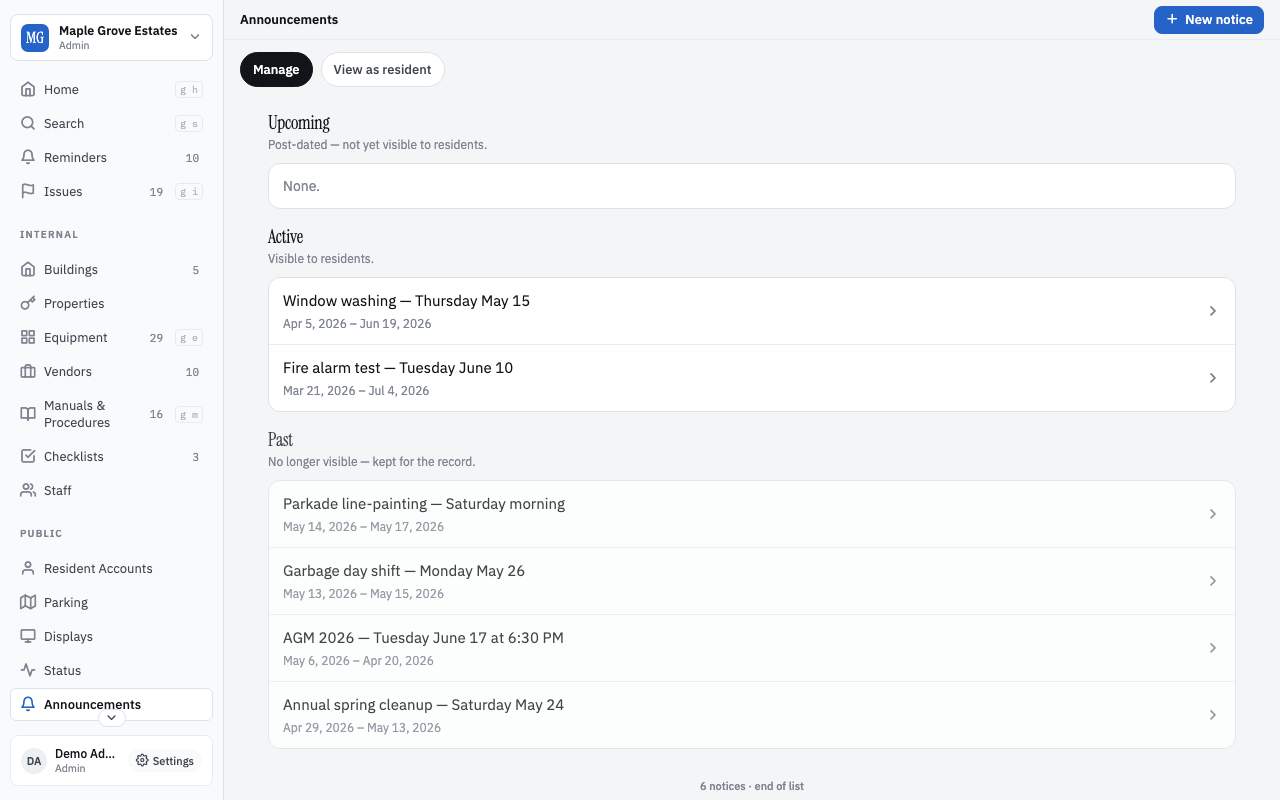
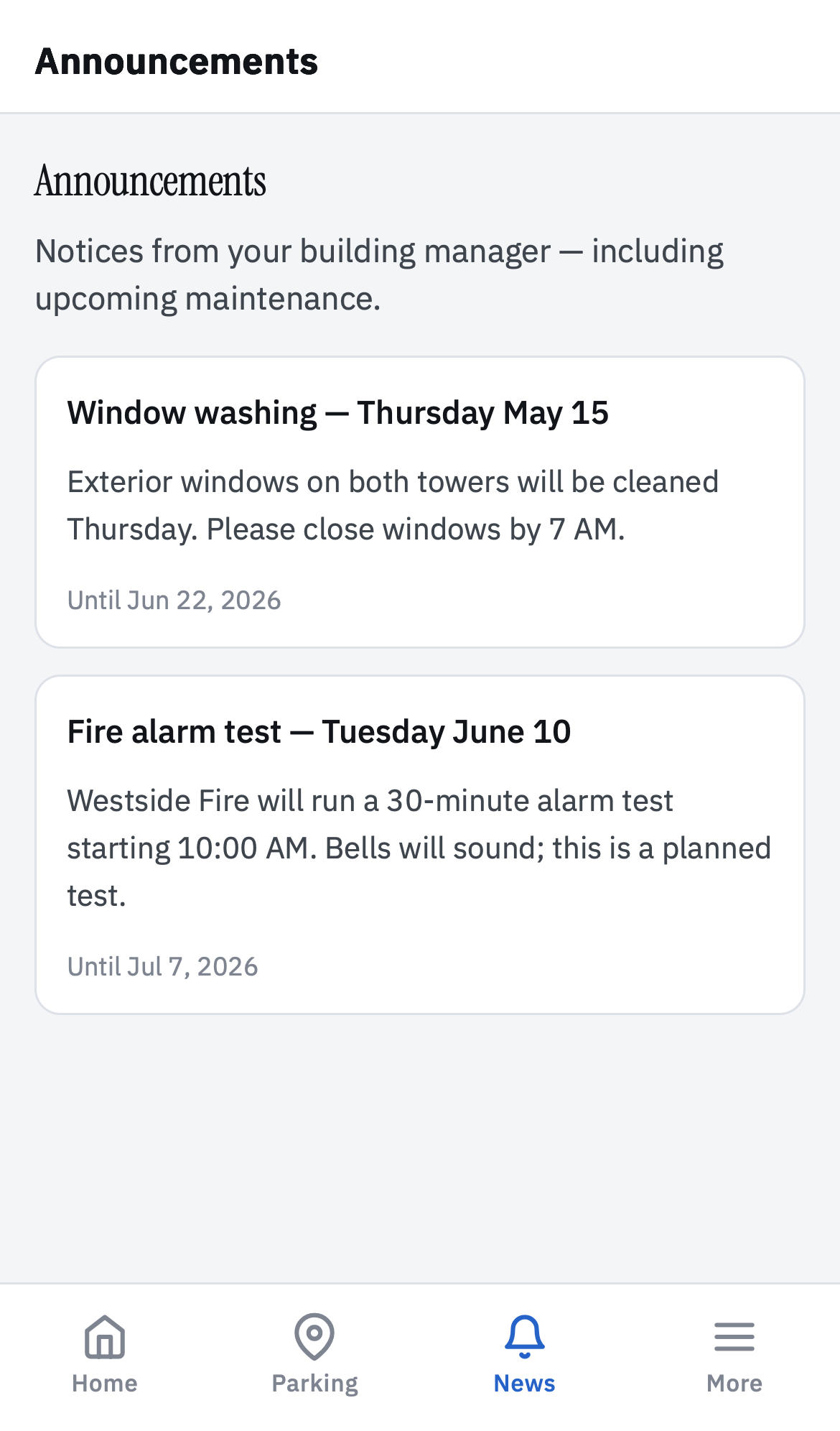
Announcements are time-bounded, optionally scoped to a tower, floor, or unit. The board posts; residents see them at their own pace on a status page they can refresh. No mass email blast. No app store notification permission request.

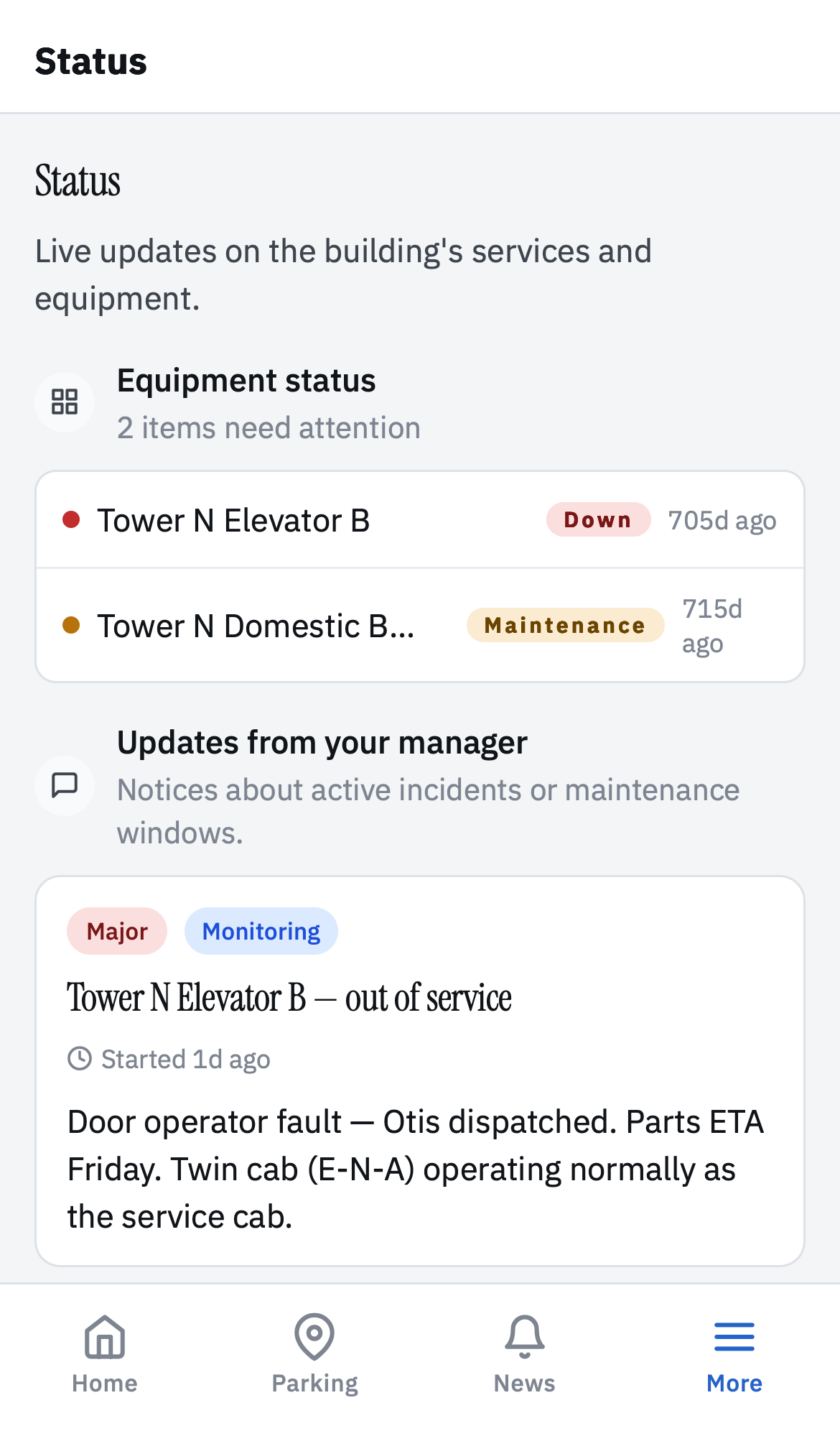
Outages and scheduled work get their own status page — 'water shutdown 8am-2pm Thursday, restored', 'elevator 2 out of service, ETA Friday'. Residents check in when they want to know.

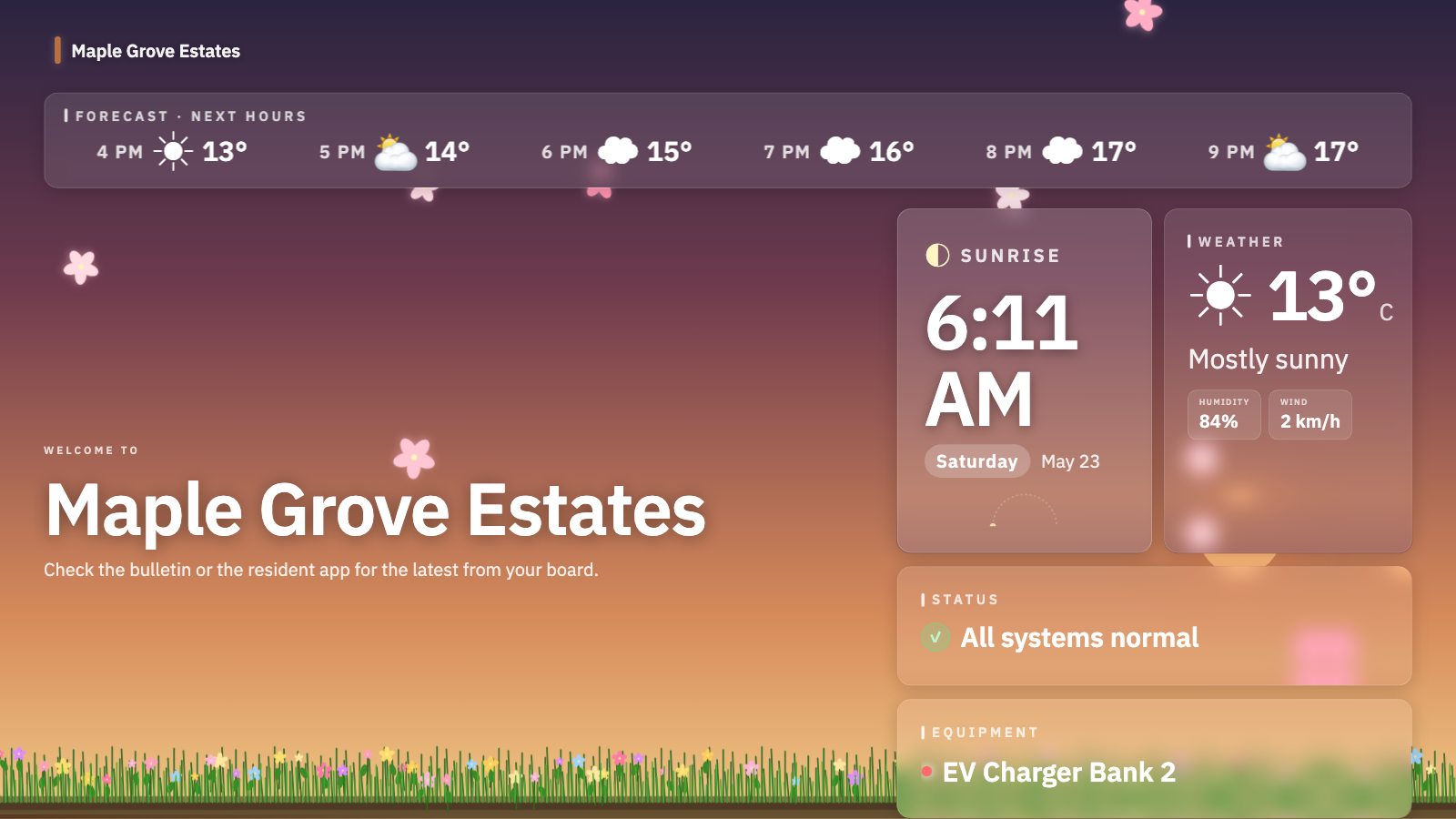
Lobby TVs run a public dashboard with today's work, garage strip schedule, AGM countdowns. Operator-class layout designed for the people walking past, not the people staring at the dashboard.

Announcements page with active incidents, scheduled notices, and document uploads
Announcements — incidents, notices, documents.
Resident status page — equipment status and updates
Resident status — what's happening, right now.
Resident announcements list
Announcements — push-free notices residents pull when ready.
Lobby TV display — weather, status, welcome panel
Lobby TV — calm, walk-by readable.
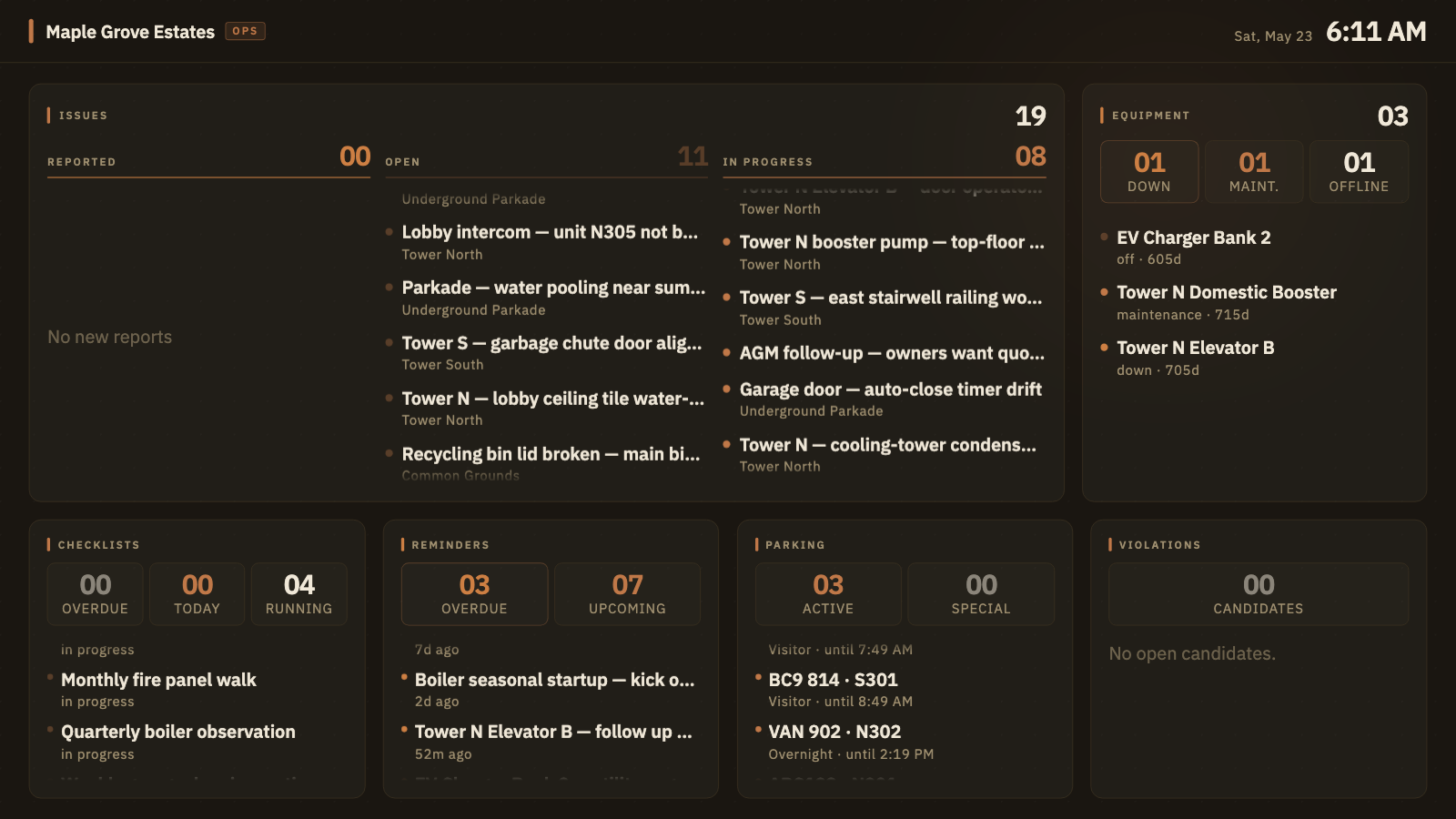
Internal ops dashboard — issues, reminders, parking, equipment
Internal ops dashboard — for the BM office.

05 · Visitor parking, from the phone

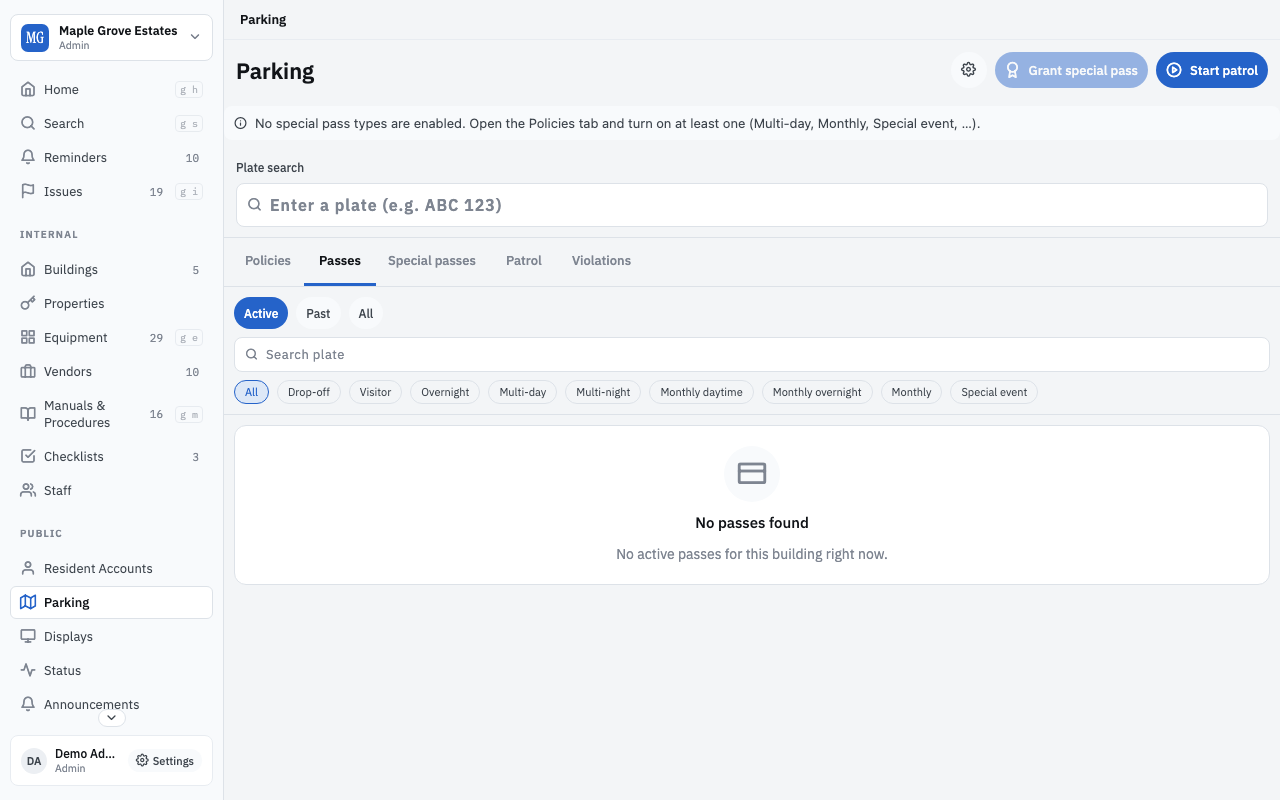
Visitor parking passes, patrol, plates, and violations

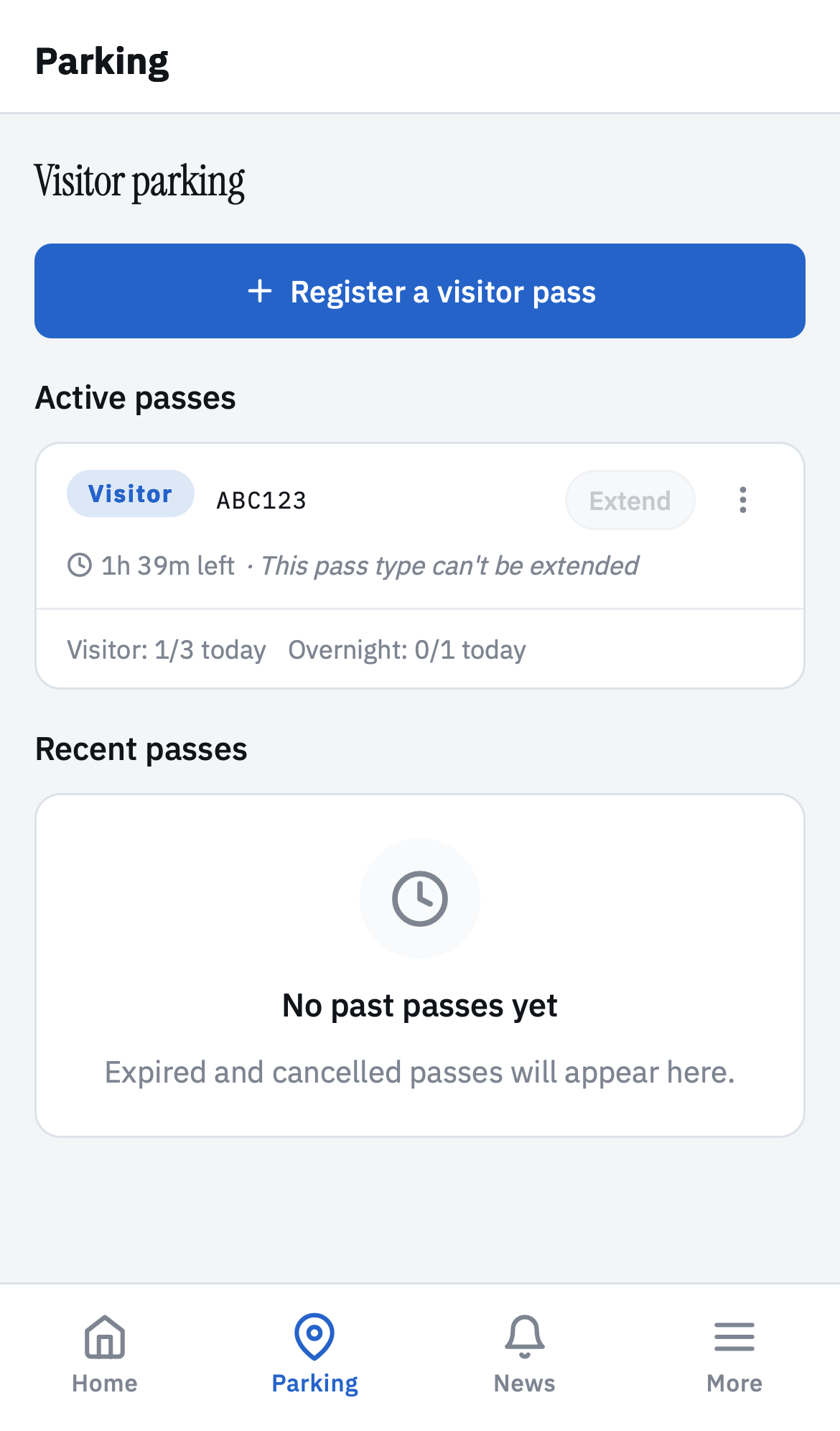
Residents register a visitor parking pass from the resident portal in a few taps. The board configures the pass types the building actually uses; patrol walks the lot and surfaces unmatched plates as violations.

Pass types are first-class. Short visitor, overnight, multi-day, multi-night, monthly daytime, monthly overnight, monthly all-time, and special-event are all set up out of the box — each with its own time-window, daily/weekly/monthly quotas, plate rules, cancellation grace, and concurrent-pass limits. The board flips on the ones their building uses; residents see only what's enabled.

Residents register a pass from the resident portal in a few taps: pick the type, set the plate, confirm. Active passes show plate, expiry, and remaining quota; the configured limits are enforced before the pass is created so residents can't accidentally over-book.

Patrol walks the lot during their shift, checks plates against active passes, and logs each scan. Unmatched plates become violation candidates the board reviews — sign off as 'first warning', 'fine', or 'dismiss with note', whichever fits the building's rules. The decision becomes a log entry future boards can find.

Parking module — passes, patrol shifts, plate search, special permits tabs
Parking admin — passes, patrol, plates, violations.
Resident visitor parking screen — active passes and Register a visitor pass CTA
Resident portal — register and manage passes.

06 · Recurring work

Reminders, checklists, and procedures

The work that recurs — annual fire prep, monthly boiler service, the weekly garage walk — never falls off the calendar.

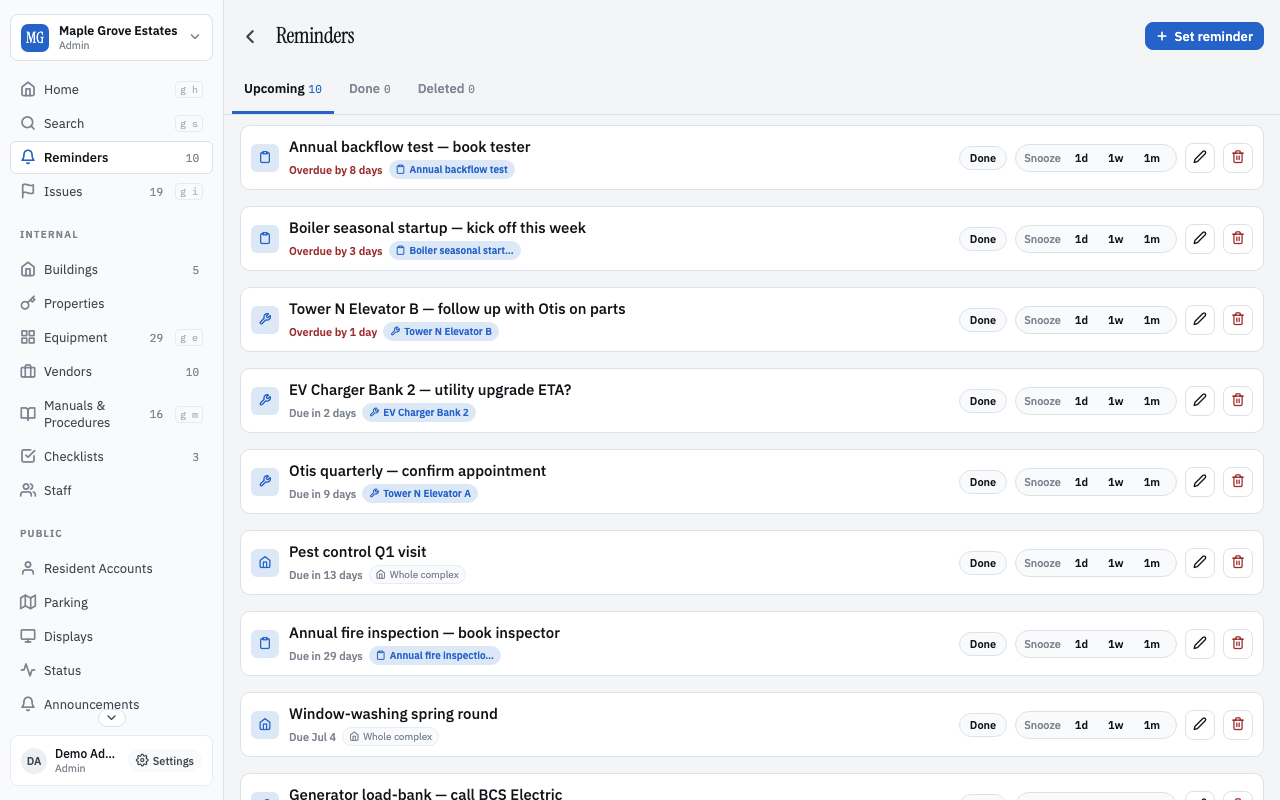
Reminders nudge the right person on the right week. Three tabs — Upcoming, Due, Overdue — so the board sees what's next at a glance. Each reminder ties to the equipment or area it covers; completing it records an entry on that page automatically.

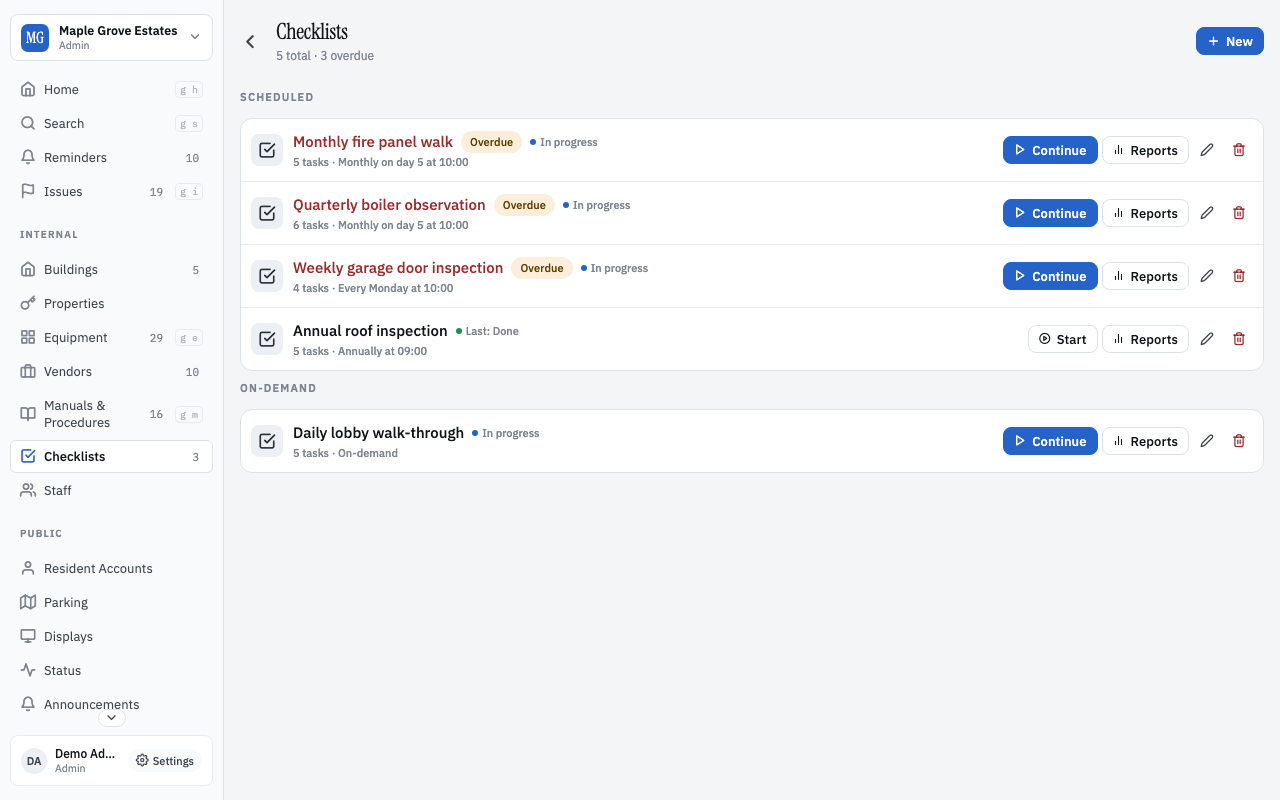
Checklists are recurring multi-step tasks: the monthly fire-panel test, the daily lobby inspection, the annual roof walkthrough. Skip a box with a reason; flag a finding with a note. Each run becomes part of the equipment's history.

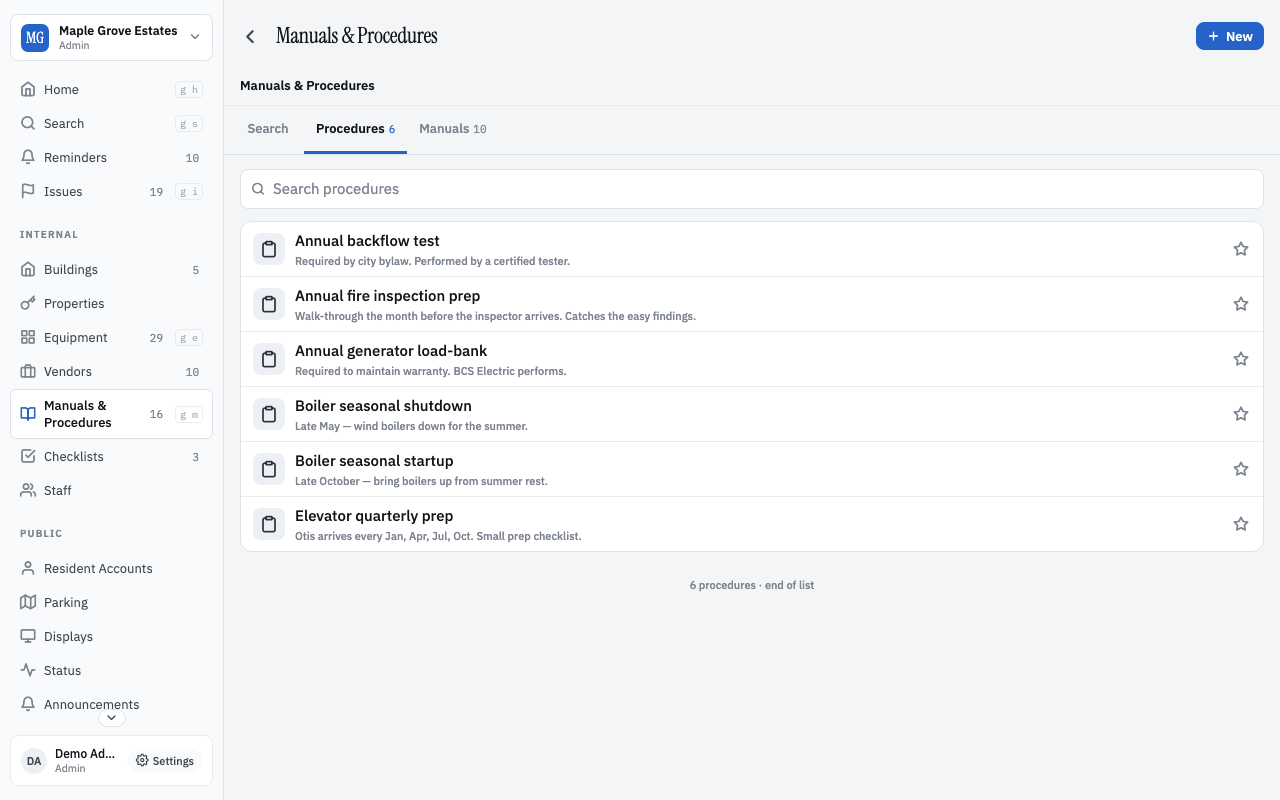
Procedures are how this building does the recurring stuff — boiler startup, AGM prep, annual fire walkthrough. Ordered steps with photos. They survive board turnover; the incoming board reads them like a recipe.

Reminders list with Upcoming, Due, Overdue tabs
Reminders — what's coming up, what's overdue.
Checklists overview with templates and run history
Checklists — recurring multi-step work.
Procedures (runbooks) tab
Procedures — step-by-step how-tos.

07 · Setup

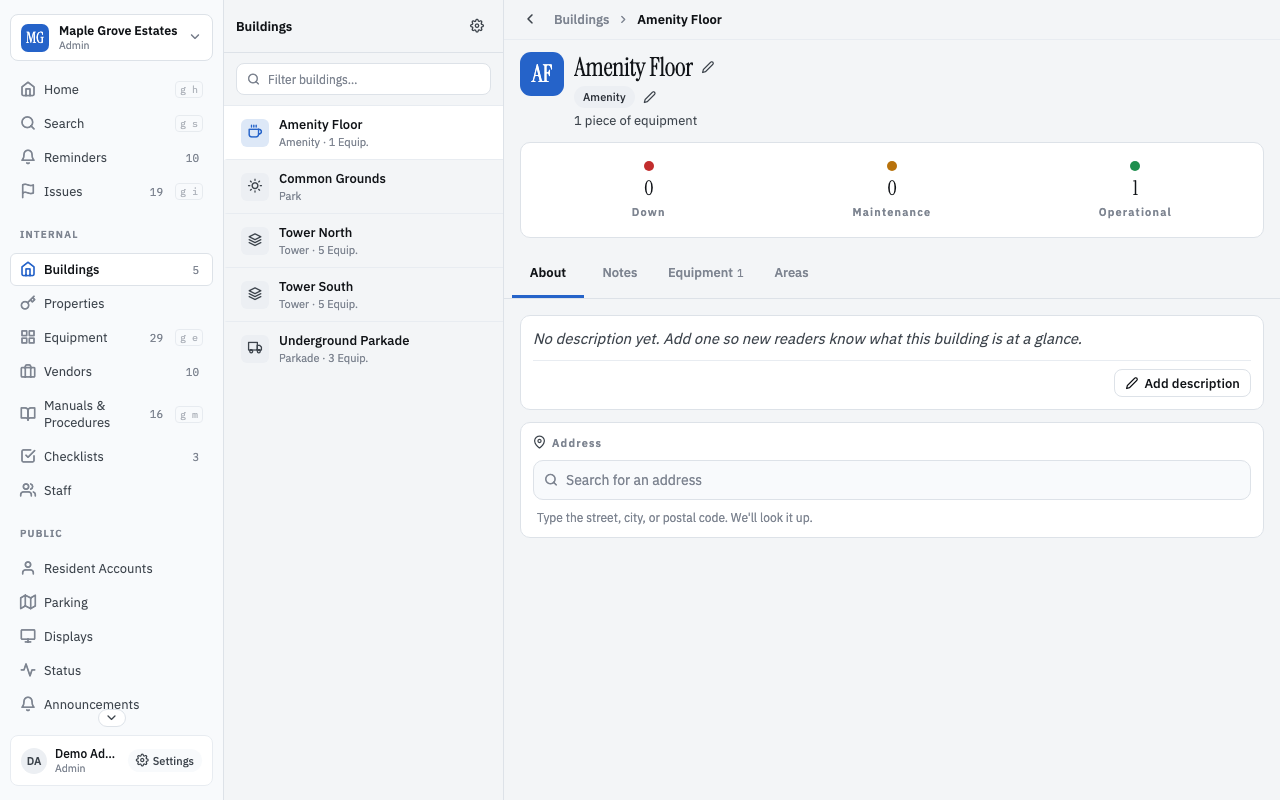
Areas, units, parking, lockers — the building's physical shape

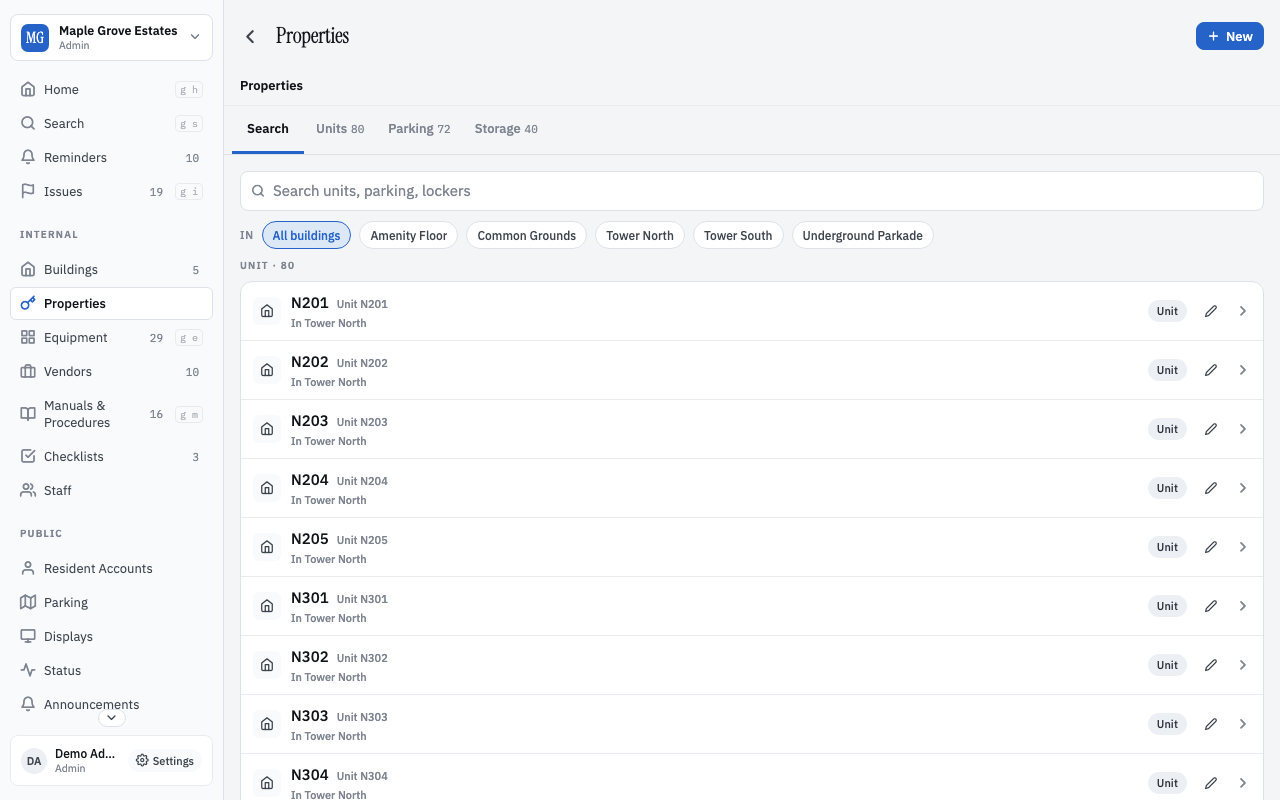
Model what's actually there: two towers, a parkade, 80 units, 60 stalls, 40 lockers, an amenity floor. Paste a CSV if you have one.

Areas are hierarchical: tower → floor → unit, or parkade → level → stall. Add a new floor in 30 seconds; the units inside inherit the address, timezone, and notification rules.

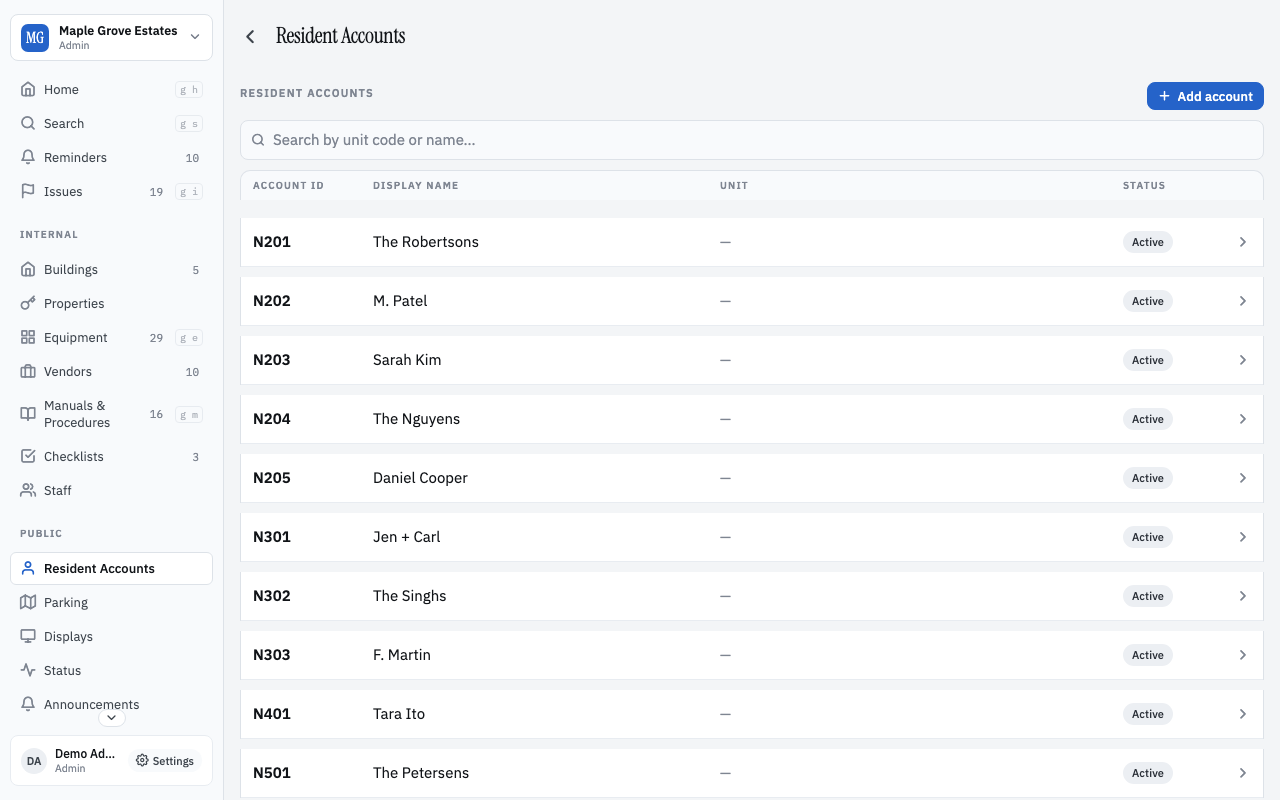
Residents map to units (1-to-many — Mom and Dad in the same unit both get accounts). Unit codes are the canonical identity; names and contact info are optional metadata the board controls.

Parking stalls and storage lockers are first-class areas, not afterthoughts. Assign a stall to a unit, transfer it when a resident sells, leave it unassigned for visitors. Same for lockers.

Areas page — tower / floor / parkade hierarchy
Areas — the building's physical shape.
Property settings page
Property settings — address, timezone, plan, members.
Residents page with unit codes
Residents — unit codes are the identity.

08 · The library

Vendors, manuals, and procedures

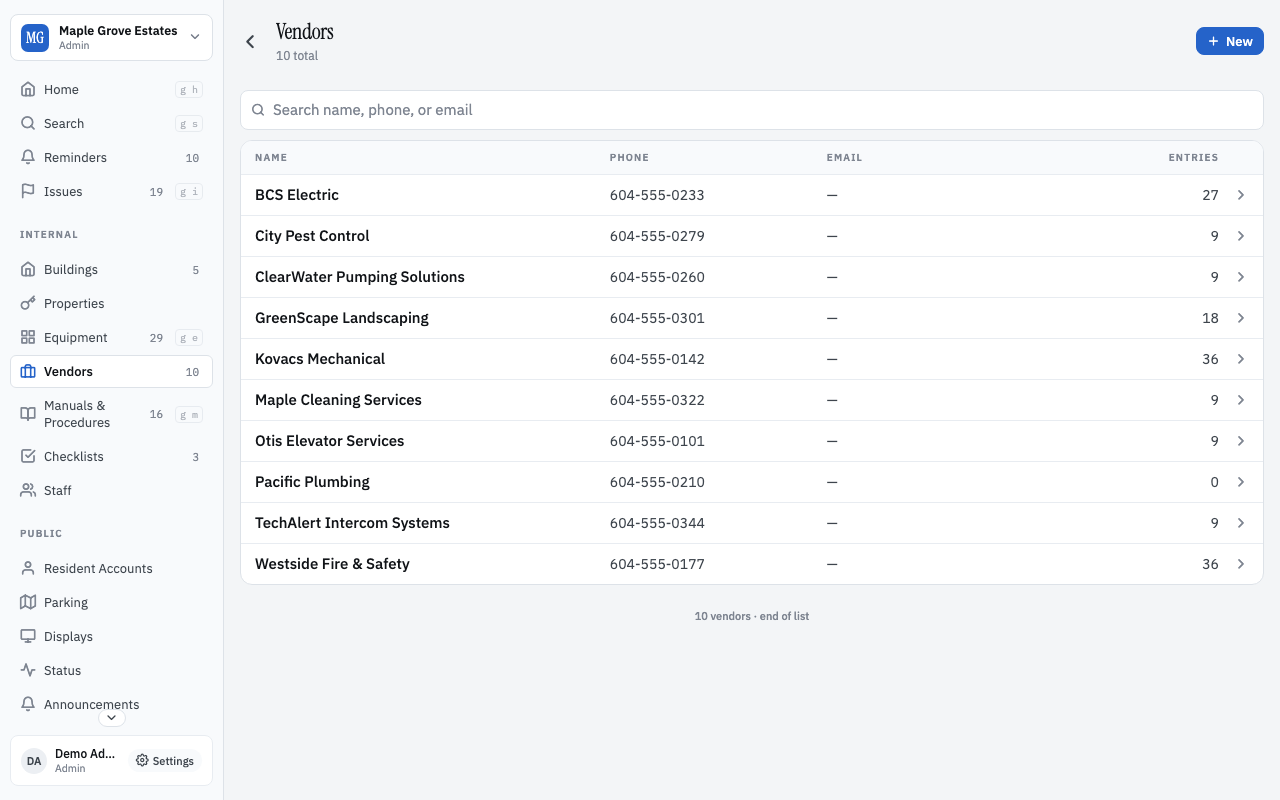
The plumber you've used three times. The boiler manual section 7. The step-by-step for arming the fire panel after a false alarm.

Vendors carry the institutional memory of who's good, who's expensive, who shows up on time. Notes ride along — 'Tony is the regular Otis tech', 'after-hours rate is 1.5x', 'send a PO before they'll dispatch'.

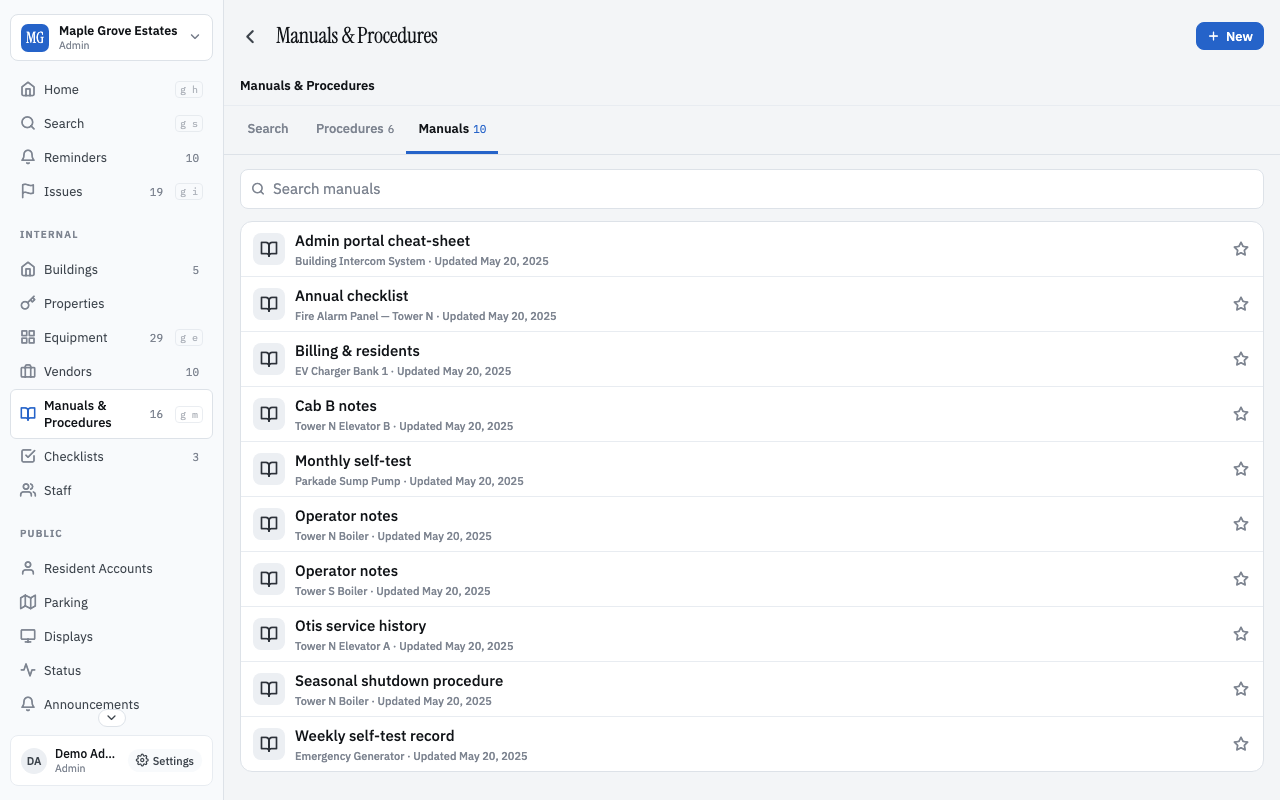
Manuals are equipment-scoped PDFs with deep-linkable sections. Upload once; the section URLs are stable. The new vendor's email goes to section 7 of the boiler manual directly, not 'find the PDF and scroll down'.

Procedures are runbooks — ordered, attached to the equipment they govern, with photos and decision points. They're the antidote to 'how did Sarah do this before she rolled off the board?'.

Vendor directory
Vendors — with operator notes.
Manuals tab
Manuals — equipment-scoped, deep-linkable.
Procedures tab
Procedures — step-by-step.